Dumbphones With a Hotspot: 6 That Get a Laptop Online
By Finn Albar
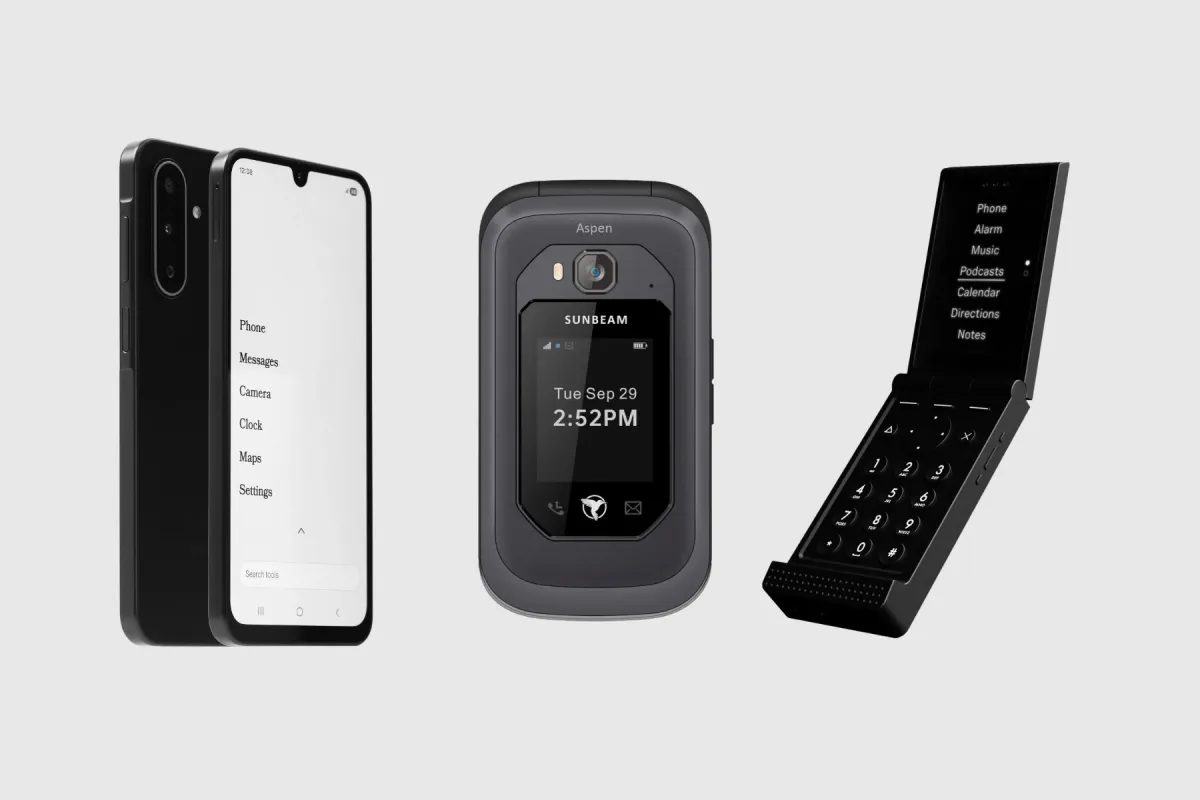
A dumbphone with a hotspot shares its mobile data with your laptop, so you can drop the smartphone and still work. The Light Phone III, Mudita Kompakt, and Sunbeam F1 Pro do it with no web browser on the phone. So the screen in your pocket stays calm while the laptop does the job.
These six phones suit remote workers, students, and anyone who hesitates to switch because a laptop needs data away from Wi-Fi. The carrier is the catch. Your plan decides whether the hotspot works and how much fast data it gets, and each pick names that limit.
A hotspot also moves the open internet to the laptop. If the laptop is where your attention goes, pair any phone here with an app blocker that runs on your computer. For a phone with no data tools at all, see phones that only call and text.
| Phone | Form factor | Input | Network | Wi-Fi | Battery | Screen | GPS | Hotspot | |
|---|---|---|---|---|---|---|---|---|---|
| Light Phone III | Touchscreen | Touchscreen | 5G | Yes | 1,800 mAh | 3.92 in | Yes | Yes | No |
| Mudita Kompakt | Touchscreen | Touchscreen | 4G | Yes | 3,300 mAh | 4.3 in | Yes | Yes | Sideload only |
| Sunbeam F1 Pro | Flip | Keypad + touch | 4G | Yes | 2,200 mAh | 2.8 in | Yes | Yes | No |
| Punkt MP02 | Bar | Keypad | 4G | Yes | 1,280 mAh | 2 in | Yes | Yes | No |
| Techless Wisephone II | Touchscreen | Touchscreen | 5G | Yes | 5,000 mAh | 6.7 in | Yes | Yes | Yes |
| TCL Flip 4 5G | Flip | Keypad | 5G | Yes | 3,000 mAh | 3.2 in | Yes | Yes | No |
How we picked
Every phone here meets four conditions:
- The maker documents the hotspot. Sharing data with another device appears on its support page, spec sheet, or product page.
- You can order it new in the US. A reservation counts only if that phone has shipped before.
- It runs on 4G or 5G. On T-Mobile, for one, Mobile Hotspot works only in 5G and 4G LTE coverage.
- It has no web browser, with one exception. The TCL Flip 4 5G keeps a browser, and it sits last as the low-cost pick.
The order runs from the most complete phone with no browser to the narrowest fit. The flip with a browser comes last.
Several phones with a hotspot are left out. The Light Flip runs Light OS with a hotspot, but Light has not shipped it yet. AGM sells the M11 as a hotspot phone, yet it also offers direct access to TikTok and YouTube.
The Dumber Mini ships with the Aurora Store, an app store, and the Sonim XP5plus 5G keeps a web browser.
Older hotspot guides still lead with the CAT S22 Flip, and our roundup of CAT S22 Flip alternatives explains what replaced it. The Nokia 2780 Flip is out too: HMD’s US site now redirects to its international pages, which have no page for it.
The best dumbphones with a hotspot
1. Light Phone III: best hotspot on a phone with no browser
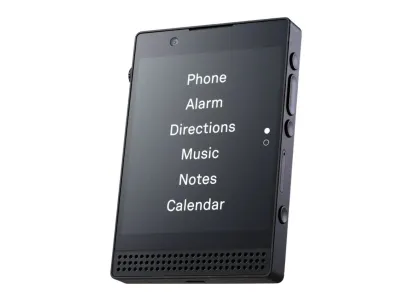
Light
Phone III
Preorder$899
- Network
- 5G
- Wi-Fi
- Yes
- Battery
- 1,800 mAh
- Screen
- 3.92 in
5G · Wi-Fi · GPS · Hotspot · Camera · eSIM · Water resistant
The Light Phone III treats the hotspot as one more tool, next to directions and music, on a phone with no browser. You switch it on in Settings, name the network, and set a password. You can also add Hotspot to the phone’s menu from Light’s dashboard.
It suits a remote worker who wants 5G for the laptop and a phone that does little else. Light runs its own carrier service, and one of its two plans is meant for heavy hotspot use. It is the wrong pick if you need a phone this week, because Light sells it by reservation.
The hotspot depends on your SIM. It needs a SIM with the ability and the data to hotspot, and since a 2025 update the Phone III checks the SIM for it. On Verizon, you cannot yet activate a new line on the phone, so you would start the line on another device first.
2. Mudita Kompakt: best E Ink phone with a hotspot
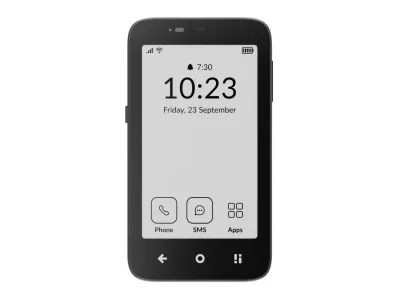
Mudita
Kompakt
Available$399
- Network
- 4G
- Wi-Fi
- Yes
- Battery
- 3,300 mAh
- Screen
- 4.3 in
4G · Wi-Fi · GPS · Hotspot · Camera · eSIM · Water resistant
The Mudita Kompakt shares its data over a Wi-Fi hotspot that you can switch on from the Control Center. The full path runs through Settings, where you can change the network name, password, and security. The password needs at least eight characters.
It suits someone who wants a calm E Ink screen in the pocket and does the real work on a laptop. In Mudita’s own tests in US cities, the Global version worked on AT&T, T-Mobile, and Verizon. It is the wrong pick if you want 5G speeds for large uploads, because the Kompakt tops out at 4G.
Battery is the trade. A hotspot keeps the cellular radio and the Wi-Fi radio running at once, often continuously. So plan on a charger for long sessions, and switch the hotspot off when the laptop closes.
3. Sunbeam F1 Pro: best keypad flip with a hotspot
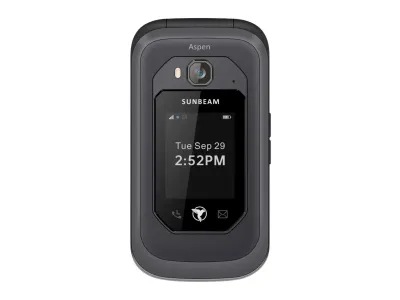
Sunbeam
F1 Pro
Available$359
- Network
- 4G
- Wi-Fi
- Yes
- Battery
- 2,200 mAh
- Screen
- 2.8 in
4G · Wi-Fi · GPS · Hotspot · Camera · Headphone jack · Music
The Sunbeam F1 Pro is a rugged flip with no browser, and four of its models add a hotspot. Those four are Juniper, Aspen, Maple, and Cypress. Cypress is the plainest of the four, with no maps or email, so it suits a buyer who wants the hotspot and little else.
It suits a contractor or field worker on Verizon or T-Mobile who wants a keypad phone that can put a laptop online. The hotspot works on Verizon’s and T-Mobile’s own service. But it does not work on AT&T’s own service or on Cricket, so skip the hotspot models on those.
The hotspot also gives your laptop an unfiltered connection, so any filter has to live on the laptop. Sunbeam sells no phone service, and the hotspot needs a compatible cellular plan. Choose the model with care, because the other models have no hotspot.
4. Punkt MP02: best for tethering by cable or Bluetooth
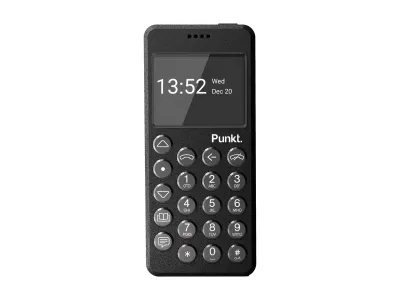
Punkt
MP02
Available$299
- Network
- 4G
- Wi-Fi
- Yes
- Battery
- 1,280 mAh
- Screen
- 2 in
4G · Wi-Fi · GPS · Hotspot · Keypad
The Punkt MP02 is the phone here that is built around tethering. Punkt pitches it to people who “dip into the internet, not the other way around,” and the phone has no browser or camera. It shares its connection three ways: Wi-Fi, Bluetooth, and USB.
It suits an AT&T customer who wants a small keypad phone and a laptop for everything else. Punkt verifies VoLTE calls on AT&T only. So it is the wrong pick on Verizon, which is unsupported, and a risk on T-Mobile, where coverage works but VoLTE does not.
The weak points are age and power. The last security update came in August 2021, with no further Android or vendor updates planned. An active hotspot or tether also drains the battery fast, and so does a weak 4G signal.
5. Wisephone II: best if you also need WhatsApp
Techless
Wisephone II
Available$399
- Network
- 5G
- Wi-Fi
- Yes
- Battery
- 5,000 mAh
- Screen
- 6.7 in
5G · Wi-Fi · GPS · Hotspot · Camera · eSIM · Music
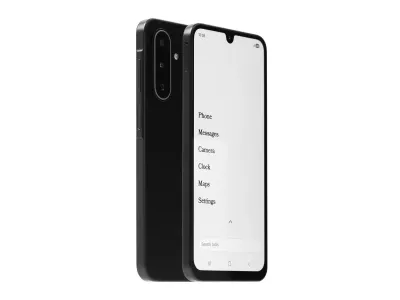
The Wisephone II is a locked-down Samsung with no web browser, but it has a mobile hotspot to connect your laptop. It is the only phone here that offers WhatsApp, through Techless’s Tool Drawer of approved apps. Maps and a camera come built in.
It suits a parent or small-business owner who needs WhatsApp and a laptop connection on one device. It is the wrong pick if you want a small screen or a firm boundary, because it is a full touchscreen phone. Techless also reserves the right to add or remove third-party apps at any time.
The hotspot follows the plan. On Techless’s own carrier service, the hotspot comes only with the unlimited Pro plan. With your own carrier, data and hotspot depend on that carrier, and every Wisephone still needs a WiseOS subscription.
6. TCL Flip 4 5G: lowest-cost hotspot, with a browser
TCL
Flip 4 5G
Available$90
- Network
- 5G
- Wi-Fi
- Yes
- Battery
- 3,000 mAh
- Screen
- 3.2 in
5G · Wi-Fi · GPS · Hotspot · Camera · eSIM · Headphone jack
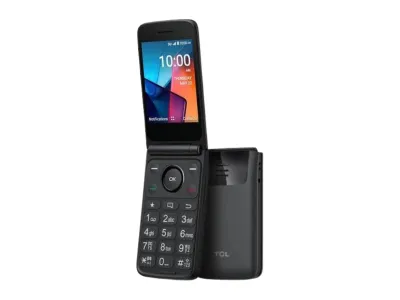
The TCL Flip 4 5G is the low-cost way to carry a hotspot, and the one phone here that keeps a web browser. It shares two ways: a Wi-Fi hotspot for up to ten devices, or USB tethering to one computer. Both sit under Settings, then Network & Connectivity, then Internet Sharing.
It suits someone on T-Mobile or Metro by T-Mobile who wants a plain 5G flip and needs the laptop online now and then. Both carriers mark it as hotspot capable. It is the wrong pick if the browser is what you want to leave behind, because it comes with email and a built-in web browser.
Sharing a connection may also add network charges from your carrier. The browser makes this flip a softer pause than the five above, but a cheaper one. Ask your carrier which plan includes hotspot data before you count on it.
Wi-Fi hotspot or USB tethering: how each phone shares
A hotspot and tethering do the same job. Both share the phone’s mobile data with another device, and the difference is the link between them.
- Wi-Fi hotspot. The phone broadcasts a small network with a password. The Light, Mudita, Sunbeam, and TCL phones all do this, and TCL’s flips serve up to ten devices.
- USB tethering. A cable carries the connection to one computer. TCL’s flips and the Punkt MP02 support it.
- Bluetooth tethering. Only the Punkt MP02 offers it here.
The Light and Mudita phones offer a Wi-Fi hotspot only, and Sunbeam’s hotspot uses a password. The Wisephone II has a mobile hotspot, but how it connects is not published. The MP02’s Wi-Fi runs at 2.4 GHz only, so a USB cable is the other route if the wireless link struggles.
Sharing does not have to cost you calls. On T-Mobile, for example, you can still make and receive calls and texts while Mobile Hotspot is on.
Hotspot data and carrier rules
The phone is only half of it. Your plan decides whether the hotspot turns on, how much fast data it gets, and what happens after.
- AT&T includes hotspot data in many of its plans. Once that runs out, AT&T slows the hotspot to a maximum of 128 Kbps unless you buy more. Its hotspot terms cover smartphones and tablets, so ask about a basic phone before you move the line.
- T-Mobile includes Mobile Hotspot in most plans, but the high-speed amount varies by plan. After that, hotspot speed drops until the end of the billing cycle. Its fine print also puts data used on the phone ahead of tethered data.
- Verizon takes hotspot data out of your plan’s monthly allowance. After the high-speed part is gone, the hotspot keeps working at lower speeds.
Some phone makers add rules of their own. Light’s US service has two plans: $25 a month with 1 GB of data, or $45 a month with unlimited data, which is meant for heavy hotspot use. That plan slows to 3 Mbps after 22 GB and to 128 Kbps after 50 GB.
Techless offers the hotspot on its own service only with its unlimited Pro plan, which also slows after 22 GB. Sunbeam sells no service at all, and its chart is the place to check your reseller before you buy.
Battery drain and other limits
A hotspot keeps the cellular and Wi-Fi radios busy at once, so the battery drains faster. Four makers address the drain directly:
- Light: the hotspot drains the battery more significantly, so plug the phone in for long sessions.
- Mudita: the Kompakt runs the cellular and Wi-Fi radios together, often continuously.
- Punkt: an active hotspot, Wi-Fi or Bluetooth left on, and a weak 4G signal all cause fast drain.
- Sunbeam: Wi-Fi uses a lot of battery, so turn it off when you are done.
A weak signal hurts twice, because it slows the laptop and drains the phone. On Light’s phones, for example, a weaker signal drains the battery faster.
Wi-Fi calling helps where the signal is weak indoors, but support varies. The TCL Flip 4 5G has it. On the Sunbeam, Wi-Fi calling is not officially supported, though it works with some carriers other than AT&T.
Paid extras matter too. Every Wisephone needs a WiseOS subscription, while Light Service is optional. Sunbeam lets you set a data warning and a data limit in its settings, which helps on a capped plan.
How to choose a dumbphone with a hotspot
Decide these five things before you compare phones.
- Your carrier. On AT&T, skip Sunbeam’s hotspot models, because their hotspot does not work there. On Verizon, the Light Phone III needs a line started on another device first, and the Punkt MP02 does not support Verizon. Check the maker’s carrier page last, right before you order.
- How you connect. A Wi-Fi hotspot suits a laptop and a tablet at once. For a cable, choose the Punkt MP02 or the TCL Flip 4 5G.
- The hotspot allowance. Carriers count hotspot data apart from phone data on many plans, so check that number, not just the phone data.
- The battery. Plan to plug the phone in for long sessions. Keep a charger where you work, and switch the hotspot off when the laptop sleeps.
- How firm the boundary should be. The first five phones have no browser, so the phone stays calm while the laptop works. For more phones with the same rule, see phones without internet access. For maps or WhatsApp, see dumbphones with GPS and dumbphones with WhatsApp.
When a dumbphone with a hotspot is not enough
A hotspot moves the pull from your phone to your laptop, and it does not remove it. The laptop gets an unfiltered connection, so it relies on its own filters. If the scrolling happens on the laptop, an app blocker with a computer app, such as Freedom, covers that side.
A phone hotspot is also a poor fit for all-day tethering. It drains the phone, shares one plan’s data, and slows after the cap. AT&T, for one, points owners of a dedicated hotspot device to its data-only plans.
If you need a browser on the phone itself, keep your smartphone and trim it instead. A minimalist launcher can hide everything but the apps you choose.
Common questions
Can a dumbphone be used as a hotspot?
Yes, if the maker built it in and your plan allows it. The Light Phone III, Mudita Kompakt, Punkt MP02, and four Sunbeam F1 Pro models all share data with a laptop. The Dumbphone Finder filters every phone with a hotspot.
Does the Light Phone have a hotspot?
Yes. Light’s phones support hotspot tethering to a laptop or tablet, from Settings or as a tool on the menu. The SIM must allow hotspot use and carry data for it.
Does using a hotspot cost extra?
It depends on the plan. AT&T, T-Mobile, and Verizon each include hotspot data in many plans, but the amount varies and speeds drop once it runs out. On the TCL flip, sharing a connection may also add charges from your carrier.
Does a hotspot drain a phone’s battery?
Yes. On Light’s phones the hotspot drains the battery more significantly, so plug in for long sessions. An active hotspot also drains the Punkt MP02 fast, and on both phones a weak signal makes it worse.
Is there a flip phone with a hotspot?
Yes. Four Sunbeam F1 Pro models have a hotspot and no browser, but the hotspot does not work on AT&T. The TCL Flip 4 5G adds 5G and USB tethering, and it keeps a browser.
Can I use USB tethering instead of Wi-Fi?
On some phones. The Punkt MP02 tethers over USB, Bluetooth, and Wi-Fi, and TCL’s flips tether by USB to one computer. The Light and Mudita phones offer a Wi-Fi hotspot only.
Final thoughts
Pick by your carrier first, then by how calm you want the phone to be. The Light Phone III is the most complete hotspot phone here with no browser, if you can wait and are not opening a new Verizon line. The Mudita Kompakt is the E Ink choice, and it worked on all three big carriers in Mudita’s tests.
On Verizon or T-Mobile, a Sunbeam F1 Pro model with a hotspot gives you a keypad flip. On AT&T, where Punkt verifies VoLTE, the Punkt MP02 adds a cable or Bluetooth link. Choose the Wisephone II only if WhatsApp has to come along, and the TCL Flip 4 5G only if price matters more than the browser.