Smartphones are built to grab your attention and hold it. They use tricky code to keep you scrolling. Willpower alone won’t beat these systems. We need a better plan to take back our time.
Deleting apps isn’t enough. You can just redownload them in seconds. To build a calm, focused space, you need intentional friction. This means making bad habits harder to do.
The best app blockers do more than gently remind you to stop. They change how your phone works. They force you to work hard just to open a distracting app.
When distraction is hard, deep work becomes easy. We looked at the market to find the best tools. We found a big difference between gentle nudges and strict limits.
Here is our list of the 7 best app blockers. These tools will help you manage your time and find your focus in 2026.
The Best App Blockers at a Glance
| App Name | Platforms | Best For | Pricing | Friction Level |
|---|---|---|---|---|
| Opal | iPhone, Mac, Android | Strict screen time enforcement | Free or $99/yr | Nuclear |
| Freedom | Mac, Windows, iPhone, Android, Chrome | Cross-device professionals | Free, $39.99/year or $99.50 Lifetime | High |
| One Sec | iPhone, Android, Browsers | Breaking automatic muscle memory | Free or $19.99/yr | Gentle but Annoying |
| ScreenZen | iPhone, Android, Mac, Windows | A powerful, 100% free solution | Free | Medium |
| Cold Turkey | Mac, Windows | Unforgiving desktop blocking | Free or $49 Lifetime | Nuclear |
| AppBlock | iPhone, Android, Browsers | Location-based boundaries | Free or $29.99/yr | Medium-High |
| Forest | iPhone, Android, Chrome | Gamified task management | Free or $1.99 on Android, $3.99 on iOS | Low |
1. Opal
Platform: iPhone, Mac, Android
Price: Free or $99/yr
Best For: Strict screen time enforcement on iPhone
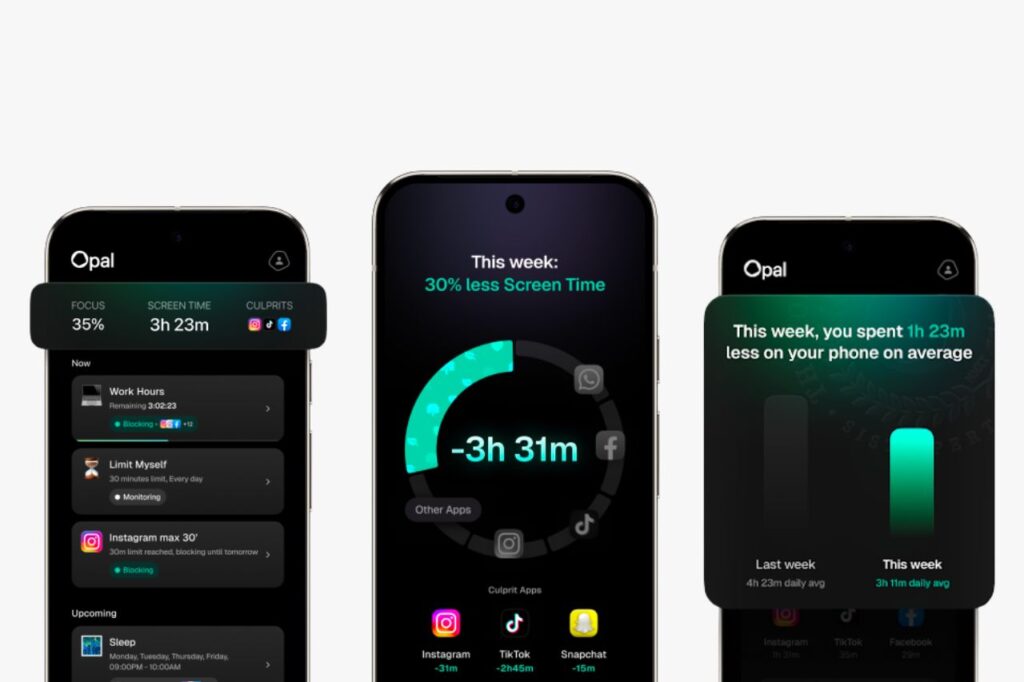
Opal acts like a digital vault for your attention. It has a clean, calm design. It works perfectly with iPhones by tapping into Apple’s built-in Screen Time settings.
Because it works deeply with your phone, Opal won’t drain your battery. It runs quietly in the background. It tracks your screen time and gives you a “Focus Score” to show how you are doing.
Opal’s best feature is Deep Focus mode. Once you start this timer, you cannot cheat. It makes your chosen apps impossible to open.
You cannot turn the block off in your settings. Deleting the app will not save you either. Your phone stays locked out until the timer hits zero.
This strict software feels a lot like using a simple, distraction-free phone, like the Light Phone III. Opal’s free version gives you basic blocking. But if you struggle deeply with screen time, you will want the paid premium tier.
Practical Setup Tip: Set up Deep Focus to turn on automatically during your work hours, like 9 AM to 12 PM. This builds a focused habit without you having to think about it.
2. Freedom
Platform: Mac, Windows, iOS, Android, Chrome
Price: Free, $39.99/year or $99.50 Lifetime
Best For: Multi-device professionals who need unified boundaries
Freedom solves a common problem. If you block an app on your phone, you might just open your laptop instead. Freedom stops this multi-device cheating.
It works like a local VPN—a tool that filters your internet connection safely. It syncs your blocks across all your gadgets. When a session starts, your bad habits are blocked on your Mac, PC, and phone all at once.
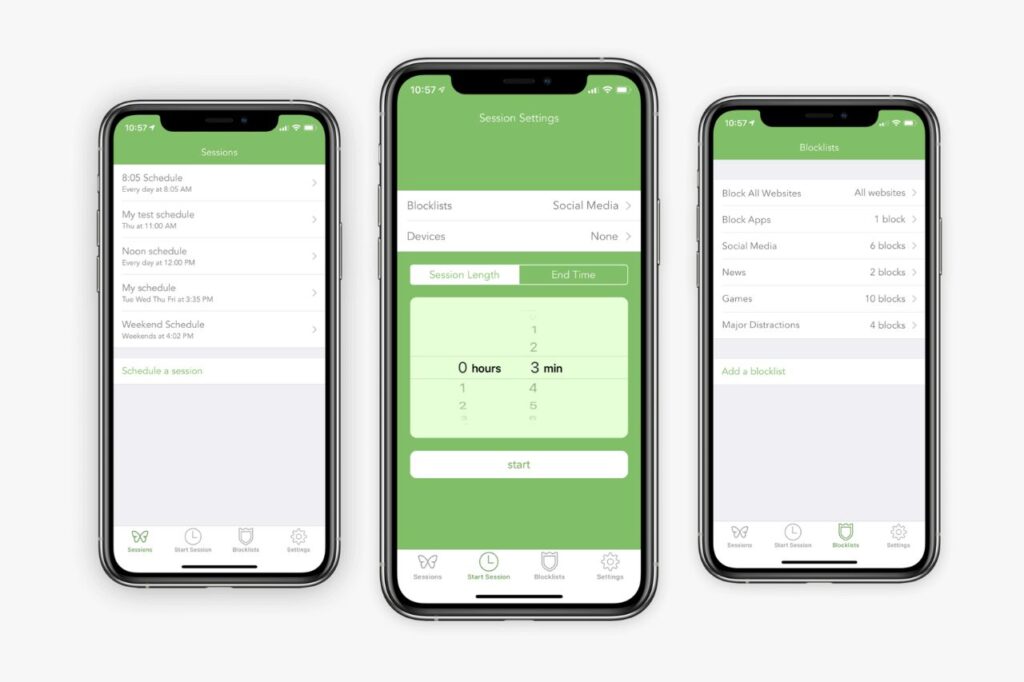
Freedom has a great scheduling tool. You can set different rules for different days. Create one setup for deep work, and another for a peaceful, screen-free weekend.
The mobile app is simple and gets the job done. But the real magic is how it links all your devices together. This makes it perfect for remote workers and students.
Practical Setup Tip: Turn on Freedom’s “Locked Mode” when you need to focus hard. This stops you from changing your rules or turning off the block while the timer runs.
3. One Sec
Platform: iPhone, Android, Browsers
Price: Free or $19.99/yr
Best For: Breaking automatic muscle memory and reducing screen time
One Sec takes a different path to help you unplug. It does not lock your phone all day. Instead, it catches you right when you tap a distracting app.
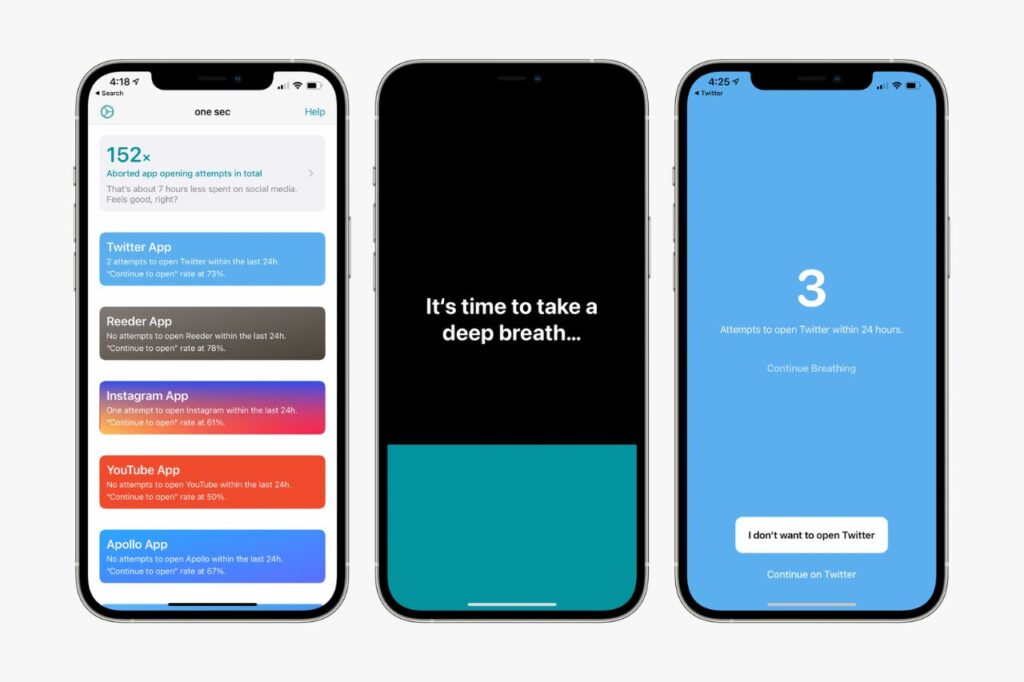
The app covers your screen and forces you to wait 10 seconds. You must take a deep breath before the app loads. This tiny pause breaks the bad habit of mindless tapping.
Waiting shifts your brain. Opening an app goes from an automatic reflex to a real choice. This mindful approach feels like using a calm, minimalist device such as the Wisephone II.
After you wait, One Sec asks if you still want to open the app. Most of the time, the urge passes. You might just close your phone and go back to living your life.
Practical Setup Tip: On an iPhone, One Sec uses Apple’s Shortcuts tool. You must set up a quick shortcut for each app you want to block. Take the time to set it up right.
4. ScreenZen
Platform: iPhone, Android, Mac, Windows
Price: 100% Free
Best For: A powerful, highly customizable solution on a budget
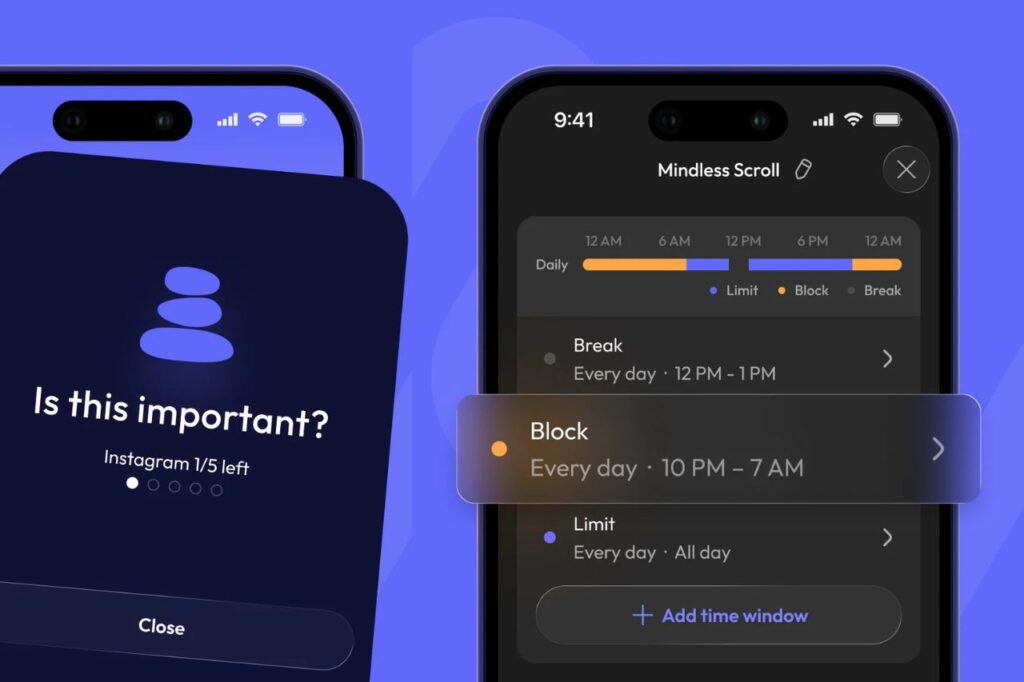
ScreenZen gives you a full set of digital tools for free. There are no sneaky ads. They do not hide their best features behind a premium paywall.
The app lets you choose how many times you can open an app each day. You can also set a hard time limit for each visit.
For example, you can allow yourself to check social media four times a day. You can limit each visit to ten minutes. When you run out of time, the app locks until tomorrow.
ScreenZen is also great for your privacy. It processes all your data locally on your phone. None of your browsing habits get sent to outside servers.
Practical Setup Tip: Want more friction? Tell ScreenZen to make you type a reason before you open a bad app. Typing out your excuse often kills the urge to scroll.
5. Cold Turkey
Platform: Mac, Windows
Price: Free or $49 Lifetime
Best For: Unforgiving desktop blocking for deep work
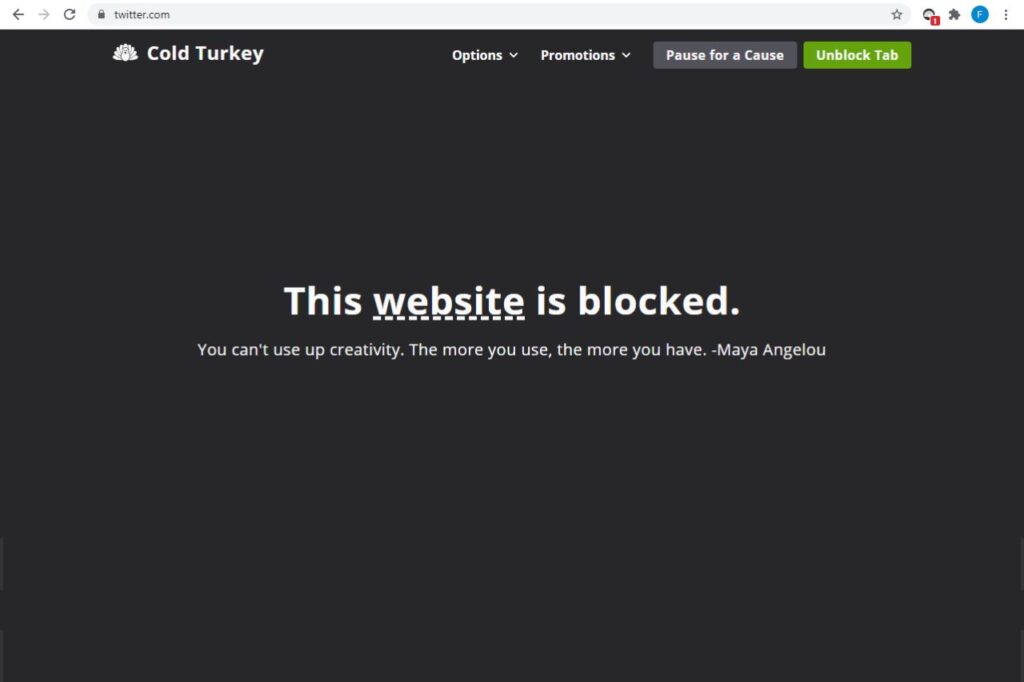
Cold Turkey is built just for desktop computers. It locks down your system deeply. Once you start a block, you cannot turn back.
The app stops you from cheating. You cannot force it to close. You cannot delete the app to escape. It even knows if you try to change your computer’s clock.
This strict tool is perfect for writers and people with hard deadlines. The paid version lets you block long lists of websites. You can even block specific computer games or programs.
Cold Turkey does not have a mobile app. It is best to use it alongside a phone blocker like ScreenZen. Together, they create a truly focused workspace.
Practical Setup Tip: Try the “Frozen Turkey” feature. It locks your entire computer screen. This forces you to stand up and take a real physical break.
6. AppBlock
Platform: iPhone, Android, Browsers
Price: Free or $29.99/yr
Best For: Location-based boundaries and Android power users
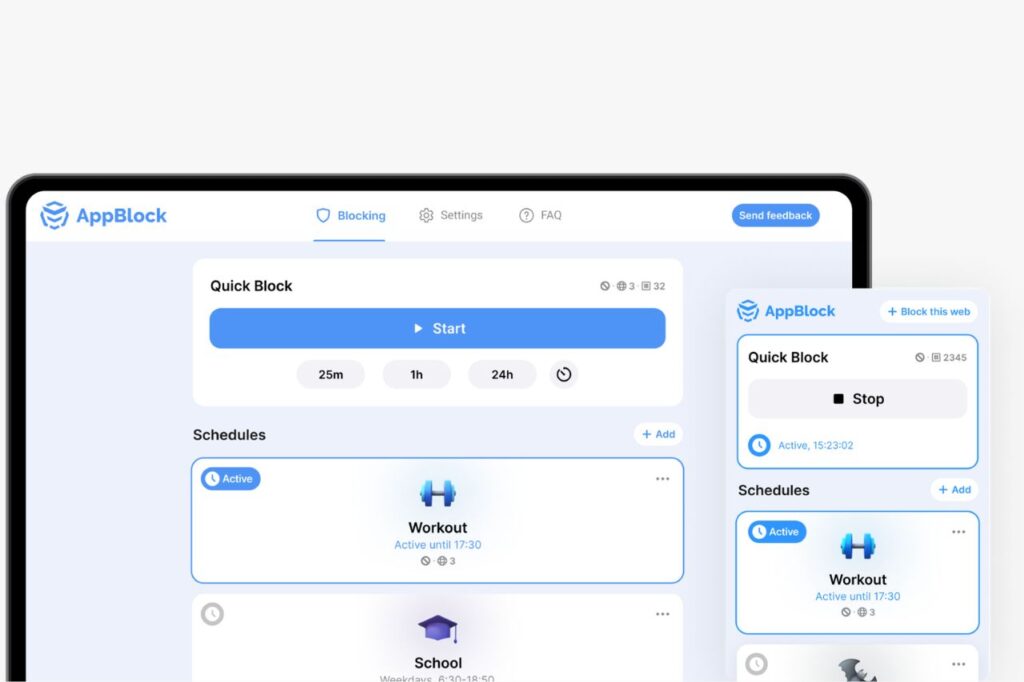
AppBlock takes full advantage of Android phones. It has normal timers, but its best feature is location blocking. It uses your Wi-Fi or GPS to know when to start blocking.
You can set the app to lock down the moment you connect to your office Wi-Fi. Or, it can use your GPS. The second you arrive at work, your bad apps get blocked.
This makes finding focus easy and automatic. The block happens in the background as you go through your day. You never have to remember to press a start button.
There is an iPhone version, but Apple limits how much it can do in the background. Because of this, AppBlock works best on an Android phone.
Practical Setup Tip: Android users can buy cheap NFC stickers. Put one on your desk. When you tap your phone to the sticker, it instantly triggers “Strict Mode.”
Pro Tip for Android Users: Pair an app blocker with a clean home screen. This will deeply improve your focus. Read our guide on the Best Minimalist Launchers for Android to reduce the clutter on your phone.
7. Forest
Platform: iOS, Android, Chrome
Price: Free or $1.99 on Android, $3.99 on iOS
Best For: Gamified focus tracking and visual progress metrics
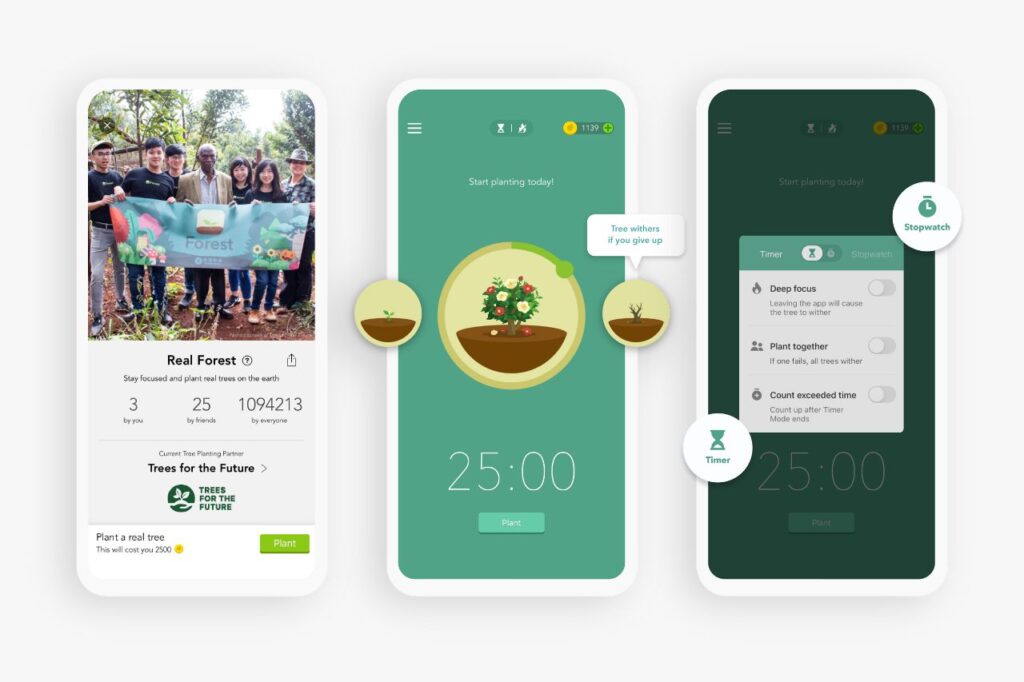
Forest turns deep work into a calm game. It does not force you to lock your phone. Instead, it gently asks you to hold yourself accountable.
When you start working, you plant a digital seed. As your timer runs, the seed grows into a tree. If you leave the app to look at social media, your little tree dies.
The app works perfectly as a Pomodoro timer. This means working in short, 25-minute bursts. Over time, your successful work sessions build up. You get a beautiful visual forest of all your hard work.
Forest even helps the real world. They partner with tree-planting charities. You can spend the digital coins you earn to plant real, physical trees around the globe.
Practical Setup Tip: Turn on the “Deep Focus” toggle in the settings. This stops the app from failing your timer if a tiny notification pops up on your screen.
The Next Step: Physical Friction and Hardware Solutions
Software blockers are a great first step. But they still live on a device built to distract you. If you keep cheating the apps, you need to add real, physical friction.
Start by taking your phone out of the bedroom. This stops the endless morning scroll. Charge your phone in the kitchen. Use one of the Best Alarm Clocks to Replace Your Phone to start your day with calm intent.
Some of us need a bigger change. Switching to a simple phone is a powerful choice. Read our guide to the Best Dumbphones in 2026. These devices help you talk to loved ones without getting sucked into endless content.
Frequently Asked Questions
What is the best free app blocker?
ScreenZen is the best free app blocker right now. It offers custom schedules, app limits, and breathing screens. Best of all, it never asks you to pay for a premium subscription.
Which app blocker works best during low-focus periods?
Strict tools like Opal or Cold Turkey are the best for low focus. Once a block starts, you cannot turn it off. They even stop you from deleting the app to escape your rules.
Will an app blocker negatively impact device battery life?
No, modern blockers will not drain your battery. They use your phone’s built-in tracking tools to run quietly. By stopping you from watching videos and scrolling, they actually save your battery life.
Can restrictions be applied across both mobile and desktop platforms simultaneously?
Yes. You can use a tool like Freedom to sync your blocks. It links your Mac, PC, iPhone, and Android. This stops you from simply picking up a new device to waste time.