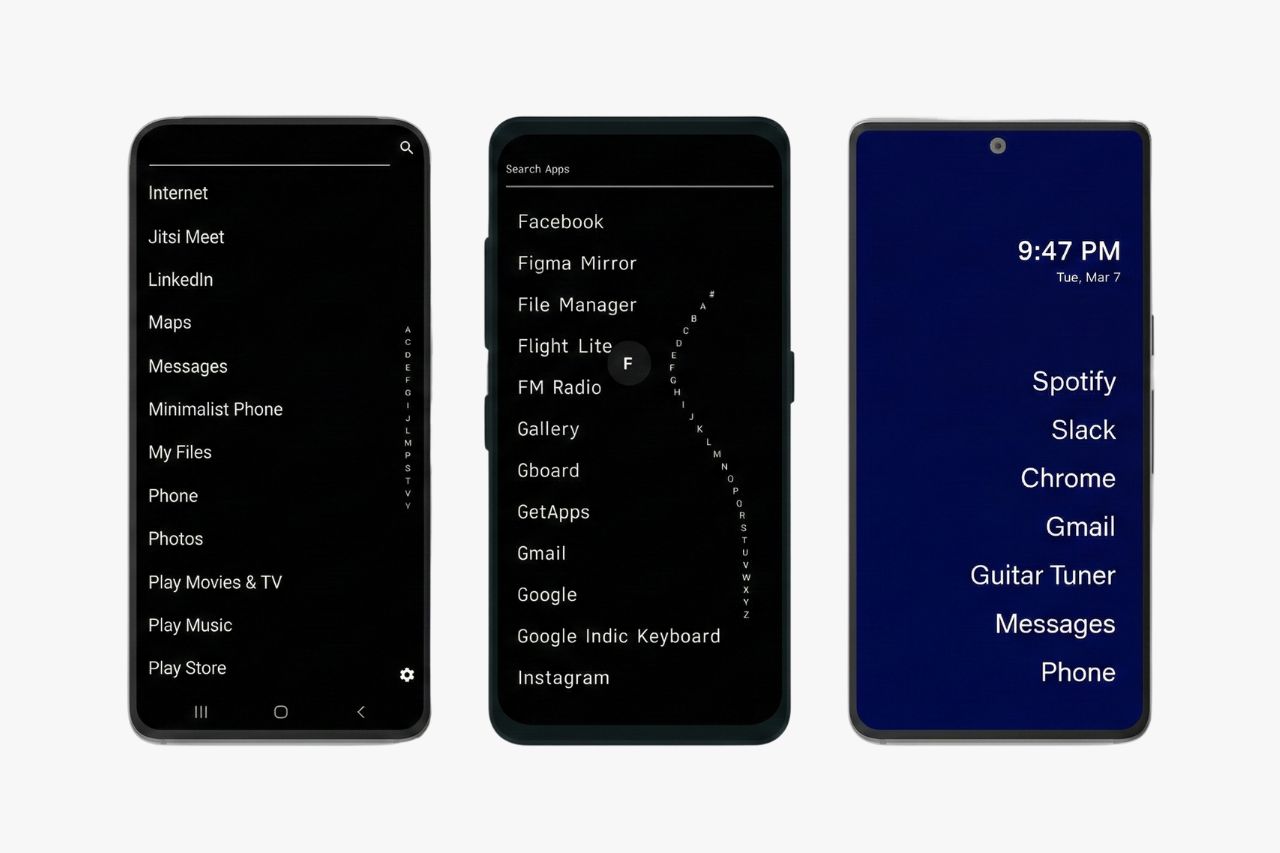
Smartphones are designed to grab your attention. Colorful icons, endless notifications, and social media apps make it easy to lose hours scrolling. If you want to keep the convenience of Android without the constant distractions, a minimalist launcher can transform your phone into something much closer to a dumbphone.
A launcher is simply the app that controls your home screen. Think of it as a new skin for your phone. It does not delete any of your apps. Your banking app, Google Maps, and messaging tools all stay exactly where they are. What changes is how you see and reach them.
The best minimalist Android launchers strip away flashy icons, reduce visual noise, and add intentional friction that makes you pause before opening a time-wasting app. Some use text-only layouts. Others filter notifications so only the important ones get through. A few even track your screen time and nudge you to put the phone down.
The best part is that you can try any launcher risk-free. Install it from the Google Play Store, set it as your default, and see how it feels. If you do not like it, switch back to your original home screen in seconds. No data lost, no settings changed, no factory reset needed.
Below, you will find ten launchers compared side by side, with honest breakdowns of what each one does best and who it is best for.
The Best Minimalist Launchers at a Glance
| Launcher | Price | Best For | Dumbphone Vibe |
|---|---|---|---|
| Before Launcher | Free / $4.99 one-time | Notification control and digital detox | High |
| Olauncher | Free | Privacy-focused dumbphone feel | Extreme |
| Niagara Launcher | Free / $9.99 per year or $29.99 lifetime | One-handed use and everyday simplicity | Moderate |
| minimalist phone | Free / $12.99 per year | Screen time reduction and habit change | High |
| Ratio Launcher | Free / Pro subscription | Productive power users | Moderate |
| KISS Launcher | Free | Older phones and privacy seekers | High |
| Indistractable Launcher | Free | Simple, no-fuss focus | High |
| AIO Launcher | Free / $2.99 one-time | Information-dense minimalism | Low |
| Lynx Launcher | Free | Clean design with speed | Low |
| Smart Launcher 6 | Free / $4.49 one-time | Easy setup with auto-organization | Low |
How to Choose a Minimalist Launcher
- Digital Detox: Look for features like screen time reminders, app delays, and notification filtering to reduce habitual scrolling.
- Productivity: Choose a launcher that categorizes apps or provides a unified inbox for streamlined communication.
- Speed and Privacy: Search-first launchers offer instant access, while open-source options ensure your data remains private.
- Accessibility: Simplified layouts with large text and one-handed navigation help users with limited mobility or those who find small icons difficult.
- Quick Selection: Pick Before Launcher for fewer distractions, Olauncher for a dumbphone feel, Ratio for productivity, or Niagara for one-handed use. Our dumbphone finder can also help you choose.
Benefits of Using a Minimalist Launcher
- Less Screen Time: Text-only home screens remove the visual triggers of colorful icons, reducing reflexive app opening.
- Enhanced Focus: Simplified interfaces reduce decision fatigue and help users with ADHD stay present and intentional.
- Managed Notifications: Built-in filtering ensures only essential alerts reach you, cutting through digital noise.
- Improved Calm: A clean, quiet interface transforms your phone from a “noisy billboard” into a focused utility.
- Better Battery Life: While the apps themselves aren’t magic, changed habits and reduced screen-on time naturally extend battery longevity.
Before Launcher
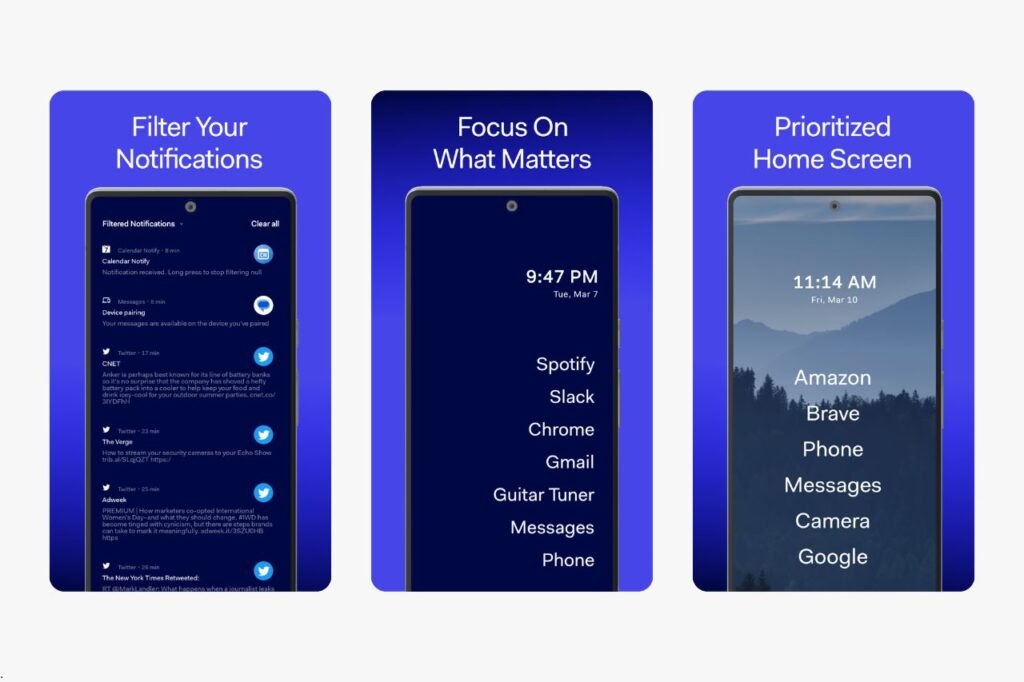
Before Launcher turns your Android home screen into a quiet, text-based list of your most-used apps. It is designed to help you interact with your phone intentionally rather than reflexively.
The standout feature is notification filtering. You choose which apps can send you alerts and which ones stay silent. This alone can cut distractions dramatically. The minimal home screen shows only the apps you pick, in a clean list format with no icons.
A built-in focus mode lets you block access to specific apps during set time periods. You still have everything installed, but the launcher puts a wall between you and your biggest time sinks.
Customizable themes, a searchable app list, and gesture controls round out the experience. The launcher requires no unnecessary permissions, which is reassuring from a privacy standpoint.
On the downside, there is no widget support. If you rely on calendar or weather widgets, you will miss them here. The free version is also somewhat limited in customization.
Pricing is straightforward. The base app is free, and a one-time payment of around $4.99 unlocks all features for life across your devices.
Before Launcher is best for you if your main problem is notification overload and you want a launcher that actively filters what reaches you. It strikes a strong balance between distraction-free living and practical daily use.
Olauncher
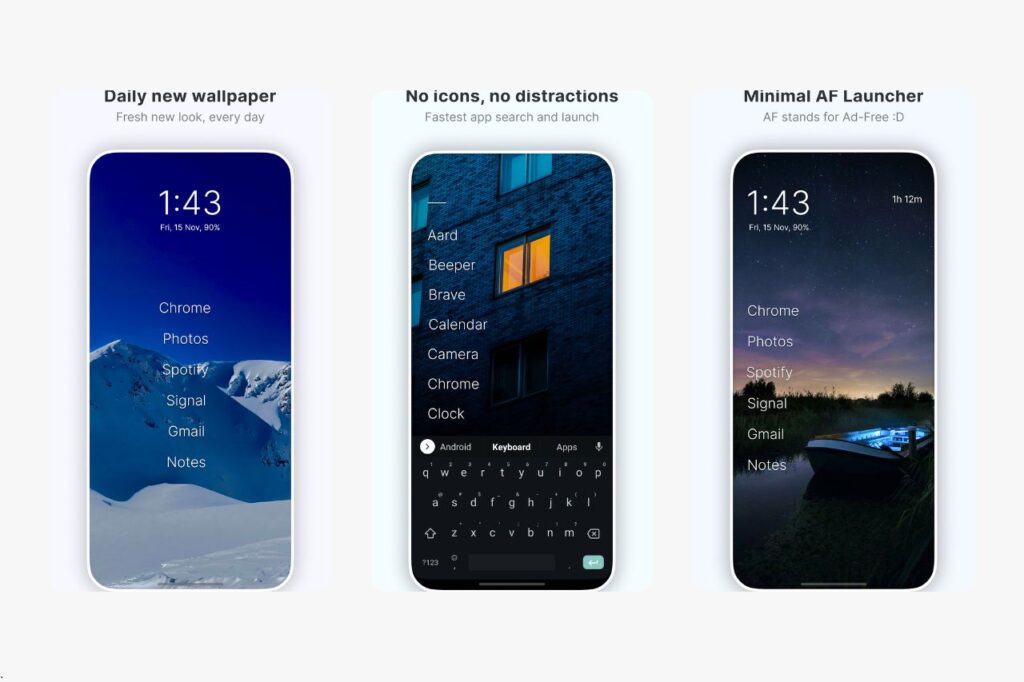
Olauncher is one of the closest things to a true dumbphone experience on Android. Your home screen shows nothing but a few text labels for your favorite apps, set against a clean wallpaper. No icons, no widgets, no app drawer grid.
It is fully open source, meaning anyone can inspect the code on GitHub. There are no ads, no trackers, and no data collection. If privacy matters to you, Olauncher is one of the safest choices available.
Key features include gesture controls for quick actions, a daily wallpaper refresh option, text resizing, and the ability to hide apps you do not want to see. Swipe gestures let you open the camera or phone dialer without cluttering your home screen.
The simplicity comes with tradeoffs. There is no notification filtering, no screen time tracking, and no widget support. You get a calm, distraction-free home screen, but no wellness tools beyond the visual change itself.
Olauncher is completely free. There is no premium tier, no in-app purchases, and no subscription.
This launcher is best for you if you want a no-cost, privacy-friendly, text-only home screen that feels like a dumbphone. It works especially well if you are comfortable relying on your own discipline rather than built-in blocking features. For anyone who wants Android to look and feel radically simple, Olauncher delivers exactly that.
Niagara Launcher
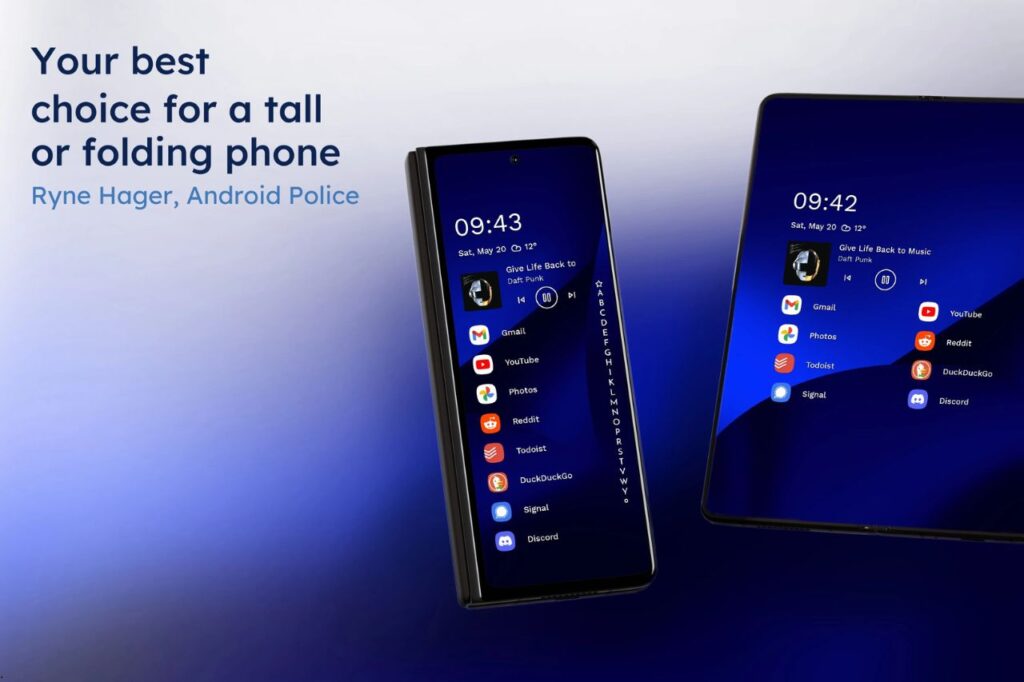
Niagara Launcher is the most polished minimalist launcher on the Play Store, and it is specifically designed for one-handed use. Your favorite apps appear in a vertical list on the left side of the screen, easy to reach with your thumb.
The signature feature is alphabet navigation. Slide your finger along the right edge of the screen and a wave of letters appears, letting you jump to any app instantly. It feels natural and fast, especially on tall modern phones.
Embedded notifications show message previews right next to the relevant app, so you can glance at a text without opening your messaging app. Widget support is available in the paid version, letting you add a weather card or calendar above your app list without visual chaos.
Material You theming means Niagara adapts its colors to match your wallpaper on supported devices. The result looks clean and intentional.
Niagara is not a full dumbphone-style launcher. You still see app icons by default, and the interface feels more like a refined smartphone than a stripped-down tool. But it removes enough friction and clutter to keep you focused.
The free version covers the basics. Niagara Pro costs about $9.99 per year or $29.99 for a lifetime license, unlocking widgets, notification popups, and extra customization.
Niagara is best for you if you want a distraction-free Android experience that still looks modern and supports everyday features like widgets and gesture navigation.
minimalist phone
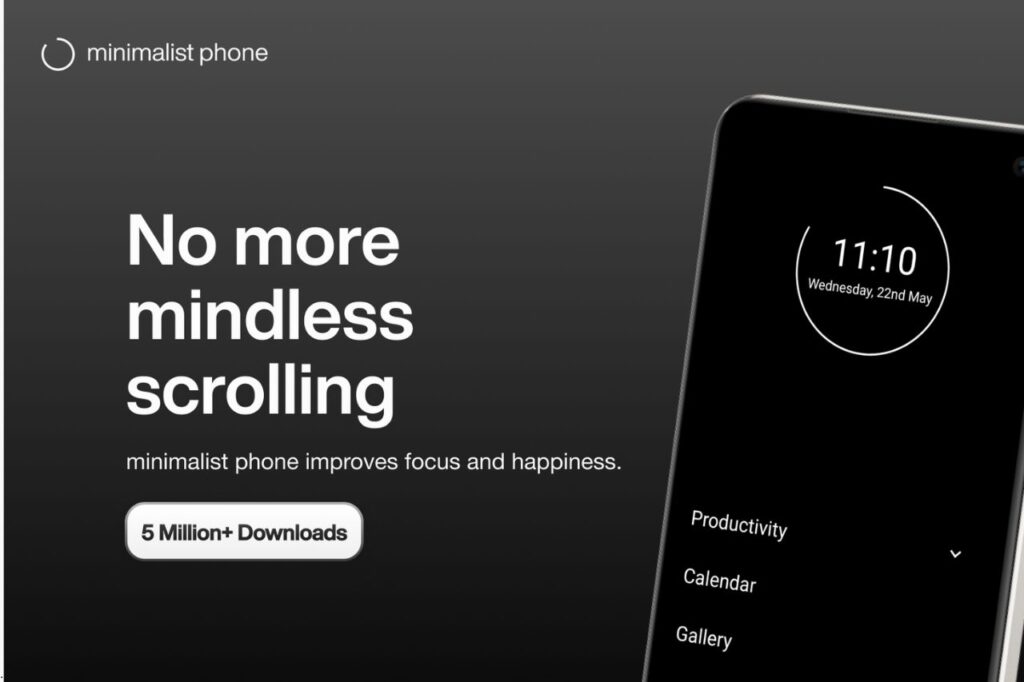
minimalist phone (styled in lowercase) is built specifically for people who want to break their phone addiction. It goes beyond changing how your home screen looks and actively tries to change your behavior.
Screen time reminders appear throughout the day, showing you how long you have been using your phone. An app delay feature adds a short waiting period before opening apps you tend to overuse. You pick which apps get the delay, so essentials like calls and maps open instantly.
The home screen is text-only, showing a short list of your chosen apps in a calm, monochrome layout. You can also set daily usage goals and see your progress.
The intentional friction is what sets this launcher apart. It does not just hide distracting apps; it makes you pause and reconsider before opening them. For people working on screen time habits or managing ADHD, that extra second of hesitation can make a real difference.
The free version offers basic features. A yearly subscription of about $12.99 unlocks everything, including advanced screen time tracking and the full app delay system.
There are no widgets and limited visual customization, so it is not the best pick if you want a launcher you can tweak endlessly.
minimalist phone is best for you if your primary goal is reducing screen time through real behavior change, not just a cleaner home screen. It is one of the most effective digital detox launchers on Android.
Ratio Launcher
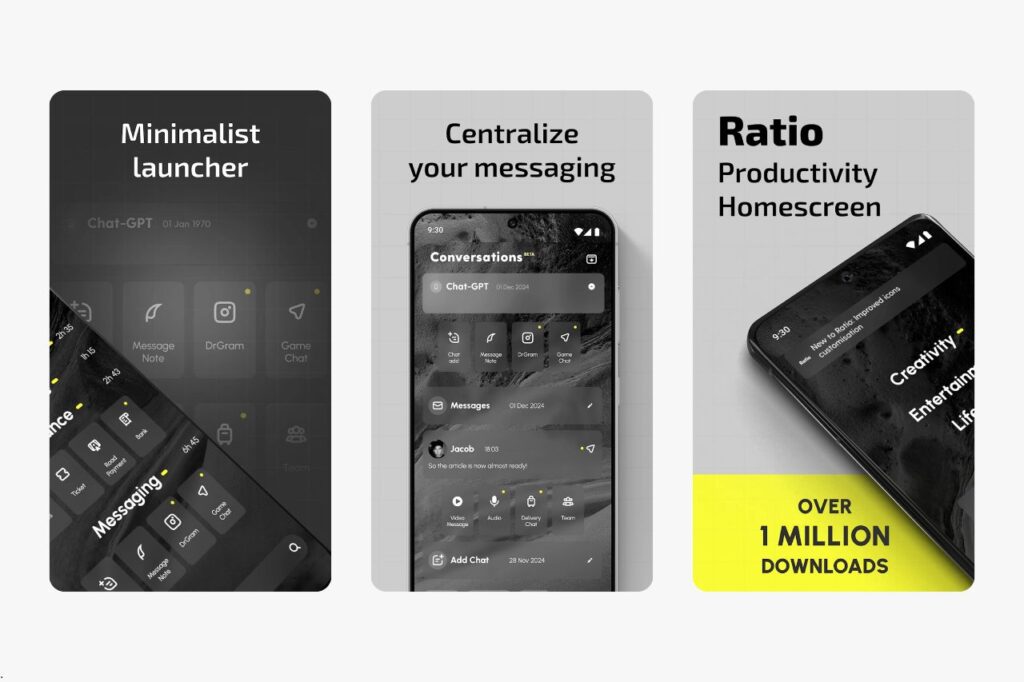
Ratio Launcher is built for people who want minimalism and productivity in the same package. It organizes your apps into labeled categories called Tiles, like Productivity, Entertainment, and Social, so you always know where things live.
The most unique feature is a unified inbox. Ratio pulls messages from WhatsApp, Telegram, Facebook Messenger, and other chat apps into one place. You can read and reply without opening each app individually, which cuts down on context switching and idle scrolling.
The interface is text-forward with a muted color palette. Custom widgets let you pin quick-access tools like a calculator or notes without turning your home screen into a cluttered dashboard. Focus mode and different visual modes (Dark, Light, and Sun) help you set the right tone for work or downtime.
Ratio does require a learning curve. The Tiles system and unified inbox take some setup, and not every messaging app integrates perfectly. It also feels more complex than stripped-down options like Olauncher.
The base launcher is free. Pro features, including the full inbox and advanced Tiles, require a subscription.
Ratio is best for you if you are a power user who needs a distraction-free Android home screen that still handles communication and organization efficiently. It works especially well if you juggle multiple messaging platforms and want to tame them in one spot.
KISS Launcher
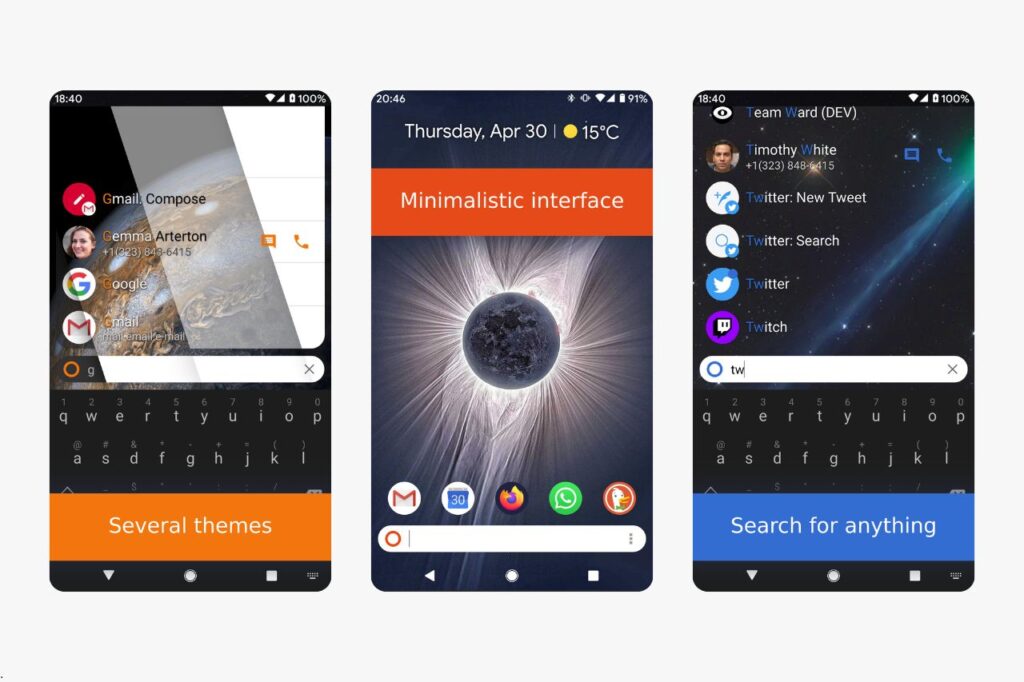
KISS Launcher takes minimalism to its most practical extreme. There is no home screen grid, no icon arrangement, and no folders. You open the launcher, start typing, and your app appears. That is the entire experience.
The search-first design means you never scroll through pages of apps. KISS learns your usage patterns over time and surfaces your most-used apps automatically. A few of your favorites can be pinned to the home screen as shortcuts, but the emphasis is always on search.
It is fully open source and available on F-Droid as well as the Google Play Store. The app collects no data, runs no ads, and requires no internet connection to function. If you want a launcher that respects your privacy completely, KISS is hard to beat.
The lightweight footprint makes it ideal for older or budget Android phones. It uses minimal RAM and CPU, so even devices with limited specs run smoothly.
The tradeoff is a bare-bones experience. There are no widgets, no notification management, no screen time tools, and very little visual polish. It looks utilitarian, and some users find the interface too plain.
KISS Launcher is completely free with no premium tier.
This launcher is best for you if you want the fastest possible way to open apps on a low-powered device, or if you prioritize open-source software and privacy above all else. It is also a great fit for ADHD-friendly setups where reducing visual noise matters.
Indistractable Launcher
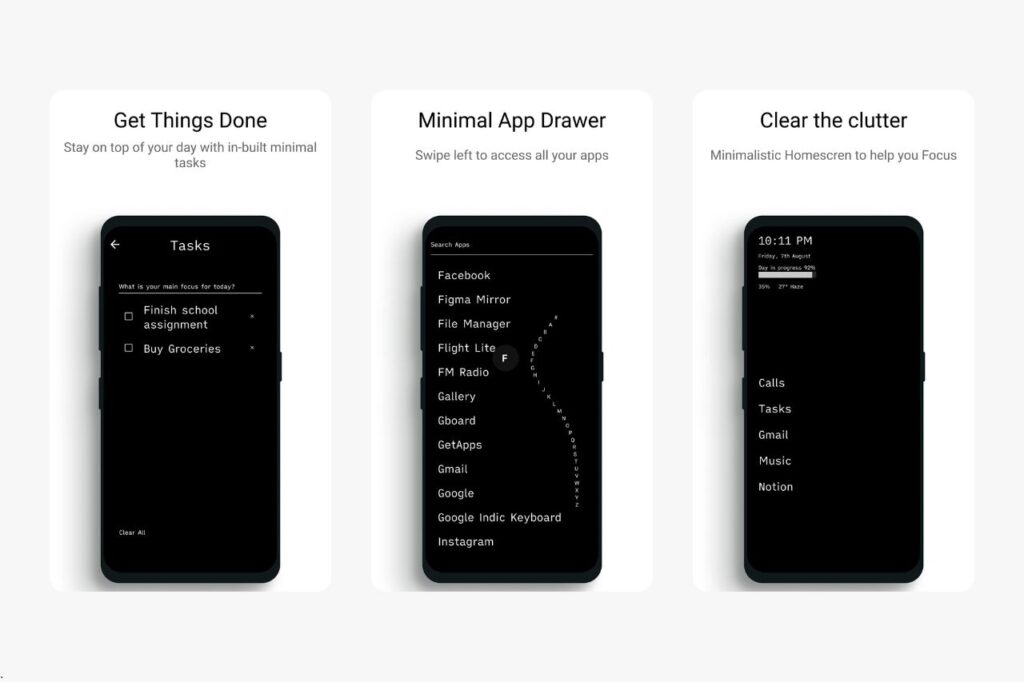
Indistractable Launcher does exactly what the name promises. It replaces your home screen with a simple text list of essential apps and removes almost everything else.
The layout is deliberately plain. Your chosen apps appear as text labels on a clean background. There are no icons, no animations, and no visual extras pulling your attention. Light and dark themes let you pick the look that feels most comfortable.
A built-in screen time tracker shows how much you have used your phone each day, and a simple weather display gives you quick info without needing a separate widget. You also get quick access to your clock, calendar, and tasks right from the home screen.
The launcher is ad-free and does not collect personal data. Setup takes about two minutes.
The limitations are clear. There are no gesture controls, no notification filtering, and no app-blocking features. If you want active tools to stop you from opening certain apps, you will need to pair this launcher with separate app blockers.
Indistractable Launcher is free to use.
It is best for you if you want the simplest possible path to a text-first, distraction-free Android home screen without any learning curve. It will not change your behavior through friction or blocking, but it quietly removes the visual triggers that pull you into your phone.
AIO Launcher
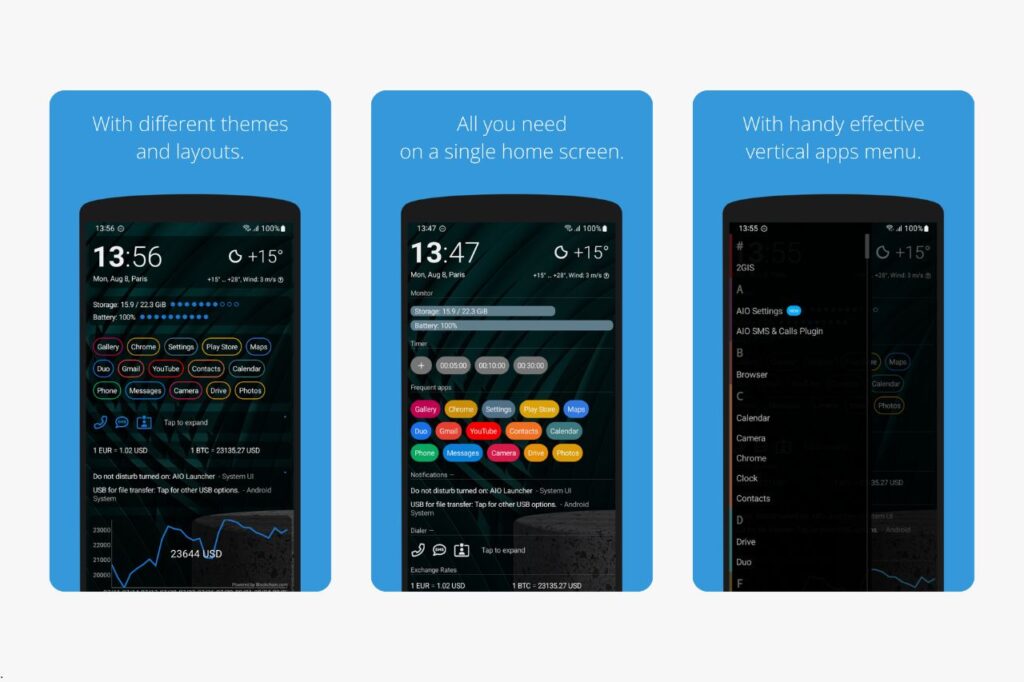
AIO Launcher takes a different approach to minimalism. Instead of hiding information, it puts everything you need on a single, scrollable screen using a text-based layout.
Your home screen can show weather, recent calls, frequently used apps, calendar events, system info, and notifications all in one place. There are no colorful icons or animated widgets. Everything appears as compact text blocks and small data readouts.
A built-in numpad lets you dial phone numbers quickly, and you can customize which information blocks appear and in what order. Icon pack support and font size adjustments let you personalize the look without adding clutter.
AIO does not collect personal data, which is a plus for privacy-conscious users.
Not everyone will call this launcher minimalist. It is visually clean, but the amount of information on screen can feel dense compared to a text-only launcher like Olauncher or Before Launcher. If your definition of minimalism means fewer things on screen, AIO may feel busy.
The free version covers most features. A one-time purchase of about $2.99 removes ads and unlocks additional customization.
AIO Launcher is best for you if you want a single-screen dashboard that replaces widgets and multiple apps with a streamlined, information-rich layout. It works well for users who want efficiency and fast access to data without the visual noise of a traditional Android home screen.
Lynx Launcher
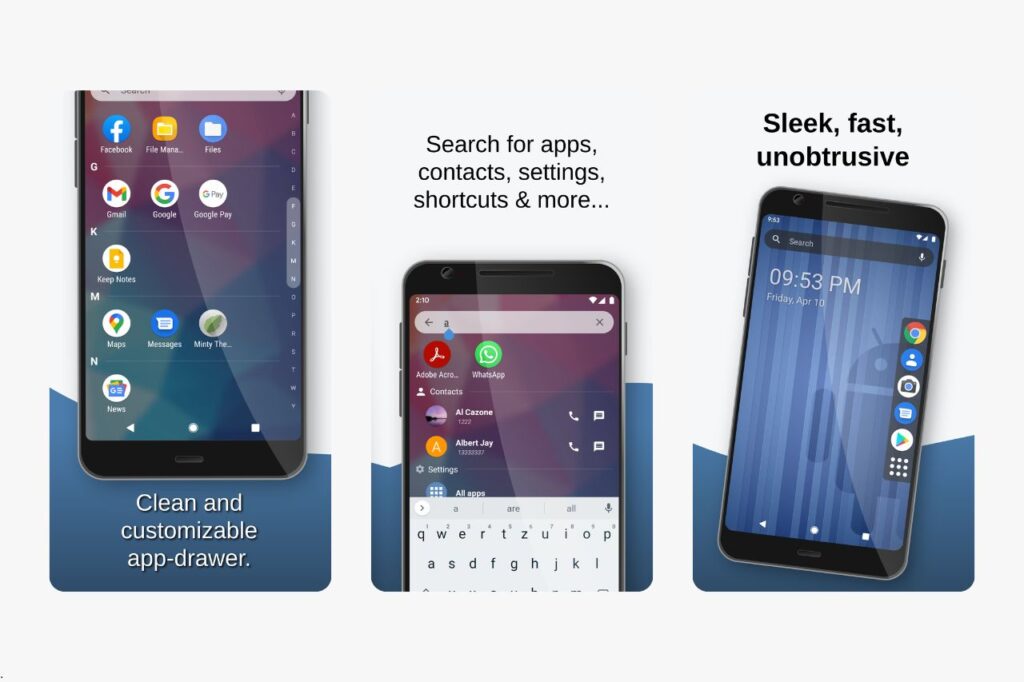
Lynx Launcher focuses on being fast, clean, and customizable without sacrificing visual appeal. It keeps things simple while still giving you enough options to make the home screen your own.
The design is polished and modern. You get a tidy app drawer, smooth animations, and support for Material You theming, which means the launcher colors adapt to your wallpaper on compatible devices. Widget support is included, so you can add a clock or weather card if you want it.
Customization options include gesture controls, icon packs, and layout adjustments. The launcher runs light on resources, so it feels snappy even on mid-range phones.
Lynx does not include any digital detox features. There is no notification filtering, no screen time tracking, and no app-blocking tools. It is a clean launcher, not a behavior-change tool.
The visual approach leans more toward a polished, streamlined home screen than a dumbphone-style text list. If you want a true text-only experience, this is not the right fit.
Lynx Launcher is free to use.
It is best for you if you want a lightweight, good-looking launcher that removes clutter without stripping away all visual personality. It suits users who find text-only launchers too stark but still want fewer distractions than a stock Android home screen provides.
Smart Launcher 6
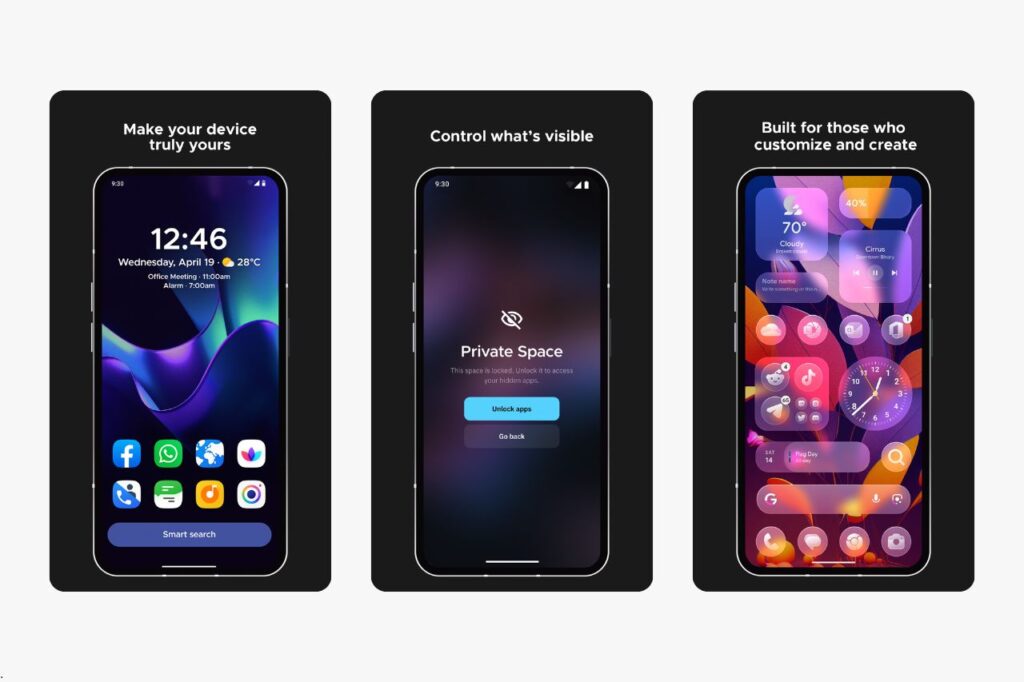
Smart Launcher 6 takes the work out of setting up a clean home screen. It automatically sorts your apps into categories like Communication, Games, Media, and Internet the moment you install it.
Adaptive icons give every app a consistent look, and the launcher adjusts its theme to match your wallpaper. Widget support, gesture controls, and a built-in search bar round out the feature set. The overall feel is tidy and well-organized without requiring much effort on your part.
Smart Launcher is more of a traditional launcher with minimalist tendencies than a true dumbphone-style replacement. You still see app icons, and the interface looks like a refined version of a standard Android home screen rather than a text-only list.
The automatic app organization is genuinely useful if you have dozens of apps and do not want to sort them yourself. A customizable home screen lets you pin your most important apps and widgets in one place.
The free version includes the core experience. A one-time purchase of about $4.49 unlocks additional themes, icon customization, and gesture options.
Smart Launcher 6 is best for you if you want a low-effort path to a cleaner home screen without giving up the familiar Android look. It is a good starting point if full dumbphone launchers feel too extreme but you still want less clutter in your daily phone use.
Frequently Asked Questions
Which launcher options keep my home screen clean and distraction-free?
Before Launcher, Olauncher, and minimalist phone all offer text-only home screens that show just a few essential apps. These three are the strongest choices if your primary goal is removing visual clutter and reducing the urge to scroll.
Are there any good free launchers that focus on simplicity?
Olauncher and KISS Launcher are both completely free with no premium tier, no ads, and no in-app purchases. Indistractable Launcher is also free and provides a simple text-first home screen with a built-in screen time tracker.
How can I set up a minimalist home screen on a Samsung phone?
Install any launcher from the Google Play Store, then go to Settings, Apps, and Default Apps on your Samsung device. Select Home App and choose your new launcher. Your Samsung One UI home screen is simply replaced, and you can switch back at any time.
What’s the difference between popular text-based launchers and icon-based ones?
Text-based launchers like Olauncher and Before Launcher show app names as plain text, which removes the visual triggers that colorful icons create. Icon-based minimalist launchers like Niagara and Smart Launcher 6 still display icons but in a cleaner, more organized layout. Text-based options tend to feel more like a dumbphone, while icon-based options feel like a tidier smartphone.
How do I customize gestures, app drawer, and shortcuts without adding clutter?
Most minimalist launchers let you assign swipe gestures to open specific apps or tools like the camera or phone dialer. In launchers like Niagara and Olauncher, you set these in the launcher’s settings menu. The key is to use gestures for quick access instead of adding more visible shortcuts to your home screen.
Where can I find open-source launcher projects to try or contribute to?
Olauncher and KISS Launcher are both open-source projects hosted on GitHub. You can also find them on F-Droid, an open-source app store for Android. Both projects welcome contributions from developers who want to help improve the code or add new features.