The Best Safe Phones for Kids in 2026: 9 Compared
By Finn Albar

The best safe phones for kids are managed phones. The maker locks the open app store by default, and a parent approves contacts, apps, and screen time from their own phone.
The Bark Phone and Troomi have the strictest starts, with plans that have no open internet and no app store. Pinwheel adds a rated app library on your own carrier, while Teracube and MMGuardian sit closest to a regular smartphone.
Each of the nine phones gives something up, such as YouTube, group chats, or WhatsApp. Four work only on the maker’s own service, including AT&T’s amiGO Jr., and so does one Teracube version.
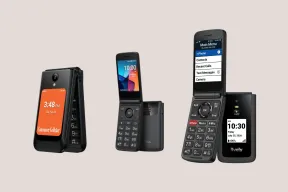
If your child needs only calls and texts, see dumbphones for kids. If you would rather keep a regular phone, a minimalist launcher is the lighter step.
| Phone | Form factor | Input | Network | Wi-Fi | Battery | Screen | GPS | Hotspot | |
|---|---|---|---|---|---|---|---|---|---|
| Bark Bark Phone | Touchscreen | Touchscreen | 5G | Yes | 5,000 mAh | 6.7 in | Yes | No | Yes |
| Bark Bark Phone Pro | Touchscreen | Touchscreen | 5G | Yes | 5,000 mAh | 6.7 in | Yes | No | Yes |
| Troomi Galaxy A17 5G | Touchscreen | Touchscreen | 5G | Yes | 5,000 mAh | 6.7 in | Yes | No | No |
| Pinwheel Plus 6 | Touchscreen | Touchscreen | 5G | Yes | 5,000 mAh | 6.7 in | Yes | No | Yes |
| Pinwheel Slim 6 | Touchscreen | Touchscreen | 4G | Yes | 5,000 mAh | 6.5 in | Yes | No | Yes |
| Pinwheel Genesis 4 | Touchscreen | Touchscreen | 4G | Yes | 5,000 mAh | 6.7 in | Yes | No | Yes |
| AT&T amiGO Jr. Phone | Touchscreen | Touchscreen | 5G | Yes | 5,000 mAh | 6.7 in | Yes | Yes | No |
| Teracube Thrive | Touchscreen | Touchscreen | 4G | Yes | 4,000 mAh | 6.1 in | Yes | No | Yes |
| MMGuardian Phone A17 | Touchscreen | Touchscreen | 5G | Yes | 5,000 mAh | 6.7 in | Yes | No | Yes |
What a managed kids phone is
A managed phone is a smartphone where the maker, not the child, decides what can be installed. The controls live in the system instead of in an app a child can delete.
A child cannot delete Bark’s software from the phone. MMGuardian’s phone also blocks safe mode and factory reset.
The nine phones differ in how they loosen as a child grows:
- Nothing to install. Bark’s Starter plan and Troomi’s two lower plans have no app store, and Bark’s Starter has no internet either.
- A curated library. Troomi’s top plan and Pinwheel offer parent-approved apps, and a parent can add more when the child is ready.
- Google Play behind a parent. Bark’s Advanced plans, AT&T’s amiGO Jr., Teracube, and MMGuardian let a parent allow apps from Google Play.
A regular phone with a parental-control app is a different product. It works, but a parent has to keep it set up.
How we picked
The nine phones here have four things in common:
- It ships with the controls built into the system.
- You can order it new in the US from the maker.
- It runs on 4G or 5G.
- A parent manages it from a separate app or dashboard.
Gabb’s phones are left out because they cannot be ordered new, as our Bark vs Gabb vs Pinwheel comparison explains. Freckle, a new kids’ phone with its own system, is also missing because it has not shipped.
Kids’ smartwatches are out of scope. Xplora sells its XploraOne and HMD Fusion X1 phones in the UK, but its US store sells only watches.
The order runs from the most locked-down phone to the most open. Pinwheel’s three phones and Bark’s two sit together, so you can compare the hardware.
The best safe phones for kids in 2026
1. Bark Phone: a locked-down start, apps later
Bark
Bark Phone
Available$360
- Network
- 5G
- Wi-Fi
- Yes
- Battery
- 5,000 mAh
- Screen
- 6.7 in
5G · Wi-Fi · GPS · Camera · Water resistant · Music · Touchscreen
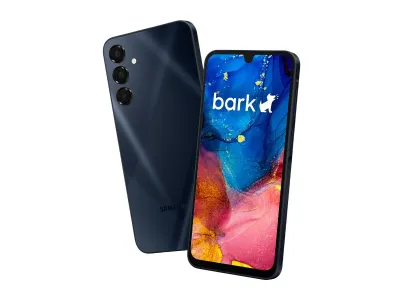
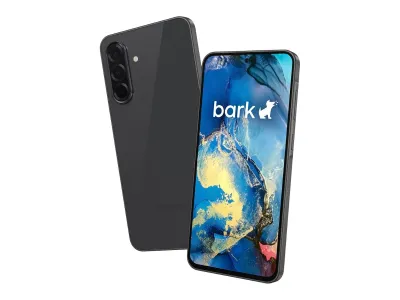
The Bark Phone is a Samsung A16 with Bark’s monitoring built into the system. Its monitoring scans texts, photos, videos, apps, and social media, then sends an alert when it finds something concerning. Parents also approve every contact and every app from the Bark parent app.
It suits a child who starts with talk and text and needs apps later. The Starter plan is Bark’s most locked-down option, with no internet, apps, or games. Advanced plans let a parent allow Google Play, approve each app, or block the store.
The phone needs Bark’s own service, and a non-Bark SIM trips its tamper protection and grays out the apps. Bark’s plans start at $29 a month for Starter and $39 for Advanced with Wi-Fi only. Once the device balance is paid, Bark lets you remove its software and use the handset as a regular Android phone.
2. Bark Phone Pro: Bark on tougher hardware
Bark
Bark Phone Pro
Available$600
- Network
- 5G
- Wi-Fi
- Yes
- Battery
- 5,000 mAh
- Screen
- 6.7 in
5G · Wi-Fi · GPS · Camera · Water resistant · Music · Touchscreen
The Bark Phone Pro is the same Bark system on a Samsung A37. It has the same controls as the Bark Phone, with more memory, a faster processor, and a tougher body. It has an IP68 rating and a Gorilla Glass screen.
Bark pitches the Pro at tweens and teens who are more active on their devices. It suits a family that wants Bark’s alerts on a phone that takes drops, and any Bark plan works with either phone.
The extra cost buys hardware, not more safety, because the controls and plans match the Bark Phone. Bark’s device payment is higher for the Pro, and it still needs Bark’s own service. The Starter plan is just as locked down as on the cheaper phone.
3. Troomi Galaxy A17 5G: the plan ladder
Troomi
Galaxy A17 5G
Available$250
- Network
- 5G
- Wi-Fi
- Yes
- Battery
- 5,000 mAh
- Screen
- 6.7 in
5G · Wi-Fi · GPS · Camera · Water resistant · Touchscreen
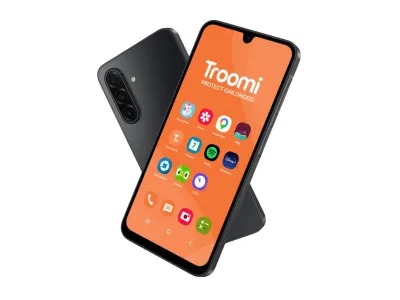
The Troomi Galaxy A17 5G is a Samsung phone running Troomi’s own system, and the plan decides how open it is. It has no social media and no open app store. Parents manage contacts, apps, filters, and screen time in the Troomi Parent Portal, and Troomi blurs flagged images and alerts the parent.
It suits a child who will need more over time, because the plans loosen it in steps. The first plan is talk, text, and GPS, and the second adds picture and group messaging. The third adds the Smart Browser and the app store, and lets you add mobile data.
The catch is that you must use Troomi’s own service, and its plans run from $24.95 to $34.95 a month, plus the phone. The service runs on AT&T’s network, and each order needs a new line of service. The browser and a parent-approved YouTube come only on the top plan.
4. Pinwheel Plus 6: a rated app library on your carrier
Pinwheel
Plus 6
Available$299
- Network
- 5G
- Wi-Fi
- Yes
- Battery
- 5,000 mAh
- Screen
- 6.7 in
5G · Wi-Fi · GPS · Camera · Music · Touchscreen
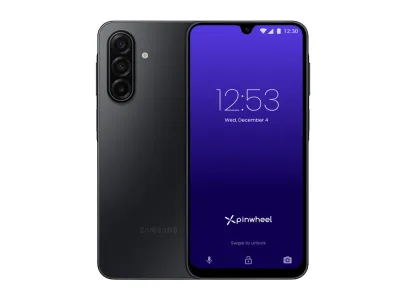
The Pinwheel Plus 6 is Pinwheel’s premium model, with 5G, and its system leans on a rated app library. Its phones have no social media and no browser by default, and the Safelist lets only approved numbers call or text. Parents use the Caregiver Portal to read texts, set schedules, and add apps.
It suits a family that wants to keep its own carrier, because it works with all major carriers. The Caregiver Portal alone costs $17.99 a month, or Pinwheel Wireless with 5 GB of data costs $29.99.
The weak spots are reading time and the subscription. Reading every text takes a parent’s time, and the software subscription continues for as long as the phone stays managed. Pinwheel’s Starting Out stage suggests holding back group and image texts, but group texts work by default when every member is an approved contact.
5. Pinwheel Slim 6: the Motorola option
Pinwheel
Slim 6
Available$199
- Network
- 4G
- Wi-Fi
- Yes
- Battery
- 5,000 mAh
- Screen
- 6.5 in
4G · Wi-Fi · GPS · Camera · Headphone jack · Music · Touchscreen
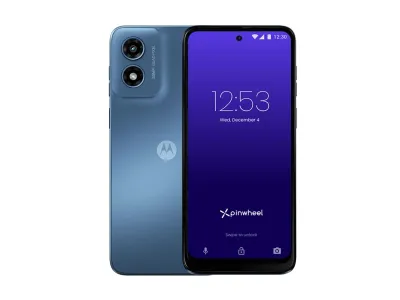
The Pinwheel Slim 6 is built by Motorola and runs the same Pinwheel system as the Plus 6. That means the same Safelist, the same Caregiver Portal, and the same rated app library. It also has a microSD slot for extra storage.
It suits a family that wants Pinwheel’s controls without paying for the Plus 6. Because it works with all major carriers, you can keep your plan. It is the middle model in Pinwheel’s line, with less built-in storage and a plainer screen than the Plus 6.
The limit is 5G. Pinwheel’s lineup shows 5G only on the Plus 6, so do not count on it here. The software subscription is the same as on the other Pinwheel phones.
6. Pinwheel Genesis 4: the cheapest managed phone
Pinwheel
Genesis 4
Available$119
- Network
- 4G
- Wi-Fi
- Yes
- Battery
- 5,000 mAh
- Screen
- 6.7 in
4G · Wi-Fi · GPS · Camera · Headphone jack · Music · Touchscreen
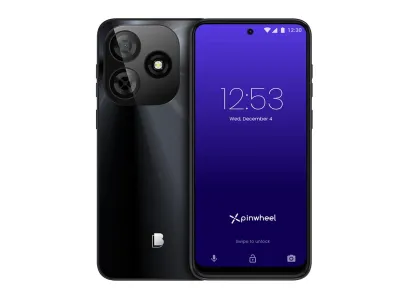
The Pinwheel Genesis 4 is the cheapest phone here, and it runs the same Pinwheel system as the other two. Parents get the Safelist, the Caregiver Portal, schedules, and alerts when a child arrives at or leaves a saved place. Pinwheel pitches it as a great first phone at a great price.
It suits a first phone that may get dropped, or a trial of Pinwheel before a bigger purchase. Still, it works only with T-Mobile and AT&T, not Verizon, and not on 5G.
The weakness is the carrier limit, because a Verizon family needs the Plus 6 or Slim 6 instead. The software subscription is the same on every Pinwheel phone, so a cheaper handset does not lower the monthly cost.
7. AT&T amiGO Jr. Phone: for a family already on AT&T
AT&T
amiGO Jr. Phone
Available$280
- Network
- 5G
- Wi-Fi
- Yes
- Battery
- 5,000 mAh
- Screen
- 6.7 in
5G · Wi-Fi · GPS · Hotspot · Camera · Water resistant · Music
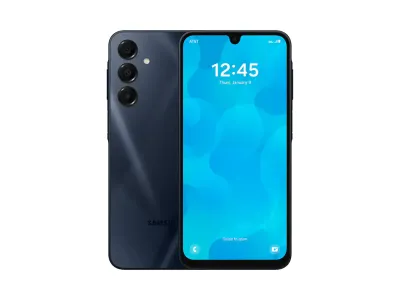
The AT&T amiGO Jr. Phone is a phone AT&T built with Samsung on Galaxy A16 5G hardware, and a parent runs it from AT&T’s free amiGO app. The child can call and text only the contacts a parent adds. The web opens only in AT&T’s amiGO Web browser, and only on sites a parent approves.
It suits a family that already pays AT&T and wants the child’s line on the same account. Google Play and the Settings app stay off until a parent turns them on, and each app needs approval before it opens. Schedules such as School Mode turn off apps and the web, while calls and texts keep working.
The catch is the carrier and what comes after an approval. The phone needs an AT&T postpaid plan, from $50 a month for a new customer, plus a $35 activation fee. Once a parent approves an app, time limits are the only control left, and AT&T offers no curated app library.
8. Teracube Thrive: the repairable one
Teracube
Thrive
Available$250
- Network
- 4G
- Wi-Fi
- Yes
- Battery
- 4,000 mAh
- Screen
- 6.1 in
4G · Wi-Fi · GPS · Camera · Headphone jack · FM radio · Touchscreen
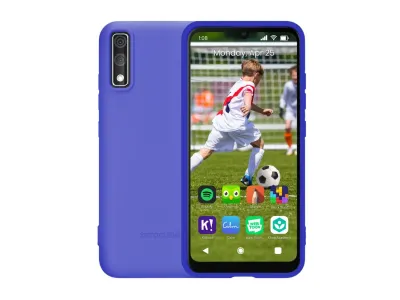
The Teracube Thrive is a 4G phone whose system, Thrive OS, runs on Android with a parent in front of Google Play. Every app needs parent approval, contacts are parent-approved, and parents can limit or block social media. The Thrive Parent App sets schedules, app time limits, and location.
It suits a family that expects drops. It has a replaceable battery and a warranty that covers replacement at UPS stores while you keep a Teracube Wireless plan. The cheaper version works only with Teracube Wireless, which Teracube prices from $35 a month for unlimited talk and text.
The limits are the network and the hardware. The standalone version works on T-Mobile-based carriers, not AT&T or Verizon, so those families are out. The phone is 4G only, and Teracube Wireless tops out at 4 GB of data.
9. MMGuardian Phone A17: the unlocked one for older kids
MMGuardian
Phone A17
Available$289
- Network
- 5G
- Wi-Fi
- Yes
- Battery
- 5,000 mAh
- Screen
- 6.7 in
5G · Wi-Fi · GPS · Camera · Water resistant · Touchscreen
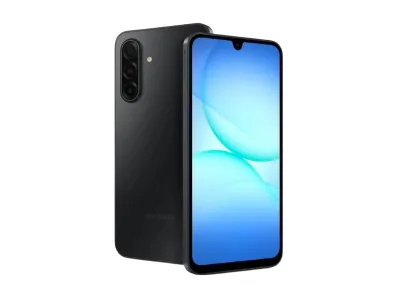
The MMGuardian Phone A17 is a Samsung Galaxy A17 5G with MMGuardian built in. Google Play and Chrome come installed but password protected by default, and the phone blocks safe mode and factory reset. A parent app shows messages, app use, and location.
MMGuardian is built for ages 7 to 17, and the phone suits an older child who would reject one that looks like a kids’ phone. It is unlocked and works on AT&T, T-Mobile, Verizon, and many smaller carriers, but not Spectrum Mobile. Its service costs $9.99 a month or $120 a year, on top of your carrier plan.
The lock is a parent password, and you can install any app on Google Play. That makes the phone only as strict as the apps you approve, with no vetted library to choose from. Parents can also view all text messages.
How to choose a safe phone for a kid
Five choices shape which phone fits your child.
- Your carrier. Bark and Troomi sell their own service, and the phone needs it. Pinwheel’s Plus 6 and Slim 6 and MMGuardian’s phone work on major carriers. The Genesis 4 works on T-Mobile and AT&T, and Teracube’s standalone version works only on T-Mobile-based carriers. The amiGO Jr. needs an AT&T postpaid plan.
- How much you want to see. Pinwheel, Troomi, MMGuardian, and AT&T’s amiGO app let a parent read texts. Bark alerts you to flagged texts and images. Teracube shows app use, screen time, and call history.
- The age and the exit. Troomi, Pinwheel, Bark, and MMGuardian can loosen on the same handset as the child grows. Troomi sorts its plans from younger kids to teens, and MMGuardian is built for ages 7 to 17.
- The monthly bill. Count the plan, not the handset. The own-service phones bundle service and controls, while Pinwheel and MMGuardian charge for software on top of the carrier you already pay. AT&T charges nothing for the amiGO app, but the phone needs a postpaid AT&T line.
- What your child will miss. Write down the three things, such as WhatsApp, YouTube, or group chats, and check each phone for them. Group texts need Troomi’s middle plan, and Pinwheel allows them only when every member is an approved contact. Troomi’s YouTube runs only in its Smart Browser on the top plan, and WhatsApp works on Bark’s Advanced data plans.
When a dumbphone is the better choice
If you need calls, texts, and a way to reach your child, a keypad or flip phone needs no dashboard and no monitoring subscription. A keypad phone with no internet suits a younger child, and the best dumbphones covers the adult-grade models.
A dumbphone gives up the parent app, so there is no dashboard for location, approved contacts, or text alerts. Bark’s Starter plan sits between the two, because it has no internet or apps but keeps the parent app. For a child who only calls friends from home, a landline for kids needs no phone at all.
If your child already has a regular phone, adding limits can be enough. How to set up a phone for a child covers the built-in controls on iPhone and Android.
Common questions
What is the safest phone for a kid?
The most locked-down setups here are Bark’s Starter plan and Troomi’s lower plans. Bark’s Starter has no internet, apps, or games, and Troomi’s two lower plans are app-store-free. If your child needs a few apps, Troomi’s top plan and Pinwheel add a parent-approved library.
What age should a child get a phone?
No maker can answer that for your child, so use their stated ranges as a guide. MMGuardian is built for ages 7 to 17, and Bark pitches its Pro model at tweens and teens. Troomi sorts its three plans from younger kids to tweens to teens.
Can I use a kid’s phone on my own carrier?
It depends on the phone. Pinwheel’s Plus 6 and Slim 6 and MMGuardian’s phone work on major carriers, the Genesis 4 on T-Mobile and AT&T, and Teracube’s standalone version on T-Mobile-based carriers. Bark and Troomi require their own service, and the amiGO Jr. requires an AT&T postpaid plan.
Do safe phones for kids track location?
Yes, all nine offer GPS location for parents. Pinwheel, Bark, and AT&T add alerts when a child arrives at or leaves a saved place. Troomi shows location history, but updates stop when the child turns the phone off.
Can a kid’s phone use WhatsApp or YouTube?
Sometimes, and only if a parent allows it. WhatsApp works on Bark’s Advanced data plans, and Troomi offers a parent-approved YouTube player on its top plan. MMGuardian and Teracube allow any Google Play app with parent approval, and WhatsApp is in Pinwheel’s App Library for a caregiver to install.
Is an iPhone with Screen Time as safe as a managed phone?
It can be, if a parent sets it up and keeps it set up. A managed phone builds the controls into the system, and a child cannot delete Bark’s software from the phone.
Start strict, loosen as they grow
Start with how much your child needs. Choose the Bark Phone or Troomi for the strictest start, and loosen the plan as the child grows. Choose Pinwheel for a rated app library on a carrier you already pay, or the amiGO Jr. if your family is already on AT&T.
An older child will find the Bark Phone, Teracube Thrive, and MMGuardian Phone A17 closest to a regular phone. Choose Bark for alerts, Teracube for its replaceable battery and repair plan, and MMGuardian for an unlocked phone on any major carrier. The Pinwheel Genesis 4 is the cheapest way in.
Whichever you pick, check three things first: the carrier, the monthly plan, and the apps your child will miss. If calls and texts are enough, a keypad phone needs no dashboard.