Bark vs Gabb vs Pinwheel: Kids Phone Controls Compared
By Finn Albar
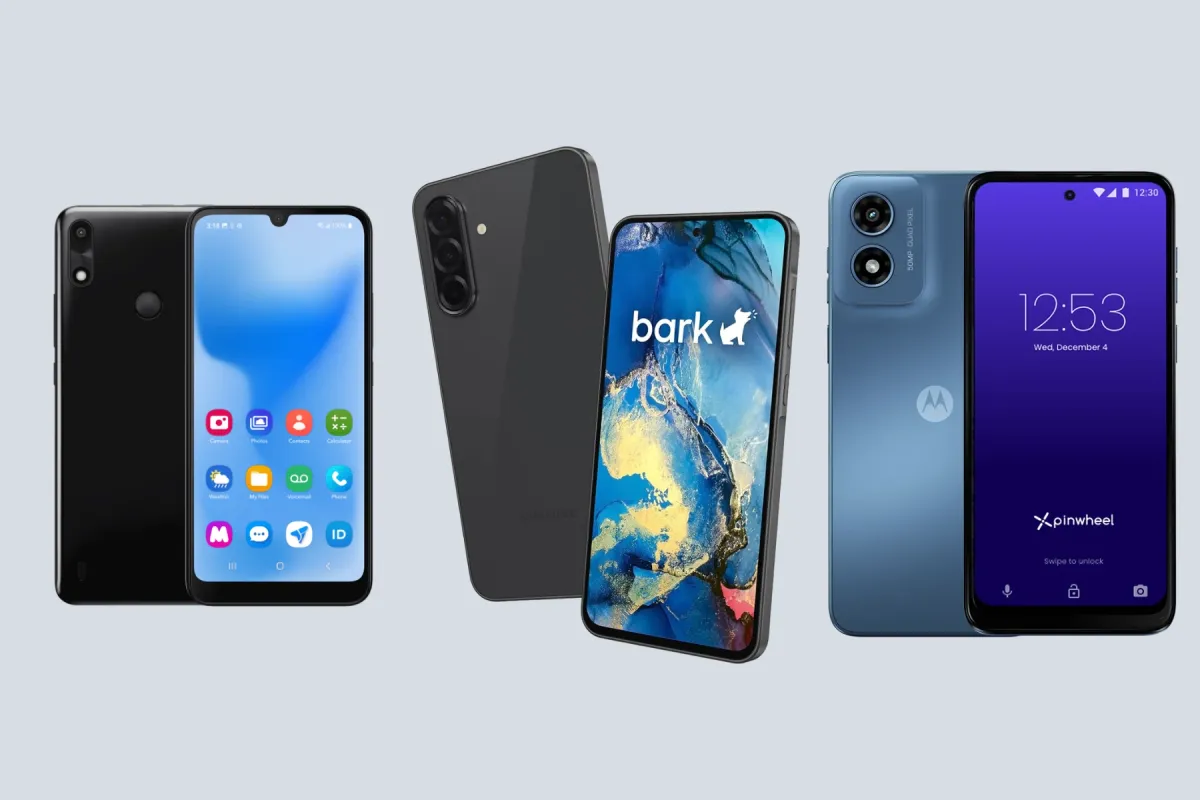
Bark, Gabb, and Pinwheel all sell kids phones a parent manages, but only Bark and Pinwheel have one to order new today. Gabb has none to sell new right now, so most families are choosing between the other two.
Bark suits a parent who wants software to scan texts and apps and send alerts. Pinwheel suits one who wants to keep the family carrier and read texts directly. Each phone asks your child to give something up, from apps and group chats to privacy.
A managed phone is a big step. If your child already has a phone, the screen time limits on iPhone and Android are the lighter one.
| Phone | Form factor | Input | Network | Wi-Fi | Battery | Screen | GPS | Hotspot | |
|---|---|---|---|---|---|---|---|---|---|
| Bark Bark Phone | Touchscreen | Touchscreen | 5G | Yes | 5,000 mAh | 6.7 in | Yes | No | Yes |
| Bark Bark Phone Pro | Touchscreen | Touchscreen | 5G | Yes | 5,000 mAh | 6.7 in | Yes | No | Yes |
| Pinwheel Plus 6 | Touchscreen | Touchscreen | 5G | Yes | 5,000 mAh | 6.7 in | Yes | No | Yes |
| Pinwheel Slim 6 | Touchscreen | Touchscreen | 4G | Yes | 5,000 mAh | 6.5 in | Yes | No | Yes |
| Pinwheel Genesis 4 | Touchscreen | Touchscreen | 4G | Yes | 5,000 mAh | 6.7 in | Yes | No | Yes |
| Gabb Phone 4 | Touchscreen | Touchscreen | 4G | Yes | 3,120 mAh | 6.1 in | Yes | No | No |
Availability today
Bark sells two phones from its own site, the Bark Phone and the Bark Phone Pro. Bark aims to ship within three to five days, free, but only inside the United States. Pinwheel sells three from its own store: the Plus 6, Slim 6, and Genesis 4.
Gabb is the exception. As of June 30, 2026, Gabb has no timeline for more phone inventory. Gabb also no longer sells its teen model, the 4 Pro, and its refurbished page has none to offer.
You may still find a new Gabb phone in a store. Select Walmart stores carry Gabb phones, but Gabb does not publish which ones have a phone today. If you buy one from Amazon, Walmart, or Target, you start service on Gabb’s own site.
Winner: Pinwheel, with three phones you can order today against Bark’s two. Bark is a close second, and Gabb is out of the running until it has phones to sell.
How the controls work
The Bark Phone is a Samsung phone with Bark’s software built in, and the plan you pick sets how open it is. On the Starter plan, your child can call and text approved contacts, and that is all. Advanced plans let you allow Google Play, approve each app, or block the store.
Bark puts routines for bedtime and school, daily app limits, and a remote pause in one parent app. If an important setting changes, the phone shuts off non-essential apps and the internet until you fix it. Kids also cannot delete Bark’s software, even with a factory reset.
Gabb builds the limits into the phone and leaves less to adjust. The Gabb Phone 4 has no browser, no app store, and no social media, and a parent switches on extra apps from a short list. It has no documented Focus Mode schedules, and contacts stay child-managed until a parent turns on approval in MyGabb.
Pinwheel works through modes, which are sets of apps and contacts that a caregiver schedules by time of day. If you leave a time unscheduled, the phone drops to Nothing Mode, with only emergency contacts and a few basic apps. Its Safelist lets only approved numbers call or text.
Winner: Bark, for the simplest setup. You pick a plan and the phone follows it, while Pinwheel asks you to build modes and Gabb’s limits are mostly fixed.
Apps and the browser
On Bark’s Starter plan there are no apps and no browser. Advanced plans open Google Play, and you choose whether your child installs freely, asks first, or gets no store at all. Bark can also block whole categories, such as social media or games, and turn browsers on or off.
Gabb’s answer is no browser at all, on any plan. The Gabb Phone 4 runs Gabb’s own essential apps, plus a short list a parent can enable, such as Gabb Maps and a Bible app. Gabb reviews each app for privacy, in-app purchases, and chat features, and it allows no social media.
Pinwheel’s App Library holds more than 1,200 apps, each rated against guidelines advertised as built with child development experts. Social media is not in the library, and you cannot add it from Google Play either. There is no browser unless a caregiver adds one.
Google Play is optional on Pinwheel, and every install still needs a caregiver’s approval. Still, Pinwheel has not vetted most Play Store apps, and a child can use any payment method saved in Google Play.
Winner: Pinwheel, for the middle road. It offers far more apps than Gabb, with a rating on each, and keeps social media out even when you open Google Play.
Messages and monitoring
This is where the three differ most, and where your child’s privacy comes in. Bark scans, Pinwheel shows you the texts, and Gabb filters.
Bark’s software scans texts, photos, videos, and apps, then sends you an alert with a copy of anything concerning. Bark does not give parents access to every message, so kids keep some privacy. On the Bark Phone, the apps it watches include WhatsApp, Snapchat, Instagram, and Discord.
Pinwheel lets a caregiver read texts and see call history in the Caregiver Portal, and deleted texts still show up. You can also allow picture texts for some contacts and not others. Pinwheel’s Safelist does not cover third-party apps, and whether its portal shows chats inside them is not published.
Gabb runs texts through Gabb Messenger, which uses AI filtering to flag or block harmful messages and images, then notifies you. Gabb itself admits that no filter is perfect. Its text and call logs show times and numbers, not the words.
Winner: Bark, because its alerts reach past texts into the apps where older kids chat. Pick Pinwheel if you would rather read texts yourself, and Gabb if you want a filter and no chat apps at all.
Location
Bark shows your child’s location on a map and keeps a week of history. It alerts you when your child arrives at or leaves a saved place, and Bark locks the location setting on the phone. In Power Saving Mode, the phone shares its location about once a minute instead of in real time.
Pinwheel’s map updates every few minutes, with a history and alerts for arrivals and departures. But location tracking needs an internet connection.
Gabb’s phone refreshes its location about every 15 minutes, and gaps may occur. You can refresh it by hand in the MyGabb app, and Safe Zones alert you when your child enters or leaves an area.
Winner: Bark, for the freshest map, a week of history, and a setting your child cannot turn off.
Plan cost and service
Bark’s plans start at $29 a month for Starter, with unlimited talk and text and no internet. Advanced plans cost $39 a month for Wi-Fi only, $49 with 4GB of data, $59 with 8GB, and $79 for unlimited data. Each plan includes Bark’s monitoring for the whole family, and you pay for the phone over 24 months on top.
Pinwheel charges for its software and sells service as an option. The Caregiver Portal subscription costs $18 a month if you use your own carrier. Pinwheel Wireless costs $30 a month for unlimited talk and text, 5GB of data, and the portal.
Both Pinwheel plans cost less if you pay yearly, and both take a discount when you manage more than one phone. Neither has a contract.
Gabb sells only its own service, on a contract or month to month. Its Standard plan costs $30 to $35 a month and Advanced $35 to $40, with the lower prices for longer contracts. Gabb adds a $30 activation fee, and contract plans carry an early termination fee.
Winner: Pinwheel. Pinwheel Wireless covers talk, text, data, and controls for about the price of Bark’s Starter plan, which has no data at all. With Bark, mobile data starts at $49 a month, before the device payment.
Carrier choice
A Bark Phone works only on a Bark plan, and a SIM from another carrier may gray out all the apps. Bark does not name its carrier, but T-Mobile’s wholesale case study calls T-Mobile the exclusive wireless provider for the Bark Phone.
Gabb is just as tied. Its phones work only on Gabb’s own network, and the carrier behind it is unnamed. Service is US only, and Gabb SIM cards work only in Gabb devices.
Pinwheel phones are unlocked, so you can add one to the plan you already have. The Plus 6 and Slim 6 work on Verizon, AT&T, and T-Mobile, along with many smaller carriers. The Genesis 4 works on T-Mobile and AT&T, but not Verizon.
Winner: Pinwheel, the only one you can put on your family plan. Check Pinwheel’s table for your exact carrier first, because it marks some, such as Mint on the Slim 6, as not working.
Hardware range
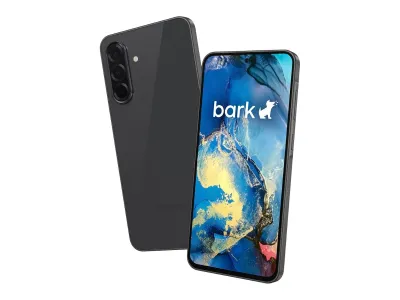
Bark offers two Samsung phones, and any plan works on either. The Bark Phone is a Samsung A16, and the Bark Phone Pro is a Samsung A37 with an IP68 rating, Gorilla Glass Victus+, and more memory. Only the base model takes a microSD card.
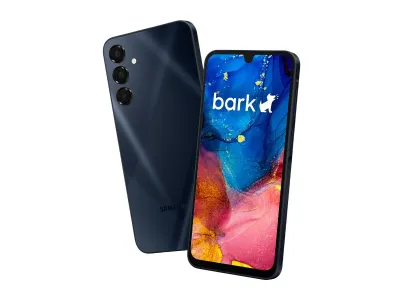
Bark
Bark Phone
Available$360
- Network
- 5G
- Wi-Fi
- Yes
- Battery
- 5,000 mAh
- Screen
- 6.7 in
5G · Wi-Fi · GPS · Camera · Water resistant · Music · Touchscreen
Bark
Bark Phone Pro
Available$600
- Network
- 5G
- Wi-Fi
- Yes
- Battery
- 5,000 mAh
- Screen
- 6.7 in
5G · Wi-Fi · GPS · Camera · Water resistant · Music · Touchscreen
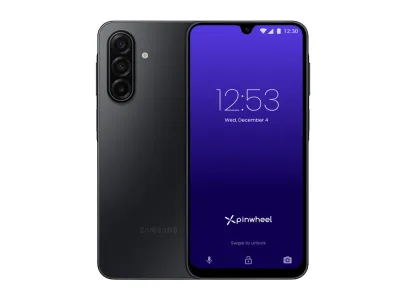
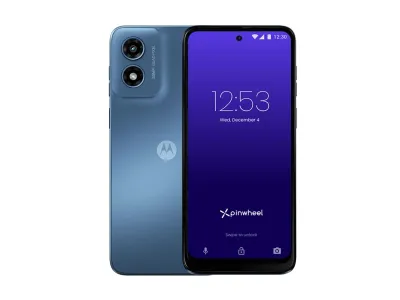
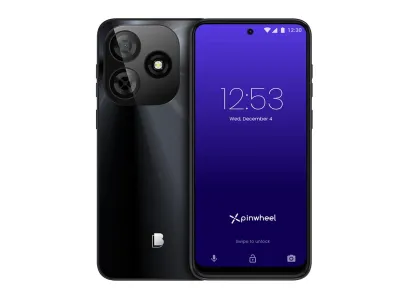
Pinwheel’s three phones come from three makers. The Plus 6 is a Samsung Galaxy A17 with 5G, the Slim 6 is a Motorola Moto G Play, and the Genesis 4 uses a BLU phone as its base. Both cheaper models keep a headphone jack, and the Plus 6 does not.
Pinwheel
Plus 6
Available$299
- Network
- 5G
- Wi-Fi
- Yes
- Battery
- 5,000 mAh
- Screen
- 6.7 in
5G · Wi-Fi · GPS · Camera · Music · Touchscreen
Pinwheel
Slim 6
Available$199
- Network
- 4G
- Wi-Fi
- Yes
- Battery
- 5,000 mAh
- Screen
- 6.5 in
4G · Wi-Fi · GPS · Camera · Headphone jack · Music · Touchscreen
Pinwheel
Genesis 4
Available$119
- Network
- 4G
- Wi-Fi
- Yes
- Battery
- 5,000 mAh
- Screen
- 6.7 in
4G · Wi-Fi · GPS · Camera · Headphone jack · Music · Touchscreen
Gabb makes one phone, the Gabb Phone 4, which uses a Nuu X6 Plus as its base. It is a 4G phone, and Gabb puts wired headphones in the box.
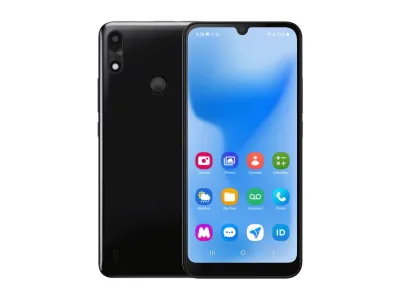
Gabb
Phone 4
Unavailable$250
- Network
- 4G
- Wi-Fi
- Yes
- Battery
- 3,120 mAh
- Screen
- 6.1 in
4G · Wi-Fi · GPS · Camera · Headphone jack · Music · Touchscreen
Winner: Pinwheel, for three phones from three makers at three price levels. If toughness matters most, the Bark Phone Pro is the only phone here with an IP68 rating.
Growing with your child
Bark grows by plan. You can move from Starter to an Advanced plan, or back, in the parent app, and the change takes a few minutes on the same phone. From there, you add apps one at a time.
Pinwheel lays out four stages, from Starting Out to Graduating. At the start, Pinwheel suggests a parent-made Safelist, school and night schedules, and no group or picture texts. Later stages hand the Safelist to the child, add picture texts, and check texts less often.
The Safelist itself has three settings: caregiver-managed, child-managed, and off. At the last stage, Pinwheel suggests moving to an adult phone and offers to help.
Gabb grows by device more than by plan. It keeps its app store for the 4 Pro on the Advanced plan, and it no longer sells that phone. So a child who outgrows a Gabb Phone 4 needs a different phone.
Winner: Pinwheel, because the same phone can loosen in steps Pinwheel spells out, all the way to a child-run contact list. Bark is close behind, with a two-step ladder that changes in minutes.
What happens when you cancel
With Bark, you keep the phone but owe what is left on it. Within 60 days of purchase you can return it instead, and after that you pay off any remaining balance when you cancel. At the end of the billing period, Bark grays out the apps.
You can then choose Unlock in your Bark account to remove Bark’s software and factory reset the phone. The phone then works as a regular Samsung phone, and the change is hard to undo. Port your child’s number out first, because porting it also cancels the Bark service.
Pinwheel lets you cancel any time, but only in the browser version of the Caregiver Portal. Its subscription is what gives your child access to the phone, so ask Pinwheel’s support team to convert it to a regular Android phone. Ask right away, because Pinwheel’s software can grow too old for support to reach the phone.
Gabb lets you keep the phone, but the Gabb Phone 4 works only on Gabb’s network. Gabb deactivates the line at once, and you lose the number unless you port it first. Contract plans add an early termination fee.
Winner: Bark, because you can turn the phone into a regular Samsung yourself. Pinwheel can do the same only through support, and a Gabb phone cannot leave Gabb’s network.
Returns and warranty
Bark gives you 60 days to return a phone bought on its site, for a refund of the device cost only. Plan payments are not refundable, and Bark may charge for damage. Bark’s terms add a 12-month warranty, which does not cover drops.
Pinwheel offers a 30-day money-back guarantee with free returns. The phone must come back in excellent condition with its packaging, and Pinwheel does not refund a subscription once it bills you. Pinwheel’s own coverage lasts 30 days from purchase, and Clyde sells optional one-year and two-year plans.
Gabb takes returns within 30 days for most of the year, but charges a $50 restocking fee once the box is open. Its activation fee is not refundable either. Gabb’s phones carry a one-year manufacturer’s warranty, and Gabb replaces a broken Phone 4 with a refurbished one.
Winner: Bark, for twice the return window and a full year of warranty from the seller. Bark also sells optional AKKO protection for $5 a month, or $7 for the Pro, which covers drops for a deductible.
When to pick a lighter step instead
A managed phone is a full smartphone with a parent in charge. If your child already has a phone, the free controls on it may be enough. They include a parent-held passcode through Family Sharing or Family Link.
If your child needs only calls and texts, a keypad or flip phone needs no subscription and no dashboard. Our dumbphones for kids roundup compares them. Bark’s Starter plan sits between the two, with no internet or apps but a full parent app.
Which one to pick
- Your child needs calls and texts, for now: the Bark Phone on the Starter plan, which opens up later without a new phone.
- You want alerts from apps like WhatsApp and Snapchat: a Bark phone on an Advanced plan.
- You want to read texts and approve every contact: any Pinwheel phone.
- You want to keep your carrier: the Pinwheel Plus 6 or Slim 6, or the Genesis 4 on T-Mobile or AT&T.
- You want the lowest monthly bill: Pinwheel, on its own Wireless plan or a line you already pay for.
- Your child is hard on phones: the Bark Phone Pro, for its IP68 rating and tougher glass.
- You want no browser and no app store at all: Bark’s Starter plan, which you can order today. A Gabb Phone 4 fits too. Gabb has none to sell new right now.
Each pick gives something up. Bark ties you to its own service and a two-year device payment, and its software scans your child’s messages for you. Pinwheel needs a subscription for as long as the phone stays managed, and it documents text reading for its own texting app only.
With Gabb you give up the most: no browser, no app store, and for now, no new phone to order.
Common questions
Can you still buy a Gabb phone?
Not new from Gabb right now. As of June 30, 2026, Gabb had no timeline for more inventory, and it no longer sells its teen model. Select Walmart stores carry its phones, and the Dumbphone Finder shows the managed phones you can order instead.
Does Bark let parents read every text?
No. Bark does not give parents access to every message: it scans texts, photos, and app chats, and alerts you with a copy of anything it flags. If you want to read texts yourself, Pinwheel’s Caregiver Portal shows them, deleted texts included.
Which kids phone can use WhatsApp: Bark, Gabb, or Pinwheel?
Bark and Pinwheel can, if a parent allows it. Bark monitors WhatsApp messages on its Advanced plans, and WhatsApp is in Pinwheel’s App Library for a caregiver to install. Gabb has no WhatsApp, and our dumbphones with WhatsApp guide covers simpler phones that run it.
What age are Bark, Gabb, and Pinwheel phones for?
Each maker sets its own range. Gabb aims the Phone 4 at ages 9 to 14, and Bark labels its Starter plan for younger kids and its Pro for tweens and teens. Pinwheel targets a parent-managed contact list at about ages 6 to 14 and a child-managed one at 13 to 16.
For a child not ready for any of them, Pinwheel Home is covered in our guide to a landline for kids.
Final thoughts
Bark and Pinwheel are the two you can order today, and they suit different parents. Choose Bark if you want software to watch texts and apps and alert you, with a calls-and-texts start. Choose Pinwheel if you want your own carrier, a rated app library, and texts you can read yourself.
Gabb’s model is still the strictest, with no browser, no app store, and a filtered messenger, but only if you find a phone. For the wider field, safe phones for kids compares more managed phones and what each costs.