Landline for Kids: Tin Can, Pinwheel, Ooma, and Waffle
By Finn Albar
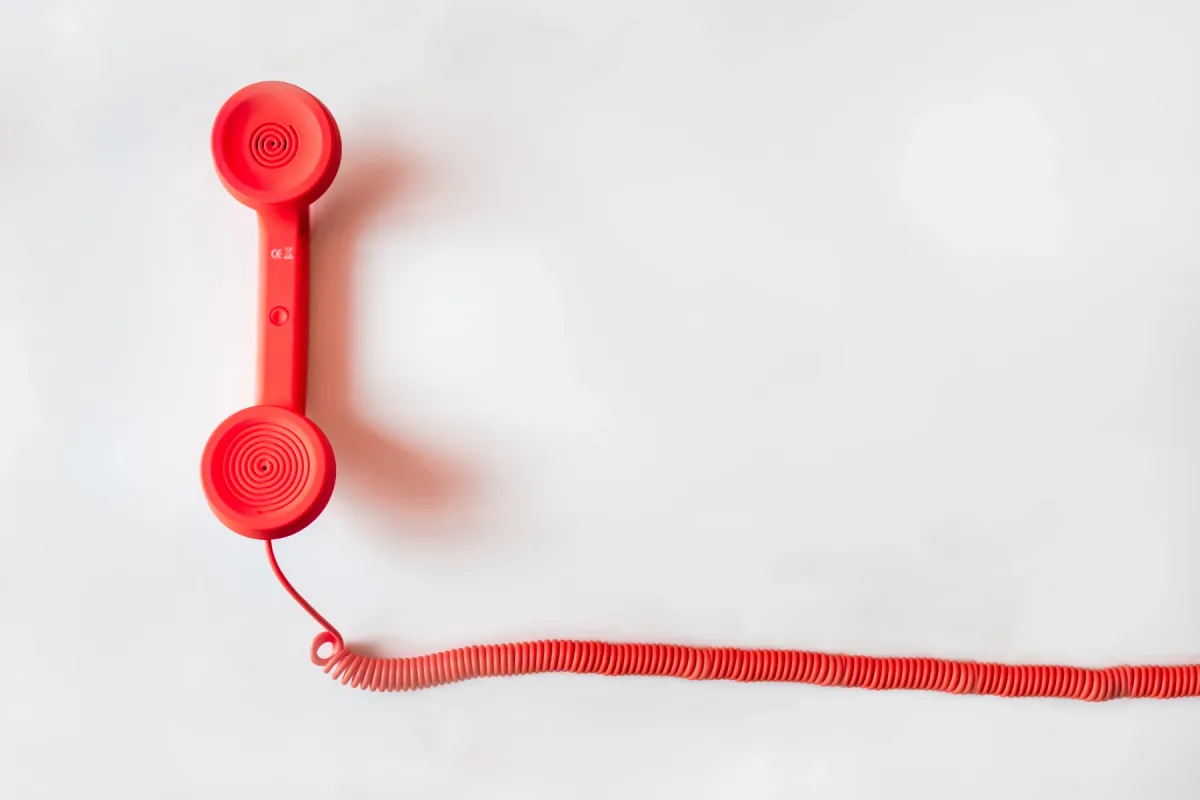
A landline for kids is a home phone that runs over your Wi-Fi and calls only the people you approve. It suits a child who calls friends and grandparents before a first phone, but it cannot text or leave the house. It takes calls with friends off a parent’s phone, and safe phones for kids are the step after it.
Tin Can, Pinwheel Home, Ooma MyPhone, and Waffle Home are the four here. Free calls stay inside one brand, so the brand your child’s friends already own matters more than the hardware.
All four go silent in a power cut or an internet outage, and that includes 911. Keep a charged cell phone in the house whichever one you buy.
How a landline for kids works
The phone looks like an old landline, with a handset, a cord, and a keypad. But it needs no phone jack and no phone company. It connects to your home internet over Wi-Fi, and Pinwheel Home and Ooma MyPhone can also take a cable to the router.
A parent runs everything from an app or web portal on their own phone. You approve each contact and set quiet hours when the phone will not ring. On Pinwheel, Ooma, and Waffle, you can also see who your child called.
Strangers and spam callers cannot get through, because the service blocks any number you have not approved. On Tin Can, Pinwheel Home, and Waffle Home, your child can dial out only to the same approved people.
The plan decides who your child can reach. Calls between two phones of the same brand are free on Tin Can, Pinwheel Home, and Waffle Home. Calling anyone else, such as a grandparent’s cell, usually takes a monthly plan, and Ooma charges a monthly fee for every line.
Limits to know before you buy
Three limits decide whether a kids landline works in your house. Check them before you order, because each one can rule out a brand.
911 needs power and internet
If you lose power at home, a Tin Can cannot call 911, because it needs power and an internet connection for any call. The other three work the same way.
Pinwheel Home places no calls at all when the internet is down, emergency calls included. It runs on wall power through its adapter and has no battery. Waffle Home will not call 911 during a power, internet, or Wi-Fi outage, even though it has a battery.
Ooma MyPhone’s emergency dialing stops during a broadband, power, or internet outage too. So a kids landline is not an emergency phone. Keep a charged cell phone where your child can reach it, and show them how to call 911 on it.
Most need 2.4 GHz Wi-Fi
Tin Can and Pinwheel Home join 2.4 GHz Wi-Fi only, so a router set to 5 GHz alone will not work. Pinwheel Home also needs WPA2 security, not WPA3 or a WPA2/WPA3 mixed mode.
If your router puts both bands under one name, you may need a separate 2.4 GHz network for setup. Guest networks and networks with a browser sign-in page do not work with Tin Can.
Waffle Home works on 2.4 or 5 GHz, though not 6 GHz. Which band the Ooma Base Station needs is not published, but an Ethernet cable comes in the box.
Free calls stay inside one brand
A free Tin Can calls other Tin Cans, and a free Pinwheel Home calls other Pinwheel Homes. A free Waffle Home calls other Waffles plus one approved contact. To reach a friend with another brand, or a grandparent’s cell, you need a paid plan.
Pinwheel’s free plan cannot even call Pinwheel’s own mobile phones and watches, because those need a 10-digit number. Ooma has no free plan, so every MyPhone line pays a monthly fee.
Tin Can: free calls to other Tin Cans
Tin Can costs $100 in four colors and sells in the US and Canada. Preorders for the UK, Australia, and New Zealand ship in November 2026.
The free Can 2 Can plan calls other Tin Cans and 911. The Party Line plan adds approved outside numbers, such as your cell, for about $10 a month or $100 a year. The first month of Party Line is free.
You need the Tin Can app to activate the phone, and 911 calling must be on before it works. Address checks can take up to three business days, and dialing 933 reads back the address on file. Two friends can call each other only after both Tin Cans approve each other.
Quiet hours silence the phone on a schedule, while 911 still connects. Each Tin Can has a 10-digit number, and the old 4-to-7-digit Tin Can numbers became speed dials. Three-way calls are not available yet.
A young child has to dial quickly, because a long pause between digits can stop the phone registering them. Parent emails cover contact requests only, not calls or voicemail. Returns are open for 45 days.
Tin Can suits a school or street where other families already have one. We would skip it if your child’s friends use another brand, since every call to them then needs Party Line.
Pinwheel Home: the cheapest plan for outside numbers
Pinwheel Home comes as the Spark, with a smaller handset, for $79, or the Classic, a 1990s-style phone, for $99. Shipping and returns are free, with a 30-day money-back guarantee.
The free Pinwheel Circle plan calls other Pinwheel Homes and 911. Friends & Family adds up to five outside numbers for about $7 a month, and you can swap those five at any time. Unlimited calls any number for about $10 a month, and both paid plans cost less per phone when you add a second device.
An adapter plugs into the wall, powers the phone through a phone cord, and joins your Wi-Fi or takes a cable to the router. The phone has no battery, so it stops in a power cut as well as in an internet outage.
In Pinwheel’s Caregiver Portal, nobody calls in or out unless you approve them, even another Pinwheel Home. You set call schedules and a bedtime, and the call history shows blocked calls too.
On the free plan the phone has a six-digit Circle Code, not a phone number. A paid plan adds a 10-digit number, which can move to a Pinwheel mobile phone later.
Group calls, call forwarding, and speakerphone are missing. The Spark’s ringer turns off only through a bedtime schedule, while the Classic has an Off switch.
Pinwheel Home suits a family that wants a few outside numbers for little money. Skip it if you cannot give it a 2.4 GHz WPA2 network or a cable to the router.
Ooma MyPhone: any number, but no free plan
Ooma MyPhone costs about $100 for the phone and a Base Station, plus about $8 a month for service, before taxes and fees. There is no free plan. The service covers unlimited calls in the US, Canada, and Mexico.
Trusted Circle lets only approved contacts call in, and you can choose to limit outgoing calls to the same list. Pick incoming and outgoing when you set it up, or the list limits only who can call in.
Quiet Hours send calls to voicemail on a schedule, with different hours for weekdays and weekends, and can block outgoing calls too. If anyone dials 911, Ooma sends a text or email alert to up to three contacts. Dial 611, not 911, to test the alerts.
Ooma’s Party Line feature adds three-way calls, which none of the other three offers yet. MyPhone also has voicemail and an online call log.
The Base Station joins Wi-Fi or plugs into the router with the included Ethernet cable. Moving an existing number to it costs a one-time fee of about $40.
MyPhone suits a child who calls relatives on ordinary phones, since every call needs the plan anyway. Over two years it costs about the same as Tin Can with a yearly Party Line plan.
Waffle Home: a battery handset and 5 GHz Wi-Fi
Waffle Home costs $119. It works on 2.4 or 5 GHz Wi-Fi and has no cellular connection. The handset hangs on a 10 ft curly cord, and the battery is rated for up to 2 hours of talk and 5 hours of standby.
The free plan covers calls to other Waffles, one approved contact, a phone number, and 400 minutes a month. Home Plus+ adds more approved contacts and international calling for about $10 a month, with a 10-day trial.
Your child picks a contact with arrow buttons and presses call. Instead of texts, Waffle has voice notes of up to 20 seconds, and you can send and hear them in the Waffle Hub app.
Emergency calling is on by default, cannot be turned off, and works during quiet hours. When a 911 call connects, Waffle Hub sends you a push notification with the time and the registered address.
Calls are one-on-one, each Waffle has its own number, and you cannot change the number after setup. Returns come with a 30-day guarantee and a 12-month warranty.
Waffle Home suits a home whose Wi-Fi runs on 5 GHz, or a family that may add Waffle Go later, since one app runs both. The outage limit above applies to it as well.
What two years cost
Count the device and 24 months of the plan. The figures below are before taxes, free trials, and multi-device discounts.
| Phone and plan | Device | Plan | Two years |
|---|---|---|---|
| Tin Can, Can 2 Can | $100 | Free | $100 |
| Tin Can, Party Line yearly | $100 | About $100 a year | About $300 |
| Pinwheel Home Spark, Pinwheel Circle | $79 | Free | $79 |
| Pinwheel Home Spark, Friends & Family | $79 | About $7 a month | About $247 |
| Pinwheel Home Spark, Unlimited | $79 | About $10 a month | About $319 |
| Ooma MyPhone | About $100 | About $8 a month, plus taxes and fees | About $292, plus taxes and fees |
| Waffle Home, Free | $119 | Free | $119 |
| Waffle Home, Home Plus+ | $119 | About $10 a month | About $359 |
The Pinwheel Home Classic adds $20 to each Pinwheel row. Tin Can’s monthly Party Line comes to about $340 over two years, so the yearly plan saves about $40.
Ooma also charges taxes and fees on every bill, including an E911 service fee, so its real total runs higher than the table shows. Waffle Home costs the most up front, and with Home Plus+ it is the priciest two years here.
If your child only calls friends with the same phone, the free plans cost nothing after the device. For a grandparent and a parent’s cell, Pinwheel’s Friends & Family is the cheapest route, as long as five outside numbers are enough.
How to choose a landline for kids
- Ask other parents first. Free calls stay inside one brand, so the brand your child’s friends own decides most of the bill. Tin Can, Pinwheel, and Ooma all sell group orders, for example to a school or a sports team.
- Count the outside numbers. Up to five fit Pinwheel’s Friends & Family plan. More than five need Tin Can’s Party Line, Pinwheel’s Unlimited plan, Ooma, or Waffle’s Home Plus+.
- Check your router. Tin Can and Pinwheel Home need 2.4 GHz, and Pinwheel also needs WPA2. Waffle Home works on 5 GHz too, and Pinwheel and Ooma can use a cable to the router.
- Decide on group calls. Only Ooma MyPhone has three-way calls today. The other three plan to add them, with no date given.
- Plan for outages. None of the four calls 911 without power and internet, so keep a charged cell phone in the house.
How to set it up
Start a few days early, since Tin Can’s 911 address check can take up to three business days. Then do the steps in this order.
- Check the Wi-Fi first. Make sure your router broadcasts 2.4 GHz for Tin Can or Pinwheel Home. Set Tin Can up on the main router, not an extender or a mesh satellite.
- Register your address for 911. Tin Can, Ooma, and Waffle route a 911 call to the address you register, so enter it exactly. On Tin Can, dial 933 to hear it read back, and on Ooma, dial 611 to test the alerts.
- Add contacts on both sides. Two Tin Cans, two Pinwheel Homes, or two Waffles must approve each other before a call goes through. Ask the other family to add your child’s number the same day.
- Set quiet hours. Schedule the hours the phone should not ring, such as school nights after bedtime. On Tin Can and Waffle Home, 911 still connects during quiet hours.
- Print the contact list. Tin Can and Pinwheel Home print the approved contacts from the app. Tape the list by the phone, so your child can dial without asking for your phone.
- Show your child the backup phone. Put a charged cell phone where your child can find it, and practice a pretend 911 call without dialing.
Location without a phone
None of these four phones shares a location, and none leaves the house. If location is the reason you want your child to carry something, a GPS tracker does that job with no apps for your child to open.
The Jiobit Smart Tag clips to clothing or a bag and shows your child’s location in a parent app. It alerts you when your child leaves or reaches places you set, such as school, and it has an alert button. It runs on its own cellular connection and needs a subscription, from about $8 a month.
AngelSense makes its tracker for children and adults with special needs. The wearable has an SOS button and a speakerphone that answers by itself, and its fasteners keep the wearer from taking it off.
An AirTag does not fit this job, because Apple designed it to help people find their belongings, not to track people. For calls and GPS in one pocket device, Waffle Go costs $169 plus about $18 a month, with 4G.
What your child gives up
A kids landline does one job: voice calls at home. None of the four has texts, apps, games, or a browser. Waffle Home’s 20-second voice notes are the closest thing to a message.
It stays home and shares no location, so your child cannot reach you from the bus or a friend’s house. Group calls exist only on Ooma MyPhone.
Calls stop whenever the Wi-Fi drops, the router restarts, or the power goes out. On Tin Can, the caller ID name you set does not show on cell phones, so friends should save the number.
A parent still needs a smartphone. You set up and manage each of the four from an app or web portal, and the approved contacts live there, not on the phone.
When a landline is not enough
A home phone stops being enough when your child starts going places alone. If your child walks to school, rides the bus, or needs to text, the next step is a phone of their own.
For calls and texts with an SOS key and no open app store, see dumbphones for kids. For approved contacts, schedules, and location run from your own phone, a managed kids phone is the next step up. If that phone is a regular smartphone, how to set up a phone for a child covers the built-in controls.
Pinwheel makes the move easiest within one brand, because a paid Pinwheel Home number can move to a Pinwheel mobile phone. Our Bark vs Gabb vs Pinwheel comparison covers those phones’ controls.
Common questions
Can a Tin Can call 911 in a power outage?
No. If you lose power at home, a Tin Can cannot call 911, because it needs power and an internet connection for any call. Pinwheel Home, Ooma MyPhone, and Waffle Home also cannot call 911 when the power or internet is out.
Can different brands of kids landline call each other?
Yes, on plans that reach outside numbers. A Tin Can needs Party Line, and a Pinwheel Home needs a paid plan with a 10-digit number. Waffle Home can call a Tin Can or an Ooma phone, and each side must approve the other’s number.
Is there a kids landline with no monthly fee?
Yes. Tin Can, Pinwheel Home, and Waffle Home all have free plans that call phones of the same brand and 911. Ooma MyPhone has no free plan, so budget about $8 a month on top of the phone.
Does a home phone for kids need a phone jack?
No. All four connect through your home internet, and Pinwheel Home and Ooma MyPhone can also plug into the router with a cable. You do not need a phone line from a phone company.
Final thoughts
Buy the brand your child’s friends already have, because that is where the free calls are. Pick Tin Can where other families use it, and Pinwheel Home if five outside numbers for about $7 a month are enough.
Choose Ooma MyPhone for three-way calls and 911 alerts, and Waffle Home for 5 GHz Wi-Fi and a battery handset. Whichever you pick, keep a charged cell phone in the house, because none of the four calls 911 in an outage.
If the alarm is the next job to move off the phone, see the best alarm clocks.