Dumbphones With GPS: 4 That Give Turn-by-Turn Directions
By Finn Albar
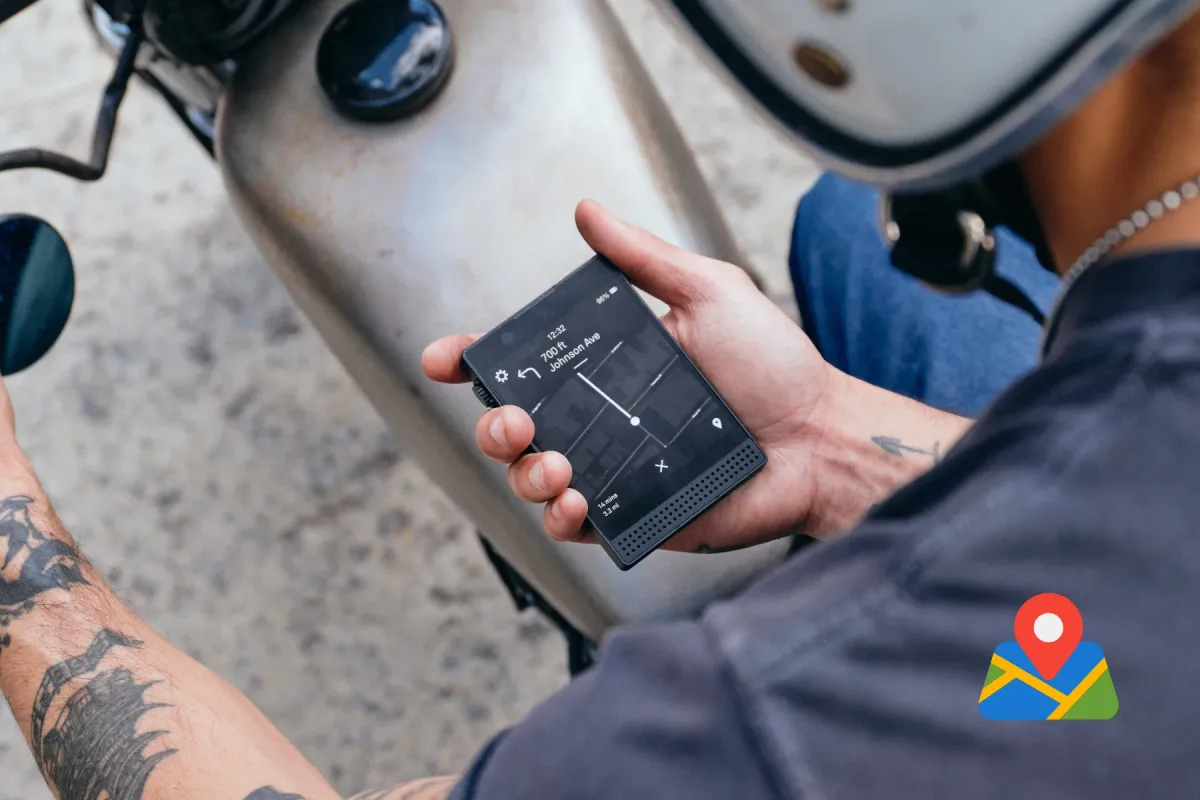
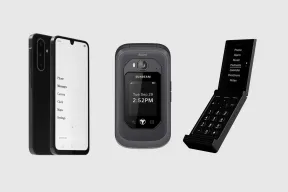
Four dumbphones with GPS give turn-by-turn directions and still leave out the web browser: the Mudita Kompakt, Sunbeam F1 Pro, Light Phone III, and Wisephone II. Other basic phones may have a GPS chip and no maps at all. The Punkt MP02, for example, has GPS for emergency calls, not navigation.
These picks suit drivers, walkers, and commuters who want to leave a smartphone without getting lost. Each pick gives up something that Google Maps on a smartphone does, such as live traffic, transit, or routing with no signal, and each section names it.
If maps are the main reason you keep a smartphone, a minimalist launcher can hide everything else on it, and that is the lighter step. For a phone with no maps at all, see phones that only call and text.
| Mudita Kompakt | Sunbeam F1 Pro | Light Phone III | Techless Wisephone II | |
|---|---|---|---|---|
| Form factor | Touchscreen | Flip | Touchscreen | Touchscreen |
| Input | Touchscreen | Keypad + touch | Touchscreen | Touchscreen |
| Network | 4G | 4G | 5G | 5G |
| Wi-Fi | Yes | Yes | Yes | Yes |
| Battery | 3,300 mAh | 2,200 mAh | 1,800 mAh | 5,000 mAh |
| Screen | 4.3 in | 2.8 in | 3.92 in | 6.7 in |
| GPS | Yes | Yes | Yes | Yes |
| Hotspot | Yes | Yes | Yes | Yes |
| Sideload only | No | No | Yes |
GPS is not the same as directions
A GPS chip only works out where you are. The FCC requires US carriers to send a caller’s location with every 911 call, and most handsets now combine satellite GPS with Wi-Fi data for it. So a GPS mark in the comparison above means the phone has the chip, not that it has maps.
Phones fall into three groups:
- Location only. The phone uses GPS for emergency calls or a parent’s tracking app, and has no maps. The Punkt MP02’s GPS module, for example, supports emergency calls and offers no navigation.
- A map with a list of steps. KaiOS flips can open Google Maps with step-by-step directions. But Google Maps on KaiOS has no voice directions.
- Turn-by-turn navigation. The map follows you and a voice announces the next turn. Every phone below does this.
The third group is small, and it is the only one covered here.
How we picked
Every phone here meets four conditions:
- The maker documents turn-by-turn directions, not just a GPS chip.
- The phone has no web browser.
- You can order it new in the US from the maker. A reservation counts only if that phone has shipped before.
- It runs on 4G or 5G.
Three phones with maps are left out. The Dumber Mini has offline maps, with Google Maps available, but it also has an app store, so our Dumber Mini review covers it. The Balance Phone allows Google Maps and Waze, but Balance also allows a browser.
The Light Flip runs the same Light OS as the Light Phone III on a flip, but it has not shipped yet.
The order puts the offline phones first, because a map that works with no signal is the hardest feature to find on a simple phone. The Light Phone III and Wisephone II follow, and both lean on mobile data for at least part of the job.
The best dumbphones with GPS and directions
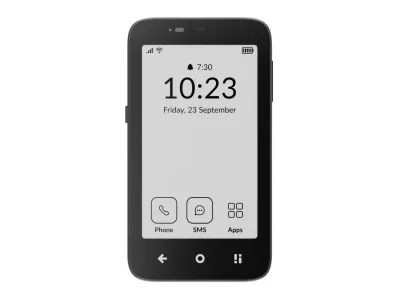
1. Mudita Kompakt: best offline maps
Mudita
Kompakt
Available$399
- Network
- 4G
- Wi-Fi
- Yes
- Battery
- 3,300 mAh
- Screen
- 4.3 in
4G · Wi-Fi · GPS · Hotspot · Camera · eSIM · Water resistant
The Mudita Kompakt plans routes with no signal at all. You download a region first, and then you need no internet to search or view the map. MuditaOS K 1.2.0 brings voice guidance in eight languages, plus walking, cycling, and driving modes.
It suits hikers, cyclists, and travelers who drop out of coverage, and anyone who wants a map on a calm E Ink screen. You set a destination by search or by tapping the map, with up to three stops on the way. It is the wrong pick for transit riders, because transit is not one of Mudita’s modes.
The weak spots are the screen and the app gap. E Ink redraws slowly for a map that moves, and Mudita publishes no live traffic feature. Google Maps is no fallback either, since sideloaded apps that need Google Services likely will not work.
The Kompakt runs on 4G only, so check your carrier first.
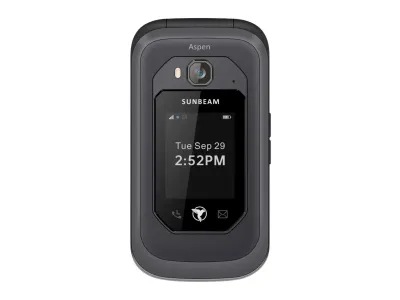
2. Sunbeam F1 Pro: best keypad flip for driving
Sunbeam
F1 Pro
Available$359
- Network
- 4G
- Wi-Fi
- Yes
- Battery
- 2,200 mAh
- Screen
- 2.8 in
4G · Wi-Fi · GPS · Hotspot · Camera · Headphone jack · Music
The Sunbeam F1 Pro puts car navigation on a keypad flip. Four models carry both Waze and HERE, and two more, Maple and Oak, carry HERE alone. The HERE maps download to the phone for offline use, though all of North America takes about 11 GB.
It suits drivers, contractors, and anyone who wants a firmer boundary than a touchscreen. HERE can speak each turn and plan routes for a car or a truck, by fastest time or shortest distance. Stored maps also make navigation more reliable where cell service is poor.
The paid parts are search and traffic. Live traffic and nearby-place search need Sunbeam Premium, a paid subscription. Waze needs the touchscreen, and it cannot find or follow a route without an internet connection.
Pick the model before you order, because six of Sunbeam’s models come with no navigation at all. Sunbeam sells no phone service, so you bring your own carrier, and our review covers its carrier chart.
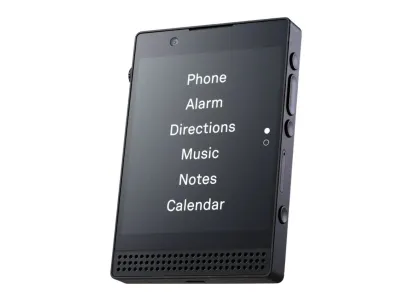
3. Light Phone III: best live navigation on a tools-only phone
Light
Phone III
Preorder$899
- Network
- 5G
- Wi-Fi
- Yes
- Battery
- 1,800 mAh
- Screen
- 3.92 in
5G · Wi-Fi · GPS · Hotspot · Camera · eSIM · Water resistant
The Light Phone III has the widest directions tool of the tools-only phones here. It runs on HERE, speaks each turn when you walk or drive, and reroutes after a wrong turn. Light added a bicycle mode in December 2025, and a transit mode shows subway, train, and bus routes.
It suits city walkers and commuters who want transit routes and spoken turns with no app store. You can also open a map of where you stand without starting a route. Search takes an address, a business name, or a category such as pizza.
The catch is the signal. Without cell service or Wi-Fi, the phone may still get a GPS fix, but it cannot create a route. Directions also uses more battery, and Light publishes no live traffic feature.
That makes it the wrong pick for trails and remote roads.
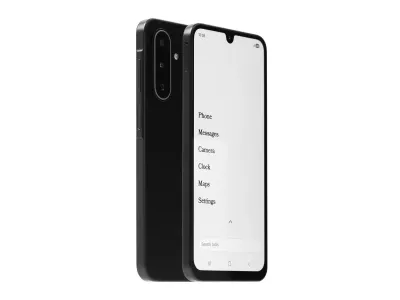
4. Wisephone II: best for Google Maps and Waze
Techless
Wisephone II
Available$399
- Network
- 5G
- Wi-Fi
- Yes
- Battery
- 5,000 mAh
- Screen
- 6.7 in
5G · Wi-Fi · GPS · Hotspot · Camera · eSIM · Music
The Wisephone II is the only phone here that runs Google Maps itself. You can search for places, get directions, and navigate as usual, while most photos and promotional panels in the app are blocked. Waze sits in its Tool Drawer of approved apps.
It suits drivers who already trust Google Maps or Waze, and anyone who also needs WhatsApp, which no other phone here supports. It is the wrong pick if you want a small screen or a firm boundary, because it is a large Samsung touchscreen. Techless itself calls it a minimalist smartphone, not a dumbphone.
Maps requires a WiseOS subscription, so navigation adds an ongoing cost. On any phone, Google Maps offline covers driving only, with no traffic or alternate routes. Waze needs a connection too, so a weak signal limits both apps.
Techless offers its own carrier plans, or you can bring your own carrier.
Offline or online maps: what you give up
Without cell service or Wi-Fi, a Light phone will likely still find you by GPS, but it cannot plan a route. That is because GPS listens to satellites, while maps and routes need data unless the phone stores them first.
Next to Google Maps on a smartphone with full data, each phone here gives up something:
- Routing with no signal. The Mudita Kompakt and Sunbeam’s HERE models are built for offline routes. The Light Phone III needs data to plan a route, and Waze needs it for everything.
- Live traffic. Google Maps uses real-time traffic to pick a route when you are online. Sunbeam offers live traffic only with Premium, and Mudita and Light publish none.
- Transit. The Light Phone III has a transit mode. Mudita’s three modes leave it out, Sunbeam’s settings cover car and truck routes, and Google Maps has no transit directions offline.
- Search. Mudita searches downloaded maps offline, and Light searches by name or category. Sunbeam puts nearby-place search behind Premium.
- Photos of places. Techless blocks most images in Google Maps on the Wisephone II.
The trade is deliberate. A map that shows the way and nothing else is the reason to choose one of these phones.
Phones with a GPS chip but no directions
Several phones that come up in a search for GPS have the chip but no directions, so they are left out:
- Punkt MP02. The MP02 has GPS, GLONASS, Galileo, and BeiDou, but it does not support navigation or location services in the usual sense. The chip serves emergency calls. Our Punkt MP02 review covers the rest.
- Jitterbug Flip3. The phone has weather and tools such as an alarm clock, but no maps app. Instead, Lively’s Ask Lively operators can help you get directions.
- KaiOS flips. Flips such as the TCL Flip 4 5G keep a web browser, and Google Maps on KaiOS has no voice directions. Our best cheap flip phones guide covers them.
- Kids phones. The Bark Phone and other managed phones share a child’s location with a parent’s app. That is tracking for the parent, not directions for the child.
How to choose a dumbphone for navigation
Decide these five things before you compare prices.
- Where you lose signal. On trails or rural roads, pick offline maps: the Mudita Kompakt or a Sunbeam model with HERE. In a city with good coverage, the Light Phone III’s online routes are enough.
- How you get around. Drivers fit the Sunbeam F1 Pro and the Wisephone II. Walkers and cyclists fit the Kompakt and the Phone III, and the Phone III also has a transit mode.
- Keypad or touchscreen. A keypad is a firmer boundary, but Waze on the Sunbeam needs its touchscreen. A big screen is easier to read in a car mount, and easier to drift on.
- The monthly cost. Sunbeam charges for traffic and place search through Premium, and the Wisephone II needs a WiseOS subscription for Maps. Light and Mudita publish no subscription for their maps.
- The other apps you need. Only the Wisephone II supports WhatsApp. For more phones with the same no-browser rule, see phones without internet access, and for the whole field, see best dumbphones.
When a dumbphone with GPS is not enough
A dumbphone with GPS costs you more than it saves if you drive for a living, route around traffic all day, or plan trips across several transit apps. Long drives far from coverage are hard too, unless the phone stores maps offline. For long trips, Light itself suggests a standalone GPS navigation device.
If navigation is the one job you cannot move, keep the smartphone and strip it down. A minimalist launcher can leave Maps, Phone, and Messages on the home screen and hide the rest. An app blocker can lock the apps you open by habit.
If you would rather not carry maps at all, phones that only call and text go further. Our guide to switching to a dumbphone shows how to plan a route before you leave.
Common questions
Do dumbphones have GPS?
Many do, but the chip alone does not give directions. The GPS filter in the Dumbphone Finder shows phones with the chip, so check the maker’s page for a maps or directions tool. The Punkt MP02, for example, has GPS for emergency calls and no maps at all.
Does a phone with GPS work without internet?
The GPS fix does, but maps and routes may not. A Light phone will likely still get a GPS fix without service, but it cannot create a route. The Mudita Kompakt routes from maps you download first, and Sunbeam’s HERE models store maps on the phone.
Can a dumbphone run Google Maps?
One phone here does: the Wisephone II, with most images blocked. The Mudita Kompakt has its own offline maps, but sideloaded apps that need Google Services likely will not work. The Unihertz Jelly Star gets Google Maps from Google Play, but it is a full Android phone with a small screen.
Is there a flip phone with GPS navigation?
Yes. The Sunbeam F1 Pro models with HERE give spoken, offline directions on a keypad flip. KaiOS flips can open Google Maps with step-by-step directions, but without voice directions.
Does the Barbie Phone have GPS?
Not for directions. The HMD Barbie Phone asks for location access during setup, but its main menu has no maps app. For a flip that gives directions, look at the Sunbeam F1 Pro models with HERE.
Can a kids phone share its location?
Yes, and that is a different job from directions. The Bark Phone, for example, lets you keep an eye on your child’s whereabouts with GPS location tracking. Our safe phones for kids guide compares the managed phones that do this.
Final thoughts
Pick by where you lose signal. The Mudita Kompakt is the choice for offline maps on foot or by bike. The Sunbeam F1 Pro is the keypad flip for driving, with maps stored on the phone.
The Light Phone III suits a city commuter who wants transit and spoken turns, as long as there is signal. The Wisephone II is for anyone who will not give up Google Maps or WhatsApp.
If none of that fits, keep your smartphone for navigation and trim the rest with a minimalist launcher.