How to Switch to a Dumbphone and Keep Your Number
By Finn Albar
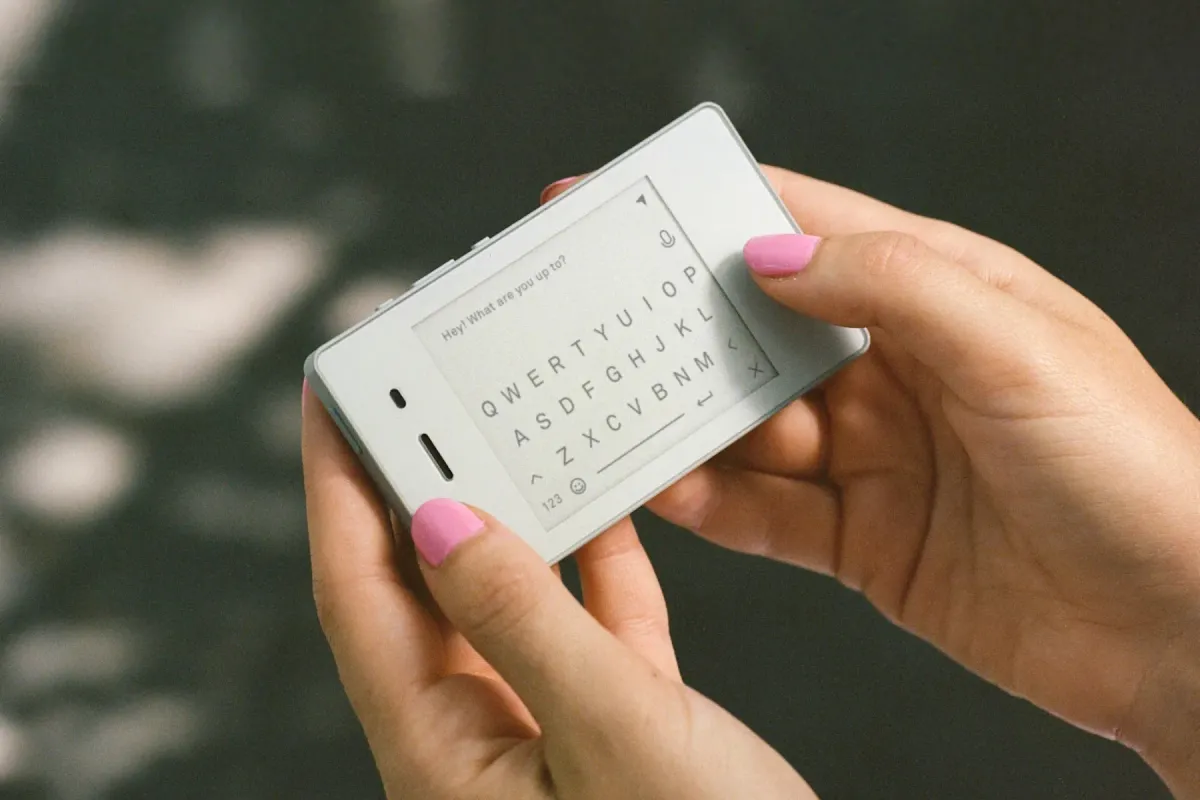
To switch to a dumbphone and keep your number, move your codes and contacts first and port the number last. Done in that order, the move can fit in one week, and your old phone stays on a shelf as a fallback.
This plan suits you if you have already decided and want it done this week. It cannot save an app the new phone will not run, so check that list before you buy. If you only want a quieter smartphone, a minimalist launcher is the lighter step.
Try the phone before you commit
Return terms decide how much risk you carry, and they differ by seller. Sunbeam says an online order can go back within 30 days for a refund less a $30 restocking fee. You need a return authorization number first, and shipping fees are not refundable.
Techless allows 14 days from delivery and charges a $55 restocking fee on an opened box, plus any applicable fees. Orders placed from November 21 to December 31 may get a window through January 15. If you ported a number in, Techless must generate port-out credentials before it can leave.
Lively gives 30 days, but a refund means you cancel service, and Lively charges for use above 30 minutes, 50 texts, or 50 MB of data. Its activation fee comes back only if you cancel within 7 days. Light refunds only manufacturer defects, unshipped orders, and phones returned in shrink wrap.
So a return window is not always a trial. Read the whole policy and count the fees before you open the box. If the terms worry you, best cheap flip phones lists flips for major carriers, and a low price limits what a wrong guess costs.
Whatever you buy, keep your old smartphone for a few weeks. Once the number moves, leave the phone on Wi-Fi, so your authenticator app, bank app, and photos stay within reach while you move them. Erase it only after the new phone has carried you through a few ordinary weeks.
Pick a phone that fits your carrier and apps
Start with the Dumbphone Finder. It filters by form, network, WhatsApp, and the features you need, so you can drop phones that fail your list. The best dumbphones compares the current picks, and phones that only call and text covers the plainest ones.
Three questions narrow the field:
- Which apps can you not drop? Check WhatsApp, your bank app, and any work sign-in against the phone’s own tool list. Techless says it can add or remove third-party apps at any time, so read that list on the day you order.
- Keypad or touchscreen? A keypad slows typing and makes a firmer boundary. A touchscreen is easier for maps and messages.
- Does it work on your carrier? Confirm the exact model on your carrier’s compatibility page, because a 4G or 5G label does not guarantee activation. Makers also publish lists, such as Light’s compatibility checker.
Check the delivery date before you order, because shipping time decides whether the plan fits in a week. We would pick by apps first, keys second, and price last.
Move two-factor codes before you switch
Do this first, because some dumbphones list no authenticator app. Others carry a code tool. Light’s page lists an authenticator for the Light Phone III, Techless lists Two-Factor Auth in WiseOS, and Sunbeam lists an Authenticator on models such as the Juniper and Redwood.
Our Punkt MP02 review says to plan on none for that phone, so check the tool list of the exact phone you want.
Phones with a code tool
Sunbeam’s support page says its Authenticator imports codes from Google Authenticator, 1Password, Apple Passwords, Bitwarden, Aegis, and 2FAS. Authy, Duo Mobile, and Microsoft Authenticator do not let you export, so those accounts need new codes on the phone.
Work and school accounts are different. Sunbeam’s page says sign-in approvals from apps such as Okta Verify, RSA SecurID, Duo Mobile, and Microsoft Authenticator will not work in its app. Ask your IT department before you switch whether a standard code app is allowed.
Phones without one
If your phone has no code tool, switch each account to a method a plain phone can use. Text codes arrive on any phone with your number, backup codes work once each, and a hardware key plugs into your computer.
Google’s 2-Step Verification page lists all three. It also warns that codes sent by text or call can be vulnerable to phone number-based hacks.
Google says it may take up to 7 days to trust a phone number you add to 2-Step Verification. Google’s security key page adds that a new key may wait up to 7 days before sign-in. Add either early and keep the old phone as your fallback until the wait ends.
Backup codes live under Google Account, Security and sign-in, 2-Step Verification, then Backup codes. Print them and store the printout somewhere safe.
Your Apple Account
Apple sends a six-digit code by text or phone call to a trusted phone number, so a dumbphone can receive it. Apple suggests a second trusted number. On an iPhone, open Settings, tap your name, then Sign-In and Security, then Two-Factor Authentication, then Add Trusted Phone Number.
Protect your bank sign-ins and your number
Banks differ, so open each bank’s security settings on a computer and read which sign-in codes it offers. If the only option is its app, the app decides your phone.
Techless’s Tool Drawer lists some banking apps, but Techless says it can add or remove apps at any time. A bank that needs its app is the clearest sign that a plain dumbphone is the wrong step.
Text codes rest on your phone number, so protect the line. FCC rules adopted in 2023 require wireless providers to use secure methods to confirm who you are before they move a number. Verizon, T-Mobile, and AT&T each offer a lock that blocks transfers, so ask your new carrier which lock or PIN it offers.
Write down which accounts now send codes by text. When a computer is nearby, move the ones that matter most to a hardware key.
Move your contacts
Export your contacts as one vCard, which is a .vcf file that most phones read. On an iPhone, open icloud.com/contacts on a computer, choose Select All Contacts from the menu at the top of the list, then choose Share and Export vCard. On Android, open Google Contacts on a computer, select your contacts, then choose More actions, Export, and vCard.
Each export covers only the contacts stored in that account, Google or iCloud. Check where yours live before you start.
Then load the file the way your phone’s maker describes. Sunbeam says to copy the .vcf file to a microSD card, then open Contacts, Menu, Settings, and Import Contacts. Mudita uses its Mudita Center desktop app: Contacts, Import contacts, then Upload CSV or vCard.
Light’s dashboard takes the file under Phone, Contacts, and Import Contacts. The phone then syncs every 4 hours by default, or at once under Settings, Preferences, Phone, Contacts, Sync Contacts. Light notes that contacts cannot come in through a SIM card.
Lively says its operators update your contacts when you dial 0. Keep the .vcf file as a backup, because Apple suggests one vCard as a copy of your contacts. Before the number moves, check five names on the new phone.
Turn off iMessage and RCS before the SIM moves
Turn iMessage off before you move the SIM, or you may miss texts from contacts who still message you through it. Light says to disable iMessage and RCS for your number before you move to its phone. Apple’s page says that if a non-Apple phone is not getting texts, you may need to deregister iMessage.
On an iPhone
Apple’s page gives this path: open Settings, tap Apps, tap Messages, and turn off iMessage. Go back, tap FaceTime, and turn it off. Light’s page gives Settings, Messages, then Send and Receive, where it says to clear your number first.
Light also says to disable both iMessage and RCS on the iPhone, and that you may need to repeat the steps on an iPad or Mac. If you already moved the SIM, Apple’s deregistration page says to put it back in the iPhone first, with cellular data on.
Without the iPhone, Apple lets you deregister online. Apple adds that some Apple devices need a few hours to notice.
On Android
If your old phone uses Google Messages, open it, tap your profile picture, then Messages settings, then RCS chats, and turn it off. Google warns that switching RCS chats on and off removes you from group chats, so do it once. Light says the change can take up to 24 hours.
Timing varies. Our Mudita Kompakt review quotes Mudita staff saying that de-registering can take up to 30 days. Turn RCS off early, and keep the old phone on Wi-Fi until texts reach the new one.
Sunbeam says its phones cannot send or receive RCS. Friends in RCS group chats may need to send those groups as MMS.
Keep your number when you switch
There are two paths. If you stay with your carrier, ask it to put your line on the new phone. If the phone sells its own plan, as Lively, Techless, and Light do, or you change carriers, you port the number.
Same carrier
Ask for a SIM or eSIM for the new phone. Apple lists US-bought iPhone 14 models and later as eSIM only, so there is no physical SIM to move. Check which SIM type the new phone takes, and ask your carrier what it can issue.
Light’s product page lists nano-SIM and eSIM, but its support page says the Light Phone III’s eSIM is still under development. Ask Light which one works for your line.
New carrier or new plan
- Keep the old line active. Verizon says to keep the account open until the move is completed. AT&T says disconnecting early means you must reactivate before the port can finish.
- Gather your details. An FCC order lists your 10-digit number, account number, ZIP code, and any passcode you set.
- Get a transfer PIN from your current carrier. The rules differ, as listed below.
- Give the details to the new provider. It starts the port, so do not cancel the old line yourself.
Each carrier sets its own PIN rules:
- Verizon: On a standard monthly account, only the Account Owner or a Manager can generate a Number Transfer PIN, and it expires after 7 days. If Number Lock is on, turn it off before the move.
- AT&T: A personal account’s Number Transfer PIN lasts 4 days, and a business account’s lasts 14. Request it under Settings, Transfer phone number, or call *PORT. Wireless Account Lock must be off.
- T-Mobile: Only the Primary Account Holder can generate a Temporary Port Out PIN, in the T-Life app or on T-Mobile.com. T-Mobile says to be on its network with Wi-Fi off, and to turn off Port Out Protection first.
The FCC’s wireless porting FAQ says the old carrier cannot refuse a valid request, even if you owe money. You still owe the balance and any early termination fee.
Timing and protection
Wireless ports are often quick. A 2023 FCC order refers to an industry-agreed two-and-a-half hour interval, and the FAQ says the FCC has not mandated a specific time frame. T-Mobile says a wireless transfer into its network typically takes 10 minutes to 3 hours, and service may run on both phones for up to 24 hours.
That order defines a simple port as one on a single-line account with no reseller. A reseller or multi-line account may not qualify, so ask your new provider for its estimate.
The 2023 order also requires wireless providers to notify you of a port-out request before it happens. A text about a port you did not start is a warning, and Verizon says to call the number in its message.
Replace maps, photos, and music
Maps
Check what the phone does for directions. Light lists a directions tool for the Light Phone III, and Mudita lists offline maps.
Sunbeam lists Waze or HERE navigation on select models and says Waze needs the touchscreen. Techless lists Maps in WiseOS.
A phone with no maps leaves you with a written route. Copy the address and the turns before you leave.
Photos
Copy your photo library to a computer or an external drive before you switch, so the old phone is not the only copy.
For new photos, the best compact cameras to replace an iPhone covers cameras that take the job off the phone. That guide notes the makers’ apps need a smartphone nearby, so plan on a cable or a card reader.
Music
Light lists a music and podcast player and says there is currently no streaming tool for platforms like Spotify. Sunbeam lists an offline music player, so plan to load files.
Your first week
A short routine keeps the move from sprawling. Shipping time sets the pace, so the steps follow an order, not fixed dates.
- First: Check your bank app, WhatsApp, and any work sign-in against the phone’s tool list. Then order a phone that ships within days.
- While it ships: Switch accounts to codes the new phone can receive, print backup codes, export contacts, and copy photos to a computer.
- When it arrives: Charge it, load contacts, and set up maps and music over Wi-Fi.
- Before the SIM moves: Turn iMessage off, and RCS where the phone’s maker says so. Get your transfer PIN if you are porting.
- Port day: Move the number, then test a call and a text. Keep the old phone on Wi-Fi until texts arrive.
- The rest of the week: Carry only the new phone, with the old one on Wi-Fi at home.
Keep a note beside the old phone. Each time you pick it up, write why. After a week, the list tells you whether to drop the task, move it to a computer, or take a different step.
Wait a few weeks before you erase or sell the old phone. By then the codes, contacts, and bank sign-ins will have been tested on real days.
When switching is not enough
A dumbphone cannot fix every job. If one app you cannot drop keeps sending you back to the old phone, a lighter or a middle step fits better.
The lighter step on Android is a minimalist launcher. It hides apps behind a plain list and keeps your number and bank app. That guide says no launcher works on iPhone, where the closest match is one home page with a few apps and a Focus mode.
The middle step is a smartphone with a locked-down app list. The Wisephone II review covers one that lists WhatsApp, maps, and a camera but removes the browser, email, and open store. Techless says its app list can change at any time, and the phone needs a WiseOS plan every month.
Common questions
Do I lose my number if I switch to a dumbphone?
No. Any phone that takes your carrier’s SIM or eSIM keeps your number. A phone sold with its own plan, such as Lively’s, needs the number ported to that plan, and best dumbphones says which listed phones work that way.
How long does it take to port a number?
It depends on the carriers. The FCC has not mandated a specific time frame for wireless ports, and T-Mobile says a wireless transfer into its network typically takes 10 minutes to 3 hours. A reseller or multi-line account may not count as a simple port, so ask your new provider for its estimate.
What happens to my two-factor codes on a dumbphone?
It depends on the phone. Light, Techless, and Sunbeam list a code tool, though Sunbeam says Authy, Duo Mobile, and Microsoft Authenticator cannot export their codes. Our Punkt MP02 review says to plan on no authenticator for that phone.
Can a dumbphone run WhatsApp?
Some phones list it. Our Wisephone II review covers a locked-down smartphone that does, but Light says there is currently no way to message through WhatsApp or Signal on its phone. Most dumbphone-style phones in our reviews do not list it, and the Dumbphone Finder can filter for phones with native WhatsApp.
Should I erase my old phone right away?
No. Keep it on Wi-Fi until a text, a code, and a bank sign-in have each worked on the new phone. Apple says some Apple devices need a few hours to notice you left iMessage, so a text may arrive late on the first day.
Final thoughts
Two things decide this move: whether the new phone runs the apps you cannot drop, and the order of the steps. Codes and contacts go first, iMessage comes off before the SIM moves, and the number goes last.
If a bank app or WhatsApp keeps pulling you back, take the lighter or middle step instead. If you are ready, the Dumbphone Finder narrows phones by the apps you cannot drop.