The Best Phones Without Internet Access in 2026: 5 Picks
By Finn Albar
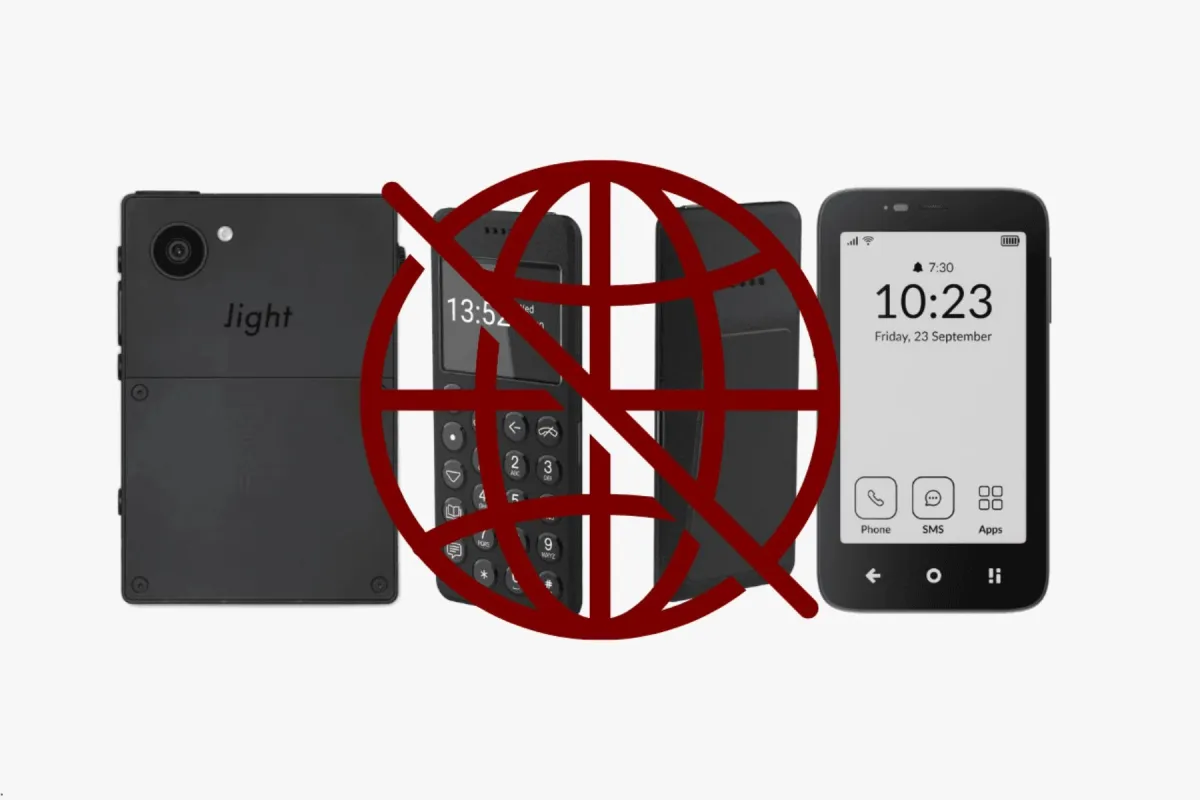
A phone without internet access keeps calls, texts, and a few useful tools, and drops the web browser and the app store. The Light Phone III is the most capable of the five, the Mudita Kompakt is the calmest, and the Sunbeam F1 Pro is the best keypad pick.
None of these five phones is offline. They use 4G or 5G for calls and texts, and some use mobile data for maps, a hotspot, or a messenger. These picks are for people whose problem is the browser, and each pick says what you give up.
If you would rather keep your smartphone, a minimalist launcher or an app blocker is the lighter first step. For almost nothing but calls and texts, see phones that only call and text.
| Phone | Form factor | Input | Network | Wi-Fi | Battery | Screen | GPS | Hotspot | |
|---|---|---|---|---|---|---|---|---|---|
| Light Phone III | Touchscreen | Touchscreen | 5G | Yes | 1,800 mAh | 3.92 in | Yes | Yes | No |
| Mudita Kompakt | Touchscreen | Touchscreen | 4G | Yes | 3,300 mAh | 4.3 in | Yes | Yes | Sideload only |
| Sunbeam F1 Pro | Flip | Keypad + touch | 4G | Yes | 2,200 mAh | 2.8 in | Yes | Yes | No |
| Techless Wisephone II | Touchscreen | Touchscreen | 5G | Yes | 5,000 mAh | 6.7 in | Yes | Yes | Yes |
| Lively Jitterbug Flip3 | Flip | Keypad | 5G | Yes | 3,000 mAh | 3.2 in | No | No | No |
What a phone without internet means
Every phone below still connects. It needs a SIM for calls and texts, and it uses mobile data for the tools you add, such as directions or a hotspot. Here, “without internet” means something narrower: no open web browser and no public app store.
Three of the phones have a way to open that up:
- Light Phone III. Light is adding a vetted Tool Library and a developer mode that can sideload any APK.
- Mudita Kompakt. Mudita allows sideloading from a computer, so anyone with a cable could add a browser.
- Wisephone II. Techless runs a Tool Drawer of approved apps and can add or remove them at any time.
The Sunbeam F1 Pro and the Jitterbug Flip3 document no way to add apps. If one of those routes matters to you, pick a different phone.
How we picked
Each phone on this page meets four conditions:
- The maker’s own page or manual shows no web browser and no public app store.
- You can order it new in the US from the maker. A pre-order counts only if the maker publishes a delivery date and the phone has shipped before.
- It runs on 4G with VoLTE, or on 5G.
- It keeps something worth carrying, such as maps, a hotspot, a messenger, or a camera.
Several well-known phones are out because they have a browser. The TCL Flip 4 5G has a built-in one, and so do the Sonim XP5plus 5G and XP3plus 5G. The Kyocera DuraXV Extreme+ has one too, with browser guides on Verizon’s support site.
AGM’s M10 and the AGM M9 stay out because AGM never publishes whether they have a browser, and the M11 comes with TikTok and YouTube shortcuts. The AGM M8 Flip has no browser either, but it is a plain call-and-text phone.
The Light Flip is not here because Light has not shipped it yet. The Light Phone II is not here because Light’s store has no new unit to order.
Our best cheap flip phones guide covers the flips that keep a browser. The order runs roughly from the most capable phone to the simplest.
The best phones without internet access in 2026
1. Light Phone III: most capable of the five
Light
Phone III
Preorder$899
- Network
- 5G
- Wi-Fi
- Yes
- Battery
- 1,800 mAh
- Screen
- 3.92 in
5G · Wi-Fi · GPS · Hotspot · Camera · eSIM · Water resistant
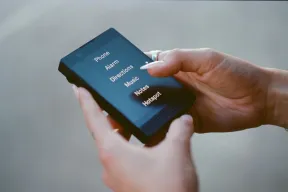
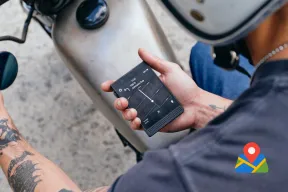
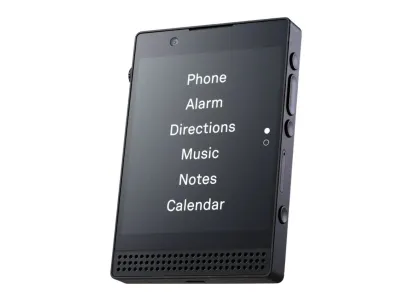
The Light Phone III is the most complete tools-only phone here, with no browser and no app store. It has 5G, a hotspot, directions, music, weather, an authenticator for two-factor codes, and a camera. You add or remove tools from Light’s dashboard website, not from the phone.
Pick it if you want one phone to replace a smartphone and can live without messaging apps. It has no WhatsApp, and Light’s tool guidelines exclude email and news. Light is also adding a vetted Tool Library and a developer mode that can sideload any APK, so it suits you only if you leave both off.
It costs more than every other phone here, and orders carry a delivery window, so read it before you commit. The Phone III works on AT&T, T-Mobile, Noble Mobile, Mint, and US Mobile (Light Speed only), with Verizon still in certification. Metro by T-Mobile and Consumer Cellular are incompatible.
2. Mudita Kompakt: best E Ink phone without a browser
Mudita
Kompakt
Available$399
- Network
- 4G
- Wi-Fi
- Yes
- Battery
- 3,300 mAh
- Screen
- 4.3 in
4G · Wi-Fi · GPS · Hotspot · Camera · eSIM · Water resistant
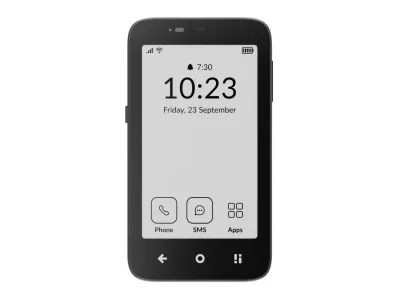
The Mudita Kompakt is the only E Ink phone here, and it keeps a real set of tools. Its tools include offline maps, a hotspot, a camera, and music, on a Google-free system with no app store. The Kompakt has no internet browser, and Mudita rates the battery at up to six days.
The E Ink screen is calm and easy to read in sunlight, but slow for anything that moves. That suits texting and reading, and it makes scrolling a chore. Readers, walkers, and anyone whose problem is the feed more than the phone get the most from it.
The Kompakt runs on 4G only, and Mudita sells a North American version with FCC and PTCRB certification. Apps arrive only by sideloading from a computer, but apps that need Google Services will likely not work correctly. Because sideloading is possible, anyone with a cable could still add a browser or a third-party app store.
3. Sunbeam F1 Pro: best keypad flip with maps and a hotspot
Sunbeam
F1 Pro
Available$359
- Network
- 4G
- Wi-Fi
- Yes
- Battery
- 2,200 mAh
- Screen
- 2.8 in
4G · Wi-Fi · GPS · Hotspot · Camera · Headphone jack · Music
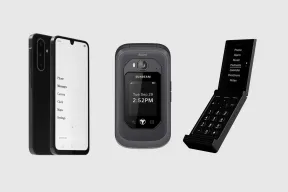
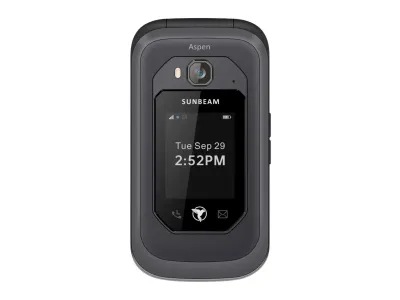
The Sunbeam F1 Pro is a rugged keypad flip, and select models add a small touchscreen. It has no web browser, no social media apps, and no app store. Select models add navigation, text-only email, and a hotspot, so you choose the tools when you buy.
That makes the boundary firmer than a KaiOS flip, with more tools than a plain one. It suits people who work outdoors, anyone who wants directions without a smartphone, and anyone who picks a keypad on purpose. Navigation runs on Waze or HERE, and Waze needs the touchscreen.
Sunbeam’s phones are unlocked, but they cannot send or receive RCS messages, so group chats fall back to MMS. A few tools, including talk-to-text and point-of-interest search, need a Sunbeam subscription. It has no WhatsApp and costs far more than a KaiOS flip.
4. Wisephone II: best if you need WhatsApp
Techless
Wisephone II
Available$399
- Network
- 5G
- Wi-Fi
- Yes
- Battery
- 5,000 mAh
- Screen
- 6.7 in
5G · Wi-Fi · GPS · Hotspot · Camera · eSIM · Music
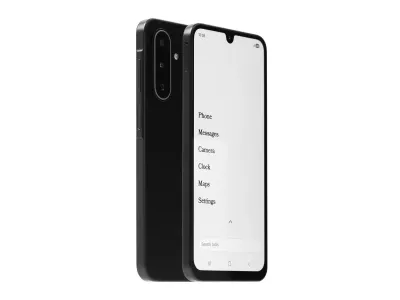
The Wisephone II is a locked-down Samsung smartphone with no web browser. Its Tool Drawer holds WhatsApp, Signal, Waze, 1Password, Bank of America, Uber, and Spotify. WiseOS adds maps, a camera, and a two-factor tool.
It suits a parent in a family chat, a worker whose team uses WhatsApp, and anyone who needs a banking app or a rideshare without a browser. No other phone here offers WhatsApp. Skip it if you want a hard boundary.
The Tool Drawer is the closest thing to an app store of the five, and Techless can add or remove apps at any time. Every Wisephone also needs a WiseOS subscription, on Techless’s carrier service or your own. A large touchscreen leaves more room to drift than a keypad.
5. Jitterbug Flip3: simplest menu for a parent
Lively
Jitterbug Flip3
Available$80
- Network
- 5G
- Wi-Fi
- Yes
- Battery
- 3,000 mAh
- Screen
- 3.2 in
5G · Wi-Fi · Camera · Headphone jack · Keypad · SOS button · Hearing aid
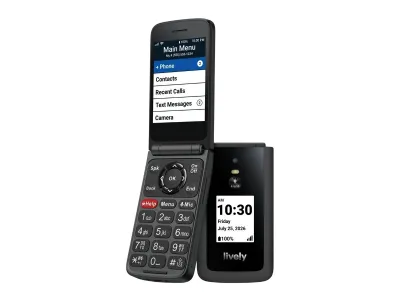
The Jitterbug Flip3 is Lively’s senior flip, with big backlit keys, 5G, and Wi-Fi calling. Every app on the phone fits in one short list: calls, contacts, texts, a camera, a gallery, weather, and a few tools. A browser and an app store are not among them.
It suits a parent or grandparent who wants a phone that is easy to hold and hear, and an adult child who sets it up once. Lively’s Urgent Response button reaches a live agent, but only on a plan that includes the service. It is the wrong pick if you want maps, a hotspot, or music.
Lively’s own plan is the real cost. The phone works only on Lively’s service, and Lively adds an activation fee and a monthly admin fee, so you cannot bring your carrier.
Which phones without internet work on your carrier
Your carrier rules out more phones than any feature does. Light and Sunbeam publish carrier lists, and Techless links one from its Wisephone plans page. In Mudita’s US tests, the Kompakt’s Global version worked on AT&T, T-Mobile, and Verizon.
T-Mobile and Metro by T-Mobile
T-Mobile is the cleanest fit: Light, Mudita, and Sunbeam all support it. A new T-Mobile SIM activates on the Light Phone III without issue. Every feature in Sunbeam’s carrier chart also works on T-Mobile, from calls to the hotspot.
Metro by T-Mobile is narrower, because the Light Phone III does not work on it. Every Sunbeam feature works on Metro, but you must enter the new IMEI in Metro’s web portal each time you swap the SIM.
The flip that T-Mobile and Metro sell, the TCL Flip 4 5G, does not make the cut. Both carriers sell it with a web browser, and our TCL Flip 4 5G review covers what else it keeps.
Verizon
Mudita and Sunbeam both support Verizon, and every Sunbeam feature works there. The Light Phone III comes with a catch: you cannot yet activate a new Verizon SIM on it. An active Verizon SIM moved from another phone works, but Light does not support Verizon prepaid.
Visible runs on Verizon’s network, but Sunbeam phones are not whitelisted there. Two flips Verizon sells, the Orbic Journey Pro and the TCL Flip 3, keep a web browser. Our Orbic Journey Pro review covers the rest of its trade-offs.
AT&T and Cricket
Light, Mudita, and Sunbeam all support AT&T, and the Sunbeam F1 is on AT&T’s own list of tested and approved phones. A new AT&T SIM also activates on the Light Phone III without issue. The hotspot is the gap, because the Sunbeam hotspot does not work on AT&T.
Cricket is narrower. The Light Phone III does not work on it. Cricket runs on AT&T’s network, so Sunbeam calls and texts work there, but not the hotspot.
UScellular
UScellular’s wireless business now belongs to T-Mobile. T-Mobile closed its purchase of UScellular’s wireless customers and stores on August 1, 2025. UScellular’s website now redirects to T-Mobile’s.
When the deal closed, T-Mobile promised that UScellular lines could keep their plans and later move to T-Mobile plans. It also promised that nearly all UScellular devices would keep working on its network.
Neither Light nor Sunbeam supports UScellular. If you are on UScellular, we would ask T-Mobile about moving your line to a T-Mobile plan. Then check the new phone’s IMEI on T-Mobile’s site before you order.
Prepaid and smaller carriers
Smaller carriers run on the big three networks, but support does not carry over. The Light Phone III is not compatible with most of them. Mint works, and so does US Mobile on its Light Speed network, but Straight Talk, Tracfone, Consumer Cellular, and Google Fi do not.
Sunbeam reaches further. Its calls and texts work on Mint, Tello, US Mobile, Straight Talk, and Tracfone. But Sunbeam phones are not whitelisted on Spectrum, and Xfinity will not set up a new line.
Three makers sell their own plans instead. Lively’s plans carry no long-term contract, but the Jitterbug Flip3 works on no other carrier.
Light runs its own service with no contract. Techless offers its own carrier plan, or a WiseOS plan on the carrier you keep.
Before you port your number
Run these two checks before the number moves:
- Check the IMEI. AT&T, T-Mobile, and Verizon all check a phone by its IMEI before you bring it. Dial *#06# to see the number. Run the check before you order, not after.
- Make sure it calls over VoLTE. On Verizon, a 4G phone without VoLTE (HD Voice) cannot make or receive calls, even to 911. AT&T, T-Mobile, and Verizon all retired their 3G networks in 2022, so a 3G phone has no network left.
Port the number last. How to switch to a dumbphone walks through the port itself.
How to choose between them
Price comes last. Work through these five points first.
- The tools you cannot give up. Maps, a hotspot, a messenger, and a two-factor code tool shape the shortlist. The Light Phone III and Wisephone II include a code tool, and so do some Sunbeam models. Only the Wisephone II offers WhatsApp. For a paper-like screen, pick the Mudita Kompakt.
- How firm the boundary should be. A keypad is firmer than a touchscreen. If you drifted back to a browser last time, choose the Sunbeam F1 Pro or the Jitterbug Flip3 over a KaiOS flip.
- Your carrier. Start with the phones your network supports, because no tool matters if the phone cannot activate. A phone sold with its own plan, like the Jitterbug Flip3, settles the question for you.
- The monthly cost. Count the plan, not just the phone. The Wisephone II needs a subscription, the Jitterbug Flip3 needs a Lively plan, and some Sunbeam tools need Sunbeam Premium.
- The lightest step that works. If a launcher and an app blocker would do, you do not need a new phone. If the camera is why you keep a smartphone, a compact camera can take that job.
When a phone without internet is not enough
A phone without internet access costs you more than it saves if your job runs on Slack or work email. The same goes for anyone whose bank or employer requires an app none of these phones offers, or who needs a full map to drive for a living.
In those cases, a normal smartphone with limits works better, and a minimalist launcher is the place to start.
If you want fewer tools instead of fewer apps, a phone that only calls and texts goes further. For a wider field that includes flips with a basic browser, see our best dumbphones guide. For a child, safe phones for kids is the better guide.
Common questions
Does a phone without internet access still use mobile data?
Yes, for the tools you choose. Directions, a hotspot, weather, and a messenger all need a data connection. What none of these phones has is a browser to open any page.
Is there a flip phone with no internet?
Two flips here have no browser or app store: the Sunbeam F1 Pro and the Jitterbug Flip3. The AGM M8 Flip has none either. KaiOS flips, such as the TCL Flip 4 5G, keep a basic browser.
Is there a smartphone without internet?
The closest is the Wisephone II, a locked-down Samsung smartphone with no browser and a short list of approved apps. The Light Phone III also looks like a smartphone, but it runs Light’s own system with tools only. Neither is fully offline.
Can I get WhatsApp on a phone without a browser?
Only on the Wisephone II, through its Tool Drawer and with a subscription. The Light Phone III, Sunbeam F1 Pro, and Jitterbug Flip3 do not offer it. The Mudita Kompakt can sideload Android apps, but anything that relies on Google Services may not run properly.
Can I keep my number with a phone without internet?
Yes. If the phone takes your carrier’s SIM, your number moves with it, as it does on Light and Techless phones. You can also port your number to Lively’s plan for the Jitterbug Flip3.
Can I turn the internet off on my current phone?
Not fully. A launcher hides the browser icon and a blocker stops sites, but the browser stays installed. A minimalist launcher is the lighter setup, and the Dumbphone Finder helps you pick a phone if that is not enough.
The tools you cannot give up
Our pick for each kind of buyer: the Light Phone III to replace a smartphone, and the Mudita Kompakt if you want paper instead of glass. The Sunbeam F1 Pro is the pick for a keypad with maps. The Wisephone II is for WhatsApp, and the Jitterbug Flip3 is for a parent.
Pick by the tools you cannot give up, then by how open the phone is, then by carrier. If you are not sure you need a new phone at all, try a minimalist launcher first.