Wisephone II Review: Reclaim Your Focus From Big Tech Distractions

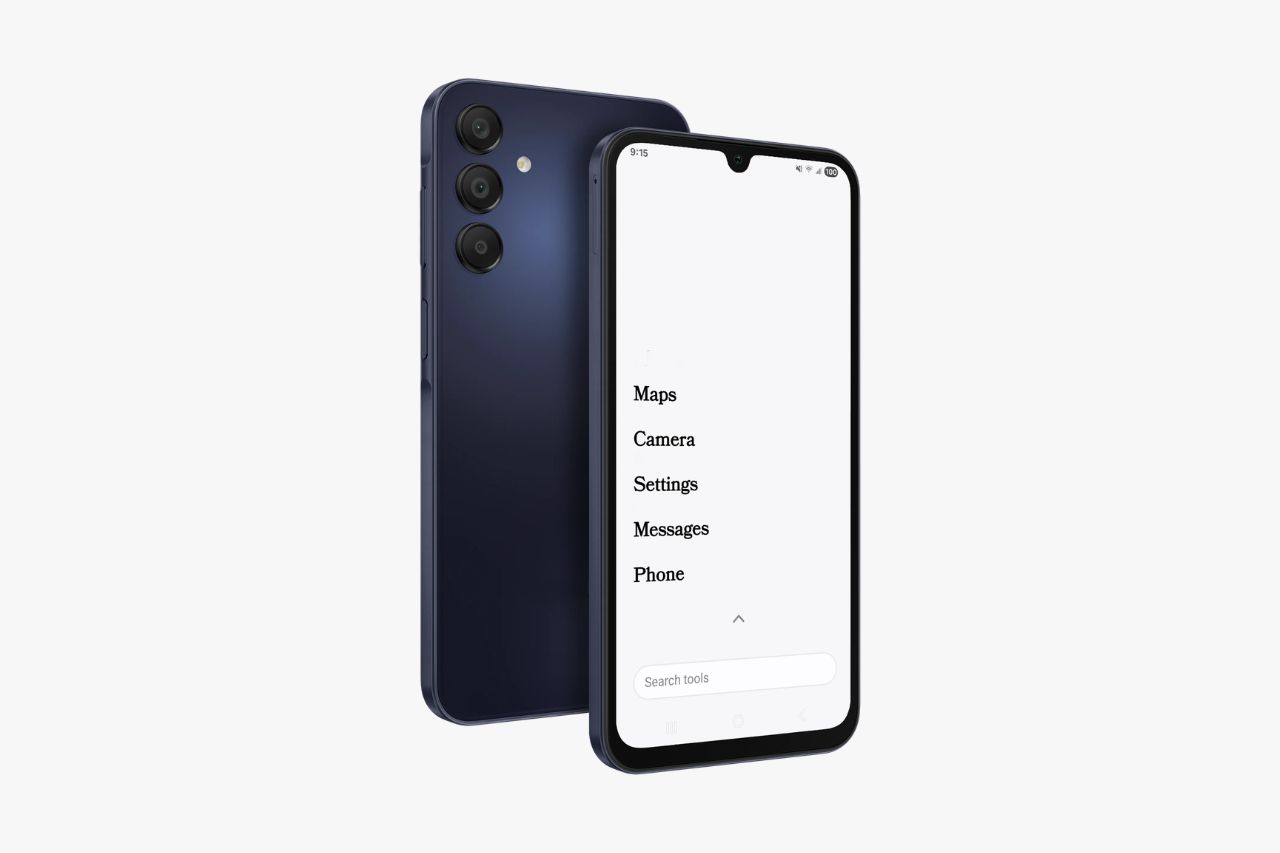
Modern smartphones want your attention. They pull you in for hours without you realizing it. We think the Wisephone II offers a better path. It helps you reclaim your time and focus.
In this guide, we look closely at this device. We show you how it blocks digital noise. Yet, it still keeps the daily tools you need. Read on to see if its custom software and hardware fit your lifestyle.
Wisephone II Tech Specs
| Feature | Specification |
| Screen Size | 1080 x 2340 (FHD+ Super AMOLED – IP54 rating) |
| Color | Blue Black |
| Processor | Octa-Core, 2.4GHZ |
| Memory | 128GB w/ 4GB Ram |
| Hardware Base | Samsung A16 5G (SM-A166U) |
| Operating System | Locked Down Android 16 • WiseOS Experience |
| Dimensions | 164.4mm x 77.9mm x 7.9mm |
| Camera | 50 MP (main), 5MP macro, 2MP wide-angle, 13MP front camera (selfie) |
| Expandable Memory | MicroSD (Up to 1.5TB) |
| Connectivity | Wifi, Bluetooth v5.3 |
| Port | USB Type-C |
| Headphone Port | USB-C wired or USB-C to 3.5 mm audio adapter |
What Is Wisephone II? A Minimalist Smartphone Breakdown
Core Philosophy and Design
The Wisephone II is a phone made to cut down your screen time. Techless built it to help you live a simpler digital life. They removed the endless scrolling feeds that keep you hooked. It works perfectly as a smart but limited device.
The phone uses the body of a Samsung A16 5G. Inside, it runs WiseOS. This is a locked-down version of Android 16. The makers completely left out web browsers, open app stores, and social media.
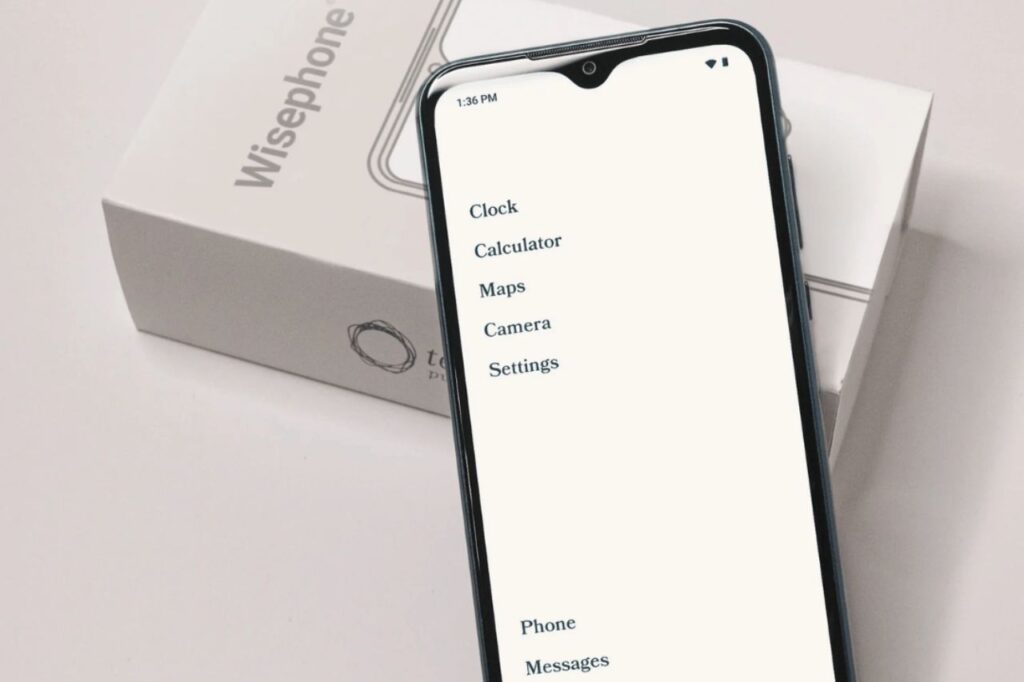
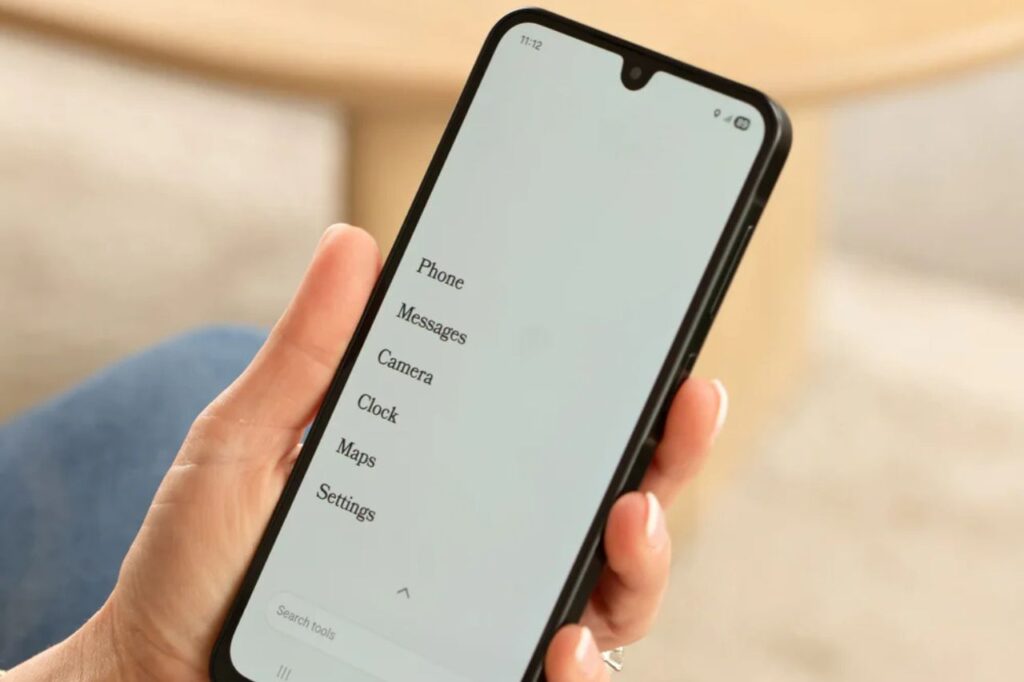
The home screen shows a simple grid of core tools. You get the basics like Phone, Messages, Camera, and Maps. You also get Notes, Calendar, Calculator, and Clock. This setup makes the phone a handy tool, not a toy.
The Benefit of Purpose-Built Hardware
Using proven hardware gives you peace of mind. The Samsung A16 5G looks right at home in any office. You get a great, sturdy phone without the usual digital distractions.
This solves a big problem with many basic phones. Cheaper models often drop calls or have slow touch screens. The Wisephone II gives you premium parts with strict software limits.
Ideal Use Cases
This phone works great for professionals. It gives you basic tools like maps and secure texts. It removes the temptation of a full app store. This helps you focus deeply on your work all day.
Many parents also buy this phone for their teens. It looks like a normal smartphone. But it blocks social media and the open internet. It still allows group texts and location tracking to keep families safely connected.
Note: Want to disconnect completely? You might want to research the best dumbphones. Phones like the Light Phone II offer extreme simplicity. The Wisephone II sits in a highly useful middle ground.
WiseOS: The Core of the Wisephone II Experience
Structured Interface
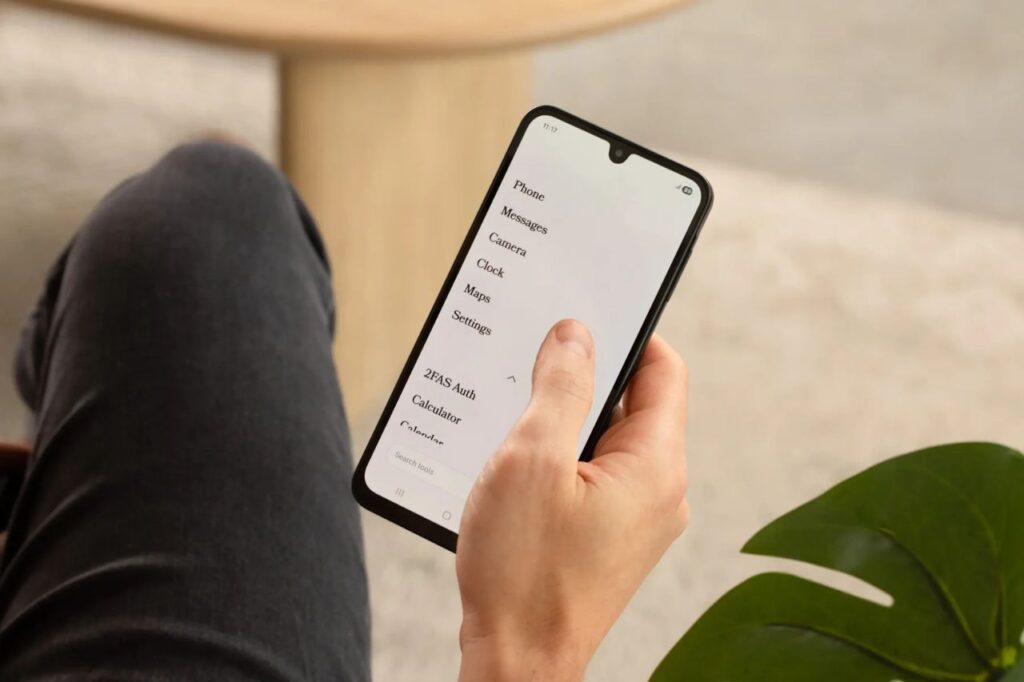
WiseOS powers the Wisephone II. The team built it to remove digital noise and speed up your day. You get a clean screen that never changes. You will not find flashy widgets or red notification badges here.
The software uses simple menus and easy-to-read text. The layout stays exactly the same. This treats your phone like a true utility. The steady design helps you finish tasks fast without getting lost.
Minimizing Digital Distractions
You cannot open a standard app store on this phone. WiseOS blocks web browsers deep inside the system. This stops you from mindlessly surfing the web. You just get basic tools you can use and quickly put away.
People say these limits make them much more productive. The phone stops begging for your attention. This baked-in approach makes it better than a normal phone running the best app blockers.
You can easily bypass or delete an app blocker when you get bored. WiseOS locks down the phone at its core. This keeps your digital boundaries safe and steady over time.
Techless Tool Drawer: Essential Apps for a Distraction-Free Phone
Controlled Application Management
Keeping modern perks without endless scrolling takes balance. The Techless Tool Drawer helps by offering approved outside apps. It completely blocks social media and web browsers from this list.
To use this, you must turn on the Tool Drawer online. You do this in your Wisephone Portal account. Then, a Tool Management tab pops up on your phone. This extra step makes sure you only install apps you truly need.
You will not see any trending tabs or suggested apps here. You must search for the exact tool you want. This stops you from downloading apps on a whim and keeps your screen clean.
Rigorous Vetting Process
You can download handy apps like Signal, WhatsApp, Uber, Venmo, and Spotify. You can also get maps, work tools, and some banking apps. This keeps the phone highly useful for your modern, busy life.
Techless uses a strict ten-point system to grade every app. They review each one deeply before adding it to the drawer. They reject any app that uses sneaky tricks or pushy alerts to keep you hooked.
This strict check means you can never download Instagram, TikTok, or YouTube. The team quickly fixes any loopholes that might let you access them. The phone focuses only on basic tools, talking, and getting things done.
Hardware and Daily Experience
Premium Build and Performance
The Wisephone II uses modern hardware but ditches the software noise. It has a sharp, bright 1080 x 2340 FHD+ Super AMOLED screen. The phone comes in a sleek Blue Black shell. It looks exactly like a normal smartphone.
It holds an IP54 rating. This means it can survive daily dust and light splashes of water. A fast Octa-Core 2.4GHZ processor and 4GB of RAM power the phone. This makes it run smoothly and quickly.
The phone gives you 128GB of space for your daily needs. You can add a MicroSD card to get up to 1.5TB of extra room. This huge space is perfect for saving offline podcasts or music.
Camera and Battery Efficiency
The camera setup is surprisingly great for a simple phone. It packs a 50MP main lens and a 13MP selfie camera. You also get 5MP macro and 2MP wide-angle lenses. These sharp cameras handle document scanning and daily photos with ease.
A great camera on a simple phone makes sense. You can snap beautiful memories without feeling the need to post them online. It also helps you deposit checks or scan QR codes without a hitch.
Battery life is another huge perk. The phone does not constantly refresh apps in the background. This saves massive amounts of power. You can easily use the phone for several days before charging.
You still get all modern connection types. The phone supports fast 5G cell service, Wi-Fi, and Bluetooth v5.3. It uses a standard USB Type-C port to charge up quickly and connect your headphones.
Family Portal and Intentional Tech Management
Remote Configuration
The Wisephone II also gives you control from afar. You manage this through the online Family Portal. You open this dashboard on a web browser from your computer. It lets a trusted person change phone settings from anywhere.
This trusted manager can be a parent, a partner, or even yourself. The portal lets them turn on specific apps in the Tool Drawer. They can also share the internet through a hotspot, block phone resets, and change core settings.
Establishing Digital Boundaries
You must approve all new software through this online portal. This creates healthy friction. It stops you from downloading apps quickly while you are out. This builds strong boundaries and helps you use tech mindfully.
This setup is highly practical for families. It gives teenagers a great phone for talking and finding their way. Yet, it sets strict rules about the open internet and social media.
Setting it up is easy and clearly explained. You just create an account online and link your phone. Then, you pick your digital rules. This ensures the phone stays a helpful tool, not a constant bother.
How Wisephone II Compares to Alternatives
The simple phone market offers many ways to cut screen time. We want to show you how the Wisephone II stacks up against the rest. It sits perfectly in the middle between very basic phones and open smartphones.
Wisephone II vs. Light Phone III
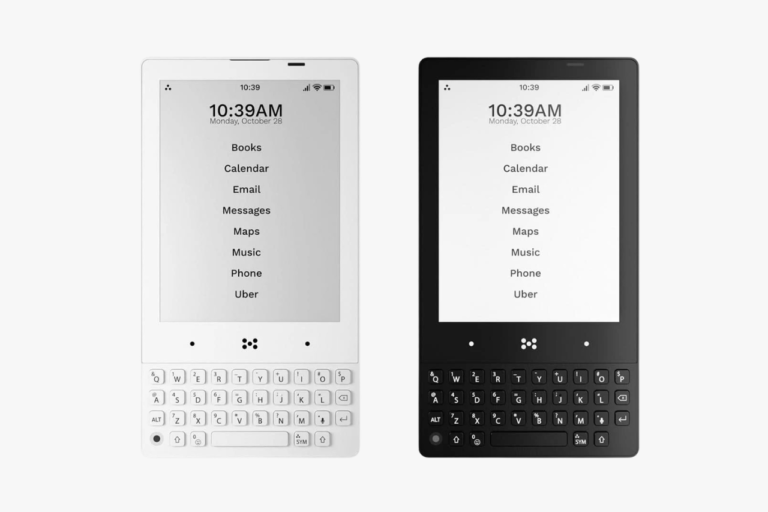
The Light Phone III aims for total unplugging. Its custom screen completely drops outside apps like WhatsApp or Spotify. It is a great choice if you only want to text and call.
The Wisephone II gives you more options for your daily life. It allows safe apps like Uber or your bank. This works much better for busy professionals. Choose this if you need basic tools but hate endless scrolling feeds.
Wisephone II vs. Mudita Kompakt
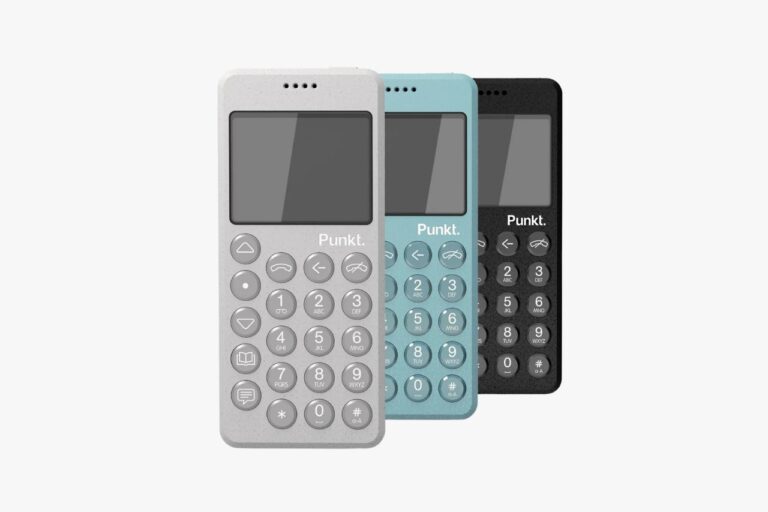
The Mudita Kompakt uses an E-ink screen to keep you off your phone. E-ink looks just like paper, so it is great for reading. But it can feel slow when you type or swipe. The Kompakt is also much smaller in your hand.
The Wisephone II uses a bright, standard Super AMOLED screen instead. This makes looking at maps, photos, and texts much faster. You get the feel of a premium smartphone with the boundaries of a simple phone.
Is Wisephone II Right For You?
We know the Wisephone II is not for everyone. It helps people who value deep focus more than endless digital access. It shines at handling calls, texts, and maps. It plays your audio without sacrificing hardware quality.
Some workflows require constant access to open chat apps or endless emails. If that is you, this phone might feel too tight. It does not support messy corporate chat systems. But if you want to cut your screen time, it works wonders.
The phone costs around $399. This puts it in a unique spot in the simple phone market. You get premium hardware without the premium distractions. We think it is a great investment for taking back your time.
Conclusion
The Wisephone II is a powerful tool to cut out digital noise. It makes it hard to install apps on purpose. This completely breaks the normal, addictive smartphone cycle. By removing web browsers and endless feeds, it stays a pure tool.
You might want a device that handles your daily tasks without begging for attention. If so, WiseOS delivers. It gives you a calm, focused digital space wrapped in premium hardware.
The Wisephone II treats your phone like a real tool. This helps you reclaim your mental focus. It proves you can keep modern perks without losing your life to a screen.