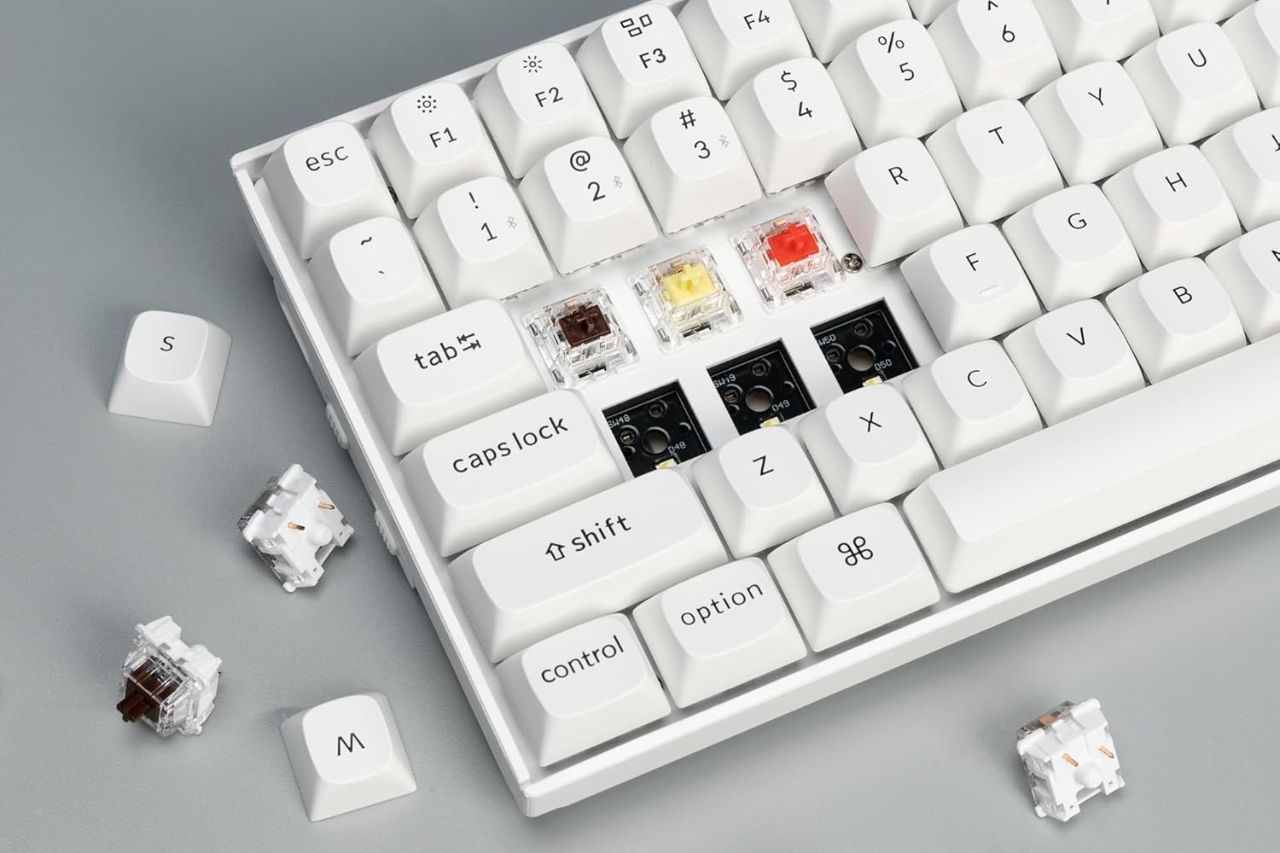
A good keyboard can make writing feel easier and less tiring. If you spend hours drafting words or code, the right board helps you find your rhythm. It removes the small distractions that break your focus.
Mechanical keyboards are perfect for writing because they give you a steady key feel. Cheap laptop keyboards simply cannot match this comfort. However, not every mechanical board fits deep, quiet work.
For writing and focus, you should look closely at switch feel, noise level, and layout. You also need to check wrist comfort and how it fits your desk.
| Keyboard Model | Best For | Switch Type | Connectivity | Price Range |
|---|---|---|---|---|
| MechLands Aula F75 Pro | Creamy typing feel | Mechanical (Hot-swappable) | Bluetooth, 2.4GHz, USB-C | Great Value |
| Logitech G715 | Stylish wireless comfort | Mechanical (Tactile option) | Bluetooth, Dongle | Pricier |
| Freewrite Alpha | Distraction-free drafting | Low-profile Mechanical | Wi-Fi | High |
| Keychron K2 | Mac-friendly compact typing | Mechanical (Brown) | Bluetooth, Wired | Mid-Range |
| Logitech MX Keys Mini | Quiet office work | Membrane (Non-mechanical) | Bluetooth | Mid-Range |
| Kinesis Freestyle Pro | Ergonomic mechanical typing | Mechanical (Cherry Linear) | Wired | High |
| Logitech Ergo K860 | Wrist support | Membrane (Non-mechanical) | Bluetooth, USB | Mid-Range |
| Keychron C2 | Affordable full-size use | Mechanical (Brown) | Wired | Affordable |
| Keychron K10 Max | Full-size wireless customization | Mechanical (Banana) | 2.4GHz, Bluetooth, Wired | High |
If you move between devices, wireless support matters. If you deal with wrist pain, a split design helps your posture.
If you want fewer digital distractions, choose a smaller layout or a focused writing tool. Just like using a reMarkable 2 for mindful notes, or the best compact cameras to replace your iPhone, the right gear creates calm.
We also recommend looking at the best alarm clocks to keep tech out of your bedroom. These are the keyboards worth your time.
- Best for creamy typing feel: MechLands Aula F75 Pro
- Best for stylish wireless comfort: Logitech G715
- Best for distraction-free drafting: Freewrite Alpha
- Best for Mac-friendly compact typing: Keychron K2
- Best for quiet office work: Logitech MX Keys Mini
- Best for ergonomic mechanical typing: Kinesis Freestyle Pro
- Best for wrist support: Logitech Ergo K860
- Best for affordable full-size mechanical use: Keychron C2
- Best for full-size wireless customization: Keychron K10 Max
1. MechLands Aula F75 Pro

Choose this if you want a small keyboard with a soft, pleasant key feel. It offers flexible wireless options for work and light gaming.
Pros
- A small 75% layout saves desk space.
- Hot-swappable switches (meaning you can change them easily) and a volume knob add flexibility.
- Foam layers dampen sound to create a quiet, rich typing noise.
Cons
- The plastic case feels less premium than metal boards.
- Bright RGB lighting might distract you from focused work.
- You might need a few days to adjust to the 75% layout.
This keyboard is great if you care about how typing feels. It uses internal foam to reduce harsh noises. Users say it has a smooth, creamy sound that feels very satisfying.
You also get Bluetooth, 2.4GHz wireless, and a USB-C plug. This makes it easy to switch between devices. The volume knob is a handy extra tool.
For writing, ask yourself if you like a compact layout. If you do, this is a highly appealing choice. If you need a number pad, look for a simpler option.
2. Logitech G715

Buy it if you want a wireless TKL (Tenkeyless, meaning no number pad) keyboard. It feels polished, includes a soft palm rest, and looks lovely in a home office.
Pros
- It includes a very comfortable palm rest.
- It offers reliable wireless through Bluetooth and a fast USB dongle.
- The dedicated media controls are simple to use.
Cons
- It is bigger and more expensive than many small keyboards.
- The battery drains faster if you leave the lights on.
- The design is quite playful, not plain or neutral.
The G715 is an easy gaming keyboard to recommend for mindful writing. It does not rely purely on flashy gaming features. The palm rest adds genuine comfort to your day. The tactile switches give you nice feedback without a loud clicking noise.
The TKL layout gives your mouse more space to move. It still keeps the familiar arrow keys. This helps your desk feel open without forcing you to use a tiny keyboard.
If your workspace is strictly professional, the design might feel too playful. But if you want a keyboard that feels complete right out of the box, this is a smart choice.
3. Freewrite Alpha

Buy this if digital distraction is your biggest hurdle. It is a dedicated writing tool, not a normal computer keyboard.
Pros
- It is built purely for focused, distraction-free drafting.
- It feels lightweight and is easy to carry anywhere.
- The battery lasts a long time, and it backs up your work to the cloud.
Cons
- You cannot use it as a standard keyboard for a computer.
- The price is quite high for a device that only does one thing.
- Some users report mixed feelings about its reliability.
The Freewrite Alpha stands out from the rest. It does not try to be an everyday keyboard. Instead, it removes tabs, notifications, and the urge to edit your work. If you struggle to stay on task, this device works wonders.
It features a simple, glowing LCD screen. The low-profile mechanical switches prevent finger fatigue during long sessions. You can write anywhere, save drafts locally, and sync them later via Wi-Fi.
This is for serious writers who want a pure drafting tool. If you need one keyboard for work, Zoom calls, and gaming, look elsewhere.
4. Keychron K2
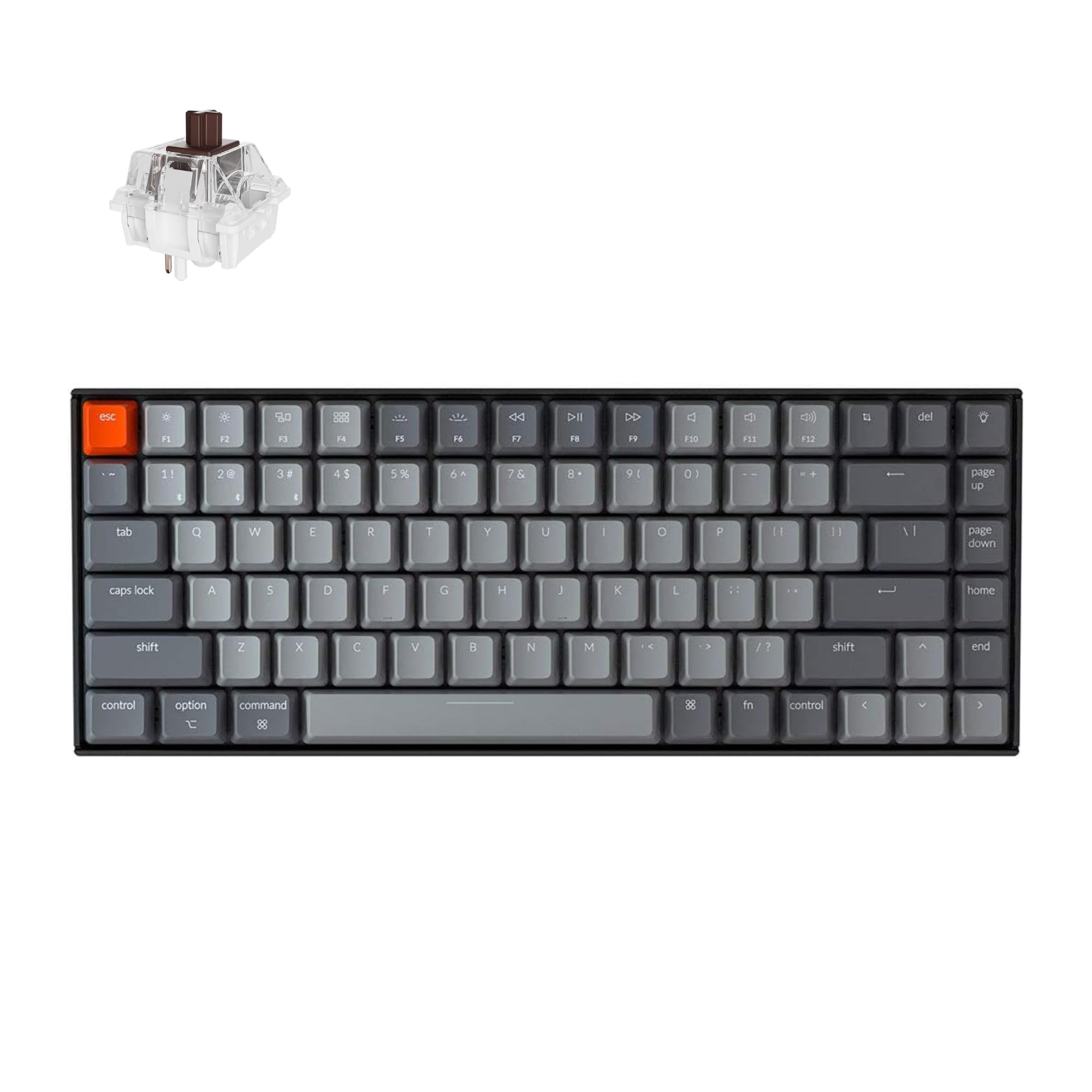
Choose this if you want a compact, wireless mechanical keyboard. It features Mac-friendly keys and a highly proven track record.
Pros
- The 75% layout keeps your arrow keys and helpful shortcuts.
- It works seamlessly with Mac and Windows, and includes extra keycaps.
- It holds a strong battery charge for a compact board.
Cons
- The tall body can feel uncomfortable without a wrist rest.
- The wireless mode suits work better than serious gaming.
- The plain white backlight lacks deep lighting control.
The K2 stays popular because it nails the basics of daily typing. You get a practical, compact layout and easy device switching. It is perfect for Mac users who want to keep their familiar function keys.
Writers often choose brown switches. They provide a gentle bump without making too much noise. This makes the K2 wonderful for shared home offices.
The main drawback is its height. You will likely want a wrist rest for long typing stretches. If that works for you, the K2 is incredibly dependable.
5. Logitech MX Keys Mini

Buy this if you crave a quiet, compact keyboard for focused office work. Note that it is not a mechanical keyboard.
Pros
- The keys are nearly silent, perfect for shared spaces.
- It features amazing multi-device Bluetooth support.
- The small shape makes it easy to pack and travel.
Cons
- The membrane keys lack the true feel of a mechanical board.
- You cannot adjust or swap the switches.
- The compact layout removes the spacing around function keys.
We include this model because many writers actually prefer less noise and less fuss. The MX Keys Mini feels incredibly stable and refined. It is easy to type on for hours at a time.
The backlighting is smart and very gentle. Switching between your laptop, tablet, and desktop is a breeze. If you juggle multiple screens, this saves a lot of stress.
Skip this if you truly want mechanical switches. But if your real goal is calm, distraction-free typing, it is a brilliant choice.
6. Kinesis Freestyle Pro

Buy it if you want a true split keyboard. It greatly improves your wrist and shoulder posture during long days.
Pros
- The split design lets your hands rest in a natural position.
- Quiet Cherry mechanical switches are perfect for office use.
- It offers strong support for remapping keys and creating macros.
Cons
- You will face a learning curve if you are new to split boards.
- Accessories to angle the keyboard cost extra.
- The wired setup can make your desk look slightly messy.
For sheer ergonomic comfort, this is a very serious option. The split layout lets you place each half exactly where your arms naturally fall. This reduces pain in your wrists, elbows, and shoulders.
The silent linear switches match perfectly with writing tasks. You get mechanical feedback without the clatter. The board also remembers your custom layouts if you switch computers.
Only buy this if you are willing to learn. A split board feels odd at first. However, if posture is your top priority, the effort pays off beautifully.
7. Logitech Ergo K860

Buy this if you want an ergonomic keyboard with deep wrist support. It does not use mechanical switches.
Pros
- The curved, split shape creates a very natural posture.
- The built-in wrist rest feels plush and supportive.
- Wireless setup is effortless via Bluetooth or a USB receiver.
Cons
- It does not have mechanical switches.
- It is large and takes up significant desk space.
- It takes a little time to adapt from flat keyboards.
The K860 is an incredibly easy ergonomic board to live with. It softens the learning curve of split keyboards. You get raised wrist support, but the layout remains mostly familiar.
If you write all day, comfort trumps everything. The scooped keys and padded rest keep your hands relaxed. It stops your wrists from bending upward.
While this article focuses on mechanical boards, the K860 is a worthy exception. If reducing pain matters more than switch feel, you will love it.
8. Keychron C2

Choose this if you want a simple, full-size mechanical keyboard. It offers a familiar layout and massive value.
Pros
- The full-size layout includes a number pad and navigation keys.
- The wired connection is totally reliable and simple.
- It offers superb value for a tactile mechanical board.
Cons
- It does not offer wireless support.
- The version without backlights feels very basic.
- You cannot hot-swap the switches on this exact model.
The C2 makes sense if you just want a solid tool for daily work. The full-size layout requires no relearning. The brown switches offer tactile feedback without annoying, sharp clicks.
It supports both Mac and Windows beautifully. It even includes extra keycaps, which many budget boards ignore.
Skip this if you want deep customization or a cable-free desk. But if you want a reliable mechanical keyboard at a fair price, it is perfect.
9. Keychron K10 Max

Buy this if you want a full-size wireless mechanical keyboard. It features hot-swap support, rich customization, and a premium feel.
Pros
- You get a full-size layout with wireless and wired modes.
- QMK software support lets you completely remap your keys.
- Hot-swappable switches and PBT keycaps (durable plastic) ensure it lasts.
Cons
- The larger size demands a lot of desk space.
- The advanced features might be more than you actually need.
- It has fewer long-term user reports compared to older models.
The K10 Max is a workhorse that handles almost everything. It gives you a full layout and fast 2.4GHz wireless. You can also deeply change what the keys do using QMK tools.
It uses acoustic foam and tactile “banana” switches. This creates a richer typing experience than typical office boards. If you want a number pad and a refined feel, this is an incredible match.
This is a lot of keyboard. If you love full-size boards and enjoy customizing, it is one of the most capable picks available.
Buying Guide
Start With Your Writing Style
The best keyboard for you depends entirely on how and where you work.
| If You Mostly… | Look For |
|---|---|
| Write in shared spaces | Quiet switches or quiet non-mechanical keys |
| Work long hours at a desk | Ergonomic shape, wrist support, adjustable angles |
| Travel or move between rooms | Compact layout, low weight, Bluetooth connection |
| Use spreadsheets or shortcuts | Full-size layout with a number pad |
| Want to customize keys | Hot-swap support, remapping software, onboard memory |
Choose the Right Switch Type
Mechanical switches change the noise, feel, and fatigue of typing.
| Switch Type | Feel | Noise | Best For |
|---|---|---|---|
| Linear | Smooth, no bump | Usually quieter | Fast typing, light touch |
| Tactile | Small bump during press | Moderate | Writers who want feedback |
| Clicky | Bump plus click sound | Loud | People who enjoy strong key response |
For deep focus, tactile and quiet linear switches are your safest bets. Clicky switches are fun, but they are often too loud for shared rooms or late nights.
Pick a Layout That Fits Your Desk
Compact layouts give your mouse more space. They also help your posture by bringing your hands closer together. Full-size boards are better if you use a number pad frequently.
A 75% or TKL layout is a perfect middle ground. You keep your arrow keys without giving up too much desk space.
Check Comfort Features
Comfort matters just as much as switch feel during long sessions. Keep an eye out for:
- A wrist rest or a low front height.
- Adjustable feet to change the angle.
- Stable keycaps that do not wobble.
- A shape that keeps your wrists perfectly straight.
If your wrists already hurt, a split ergonomic keyboard will help much more than simply changing switches.
Think About Connectivity and Battery Life
Wireless is wonderful for clean desks and switching devices. Wired is the easiest option if you never move your board and hate charging.
If you go wireless, look for:
- Bluetooth for connecting tablets and laptops.
- A 2.4GHz dongle for a faster connection.
- USB-C charging cables.
- A quick way to switch between devices.
Build Quality Worth Paying For
A better keyboard feels stable, sounds quiet, and lasts for years. Look for PBT keycaps, sturdy cases, and reliable software.
If you are on a budget, focus entirely on typing feel and comfort. Ignore fancy lighting effects.
Frequently Asked Questions
Which mechanical keyboard switches are best for quiet, distraction-free typing?
Quiet linear switches and light tactile switches fit best. They keep the noise down while giving you a steady feel for long drafting sessions.
What features should a keyboard have to stay comfortable for writing all day?
Find a layout that fits your space and a gentle typing angle. Look for stable keys and wrist support if the board sits high. A split ergonomic design makes the biggest difference if you feel pain.
Are compact layouts (like 75% or TKL) better for focus than full-size keyboards?
They often are. A small board gives you more desk space and feels less distracting. However, stick to a full-size board if you rely heavily on a number pad.
What are the best budget-friendly mechanical keyboards for writers who type a lot?
Affordable boards with brown-style tactile switches provide the best value. Focus on switch feel and comfort instead of paying for flashy lights.
Which mechanical keyboards are popular with writers and reviewers for a satisfying typing feel?
Writers love compact 75% boards with sound-dampening foam. They also favor Mac-friendly models and full-size boards they can customize. A good board sounds controlled and feels highly stable.