Modern life throws endless feeds and notifications at us. We lose our focus and our peace. If you want to reclaim your time, you are not alone. Digital minimalism helps you step away from the noise and breathe.
Can a simple phone actually cure your digital fatigue? We will look at the Light Phone II to find out. This phone leaves out social media, email, and web browsers. It helps you “go light” by keeping endless scrolling out of your pocket.
We will look at how this phone works in real life. We want to show you its features and hardware clearly. Let’s see if this tool fits your daily routine.
Light Phone II Specifications
First, let’s look at what this phone can do. It is built for basic tasks, not fast computing. Here are the exact specs.
| Feature | Detail |
| Display type | E Ink (Electronic Paper) |
| Display dimensions | 2.8 inches |
| Storage | 8GB |
| Processor | Qualcomm Snapdragon 210 |
| RAM | 1GB |
| Battery | 950mAh |
| Ports | Micro USB, 3.5mm headphone jack |
| Operating System | Light OS |
| Cellular connectivity | 4G LTE (LTE FDD + VoLTE) |
| Wi-Fi connectivity | Wi-Fi (802.11a/b/g/n) |
| Navigation | GPS included |
| Bluetooth | Version 4.2 |
| Dimensions | 95.85 x 55.85 x 8.75mm |
| Weight | 78 grams |
| IP Rating | IPX3 (Splash resistant) |
| Colors | Matte Black, Light Gray |
Design and Hardware
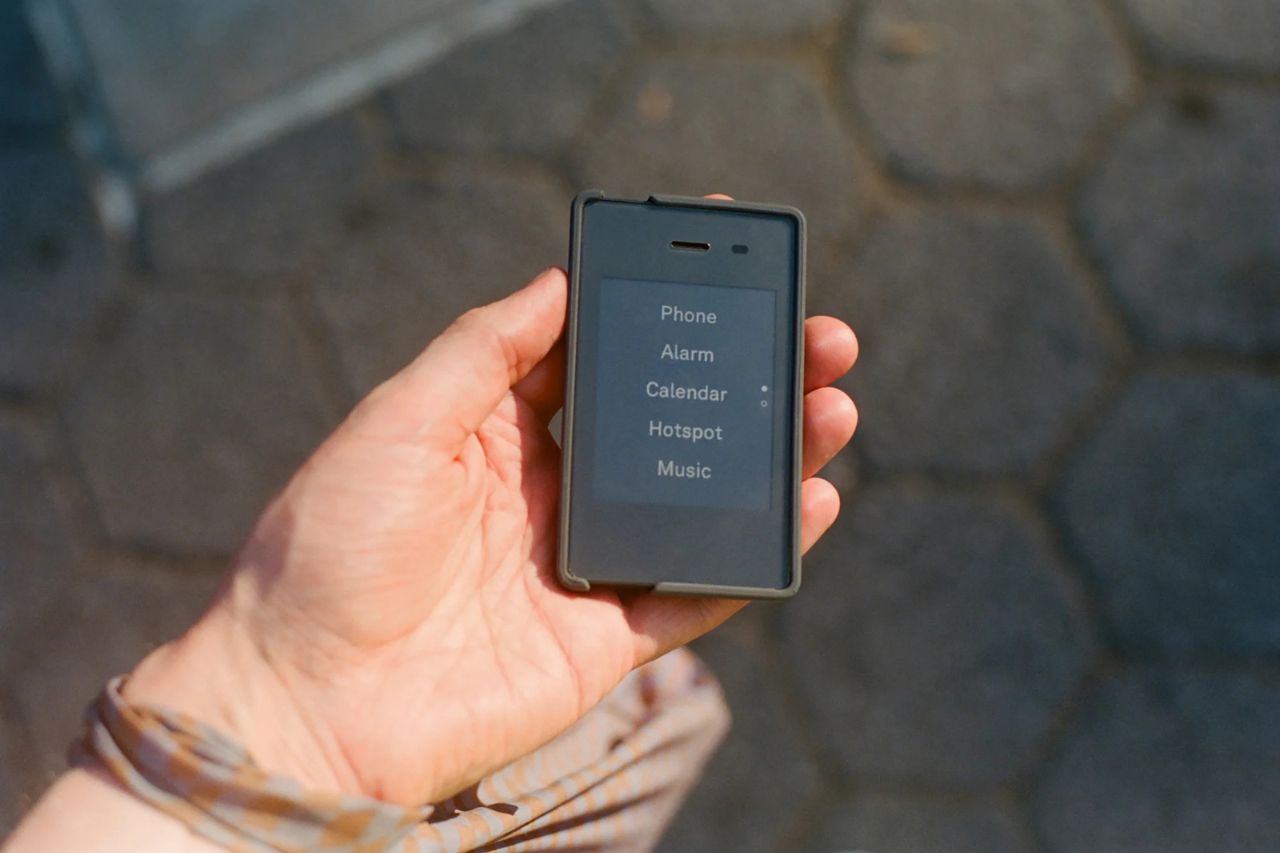
The Light Phone II looks nothing like a modern glass smartphone. It has a matte plastic body that feels solid but very light. It measures 95.85 by 55.85 millimeters and weighs just 78 grams. It is about the size of a credit card.
This phone easily slips into your pocket without weighing you down. You can buy it in simple black or light gray. The design does not scream for your attention. It quietly blends into the background.
You use physical buttons to control the phone, not screen swipes. The right side holds the volume buttons and a menu button. The layout might feel small at first. However, you will get used to it very quickly.
The top edge has a power button and a 3.5mm headphone jack. You can plug in normal headphones without needing a dongle. It also supports Bluetooth. You can even use it as a mobile hotspot to share the internet with your laptop.
You will find the speaker and a micro USB charging port on the bottom. Using a micro USB port is a bit annoying today. Most of our gadgets now use newer USB-C plugs. You will need to keep an older cable around just for this phone.
The phone has an IPX3 splash resistance rating. It handles light rain just fine. However, you cannot drop it in water or use it in harsh places. Treat it like a gentle tool, not a rugged work device.
Do you need a tougher phone? Read our Sunbeam F1 review to find rugged options. If you want a bigger minimalist phone, check out our Light Phone III review.
The microphone sits further from your mouth because the phone is so short. Calls sound great in quiet places. Loud background noise can cause some trouble, though. You also cannot hold the phone between your ear and shoulder, so you must hold it nicely.
Display Technology and the E Ink Screen
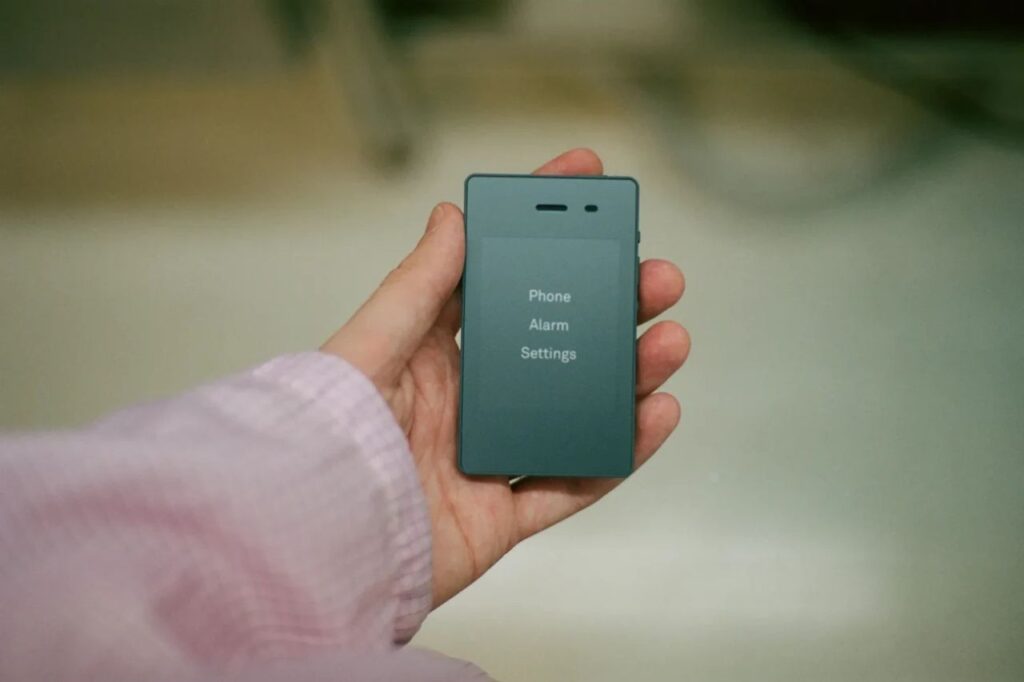
The phone uses a 2.8-inch E Ink screen with wide borders. E Ink is an electronic paper technology. It is the same screen used on popular e-readers. It does not have bright, glowing colors like a normal smartphone.
This screen does not blast your eyes with harsh blue light. It reflects room light just like real paper. You can easily read it outside in bright sunlight. This is perfect if you spend a lot of time outdoors.
At night, a soft light shines across the screen. It spreads the light out instead of pointing it right into your eyes. This makes reading texts in the dark much gentler on your vision.
E Ink moves tiny ink beads to form words. Because of this, the screen flashes when it updates. You cannot scroll smoothly on it. Sometimes, you might see old words linger for a second before the screen clears.
This slow screen forces you to slow down. Menus load with a pause. You must type slowly and carefully. This friction helps break your bad habits of rapid tapping and mindless scrolling.
You cannot watch media on this screen. It will not play videos. If someone sends you a photo, you will only see a small icon. The phone forwards the photo to your email so you can view it later on a computer.
This limit blocks out digital noise. It helps you stay focused on the real world around you. Do you want to see other E Ink phones? Read our Mudita Kompakt review for more ideas.
Core Features of the Light Phone II
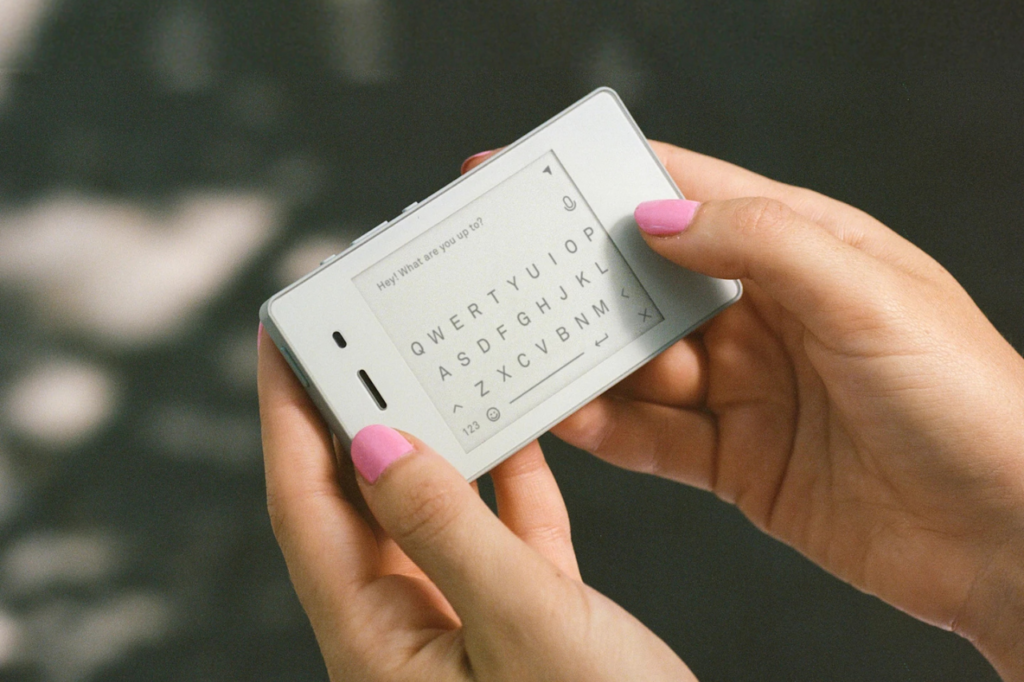
The Light Phone II only gives you tools that you actually need. You use it mainly for phone calls and normal text messages. Typing on the small keyboard does take patience.
The slow screen can make typing hard. Thankfully, the phone has a great voice-to-text feature. You tap the microphone and speak your message out loud. The software types it for you, which saves time and stops frustration.
Available Utility Tools
You get a few extra tools beyond calling and texting. You can use an alarm, a timer, a calculator, and a maps tool. You also get a contact list, a notes app, a calendar, a simple music player, and podcasts.
The maps tool gives you simple, text-based directions using GPS. It does not show live traffic or colorful maps. It works well for walking and normal driving. However, you might need to pay close attention in busy city traffic.
You can listen to music and podcasts completely offline. You load your audio files onto the phone using a website on your computer. You can use Bluetooth or wired headphones. This lets you enjoy audio on a run without carrying a distracting smartphone.
Do you want a smartphone screen that still blocks endless feeds? Our Wisephone II review shows a great alternative.
Light OS and the Dashboard System
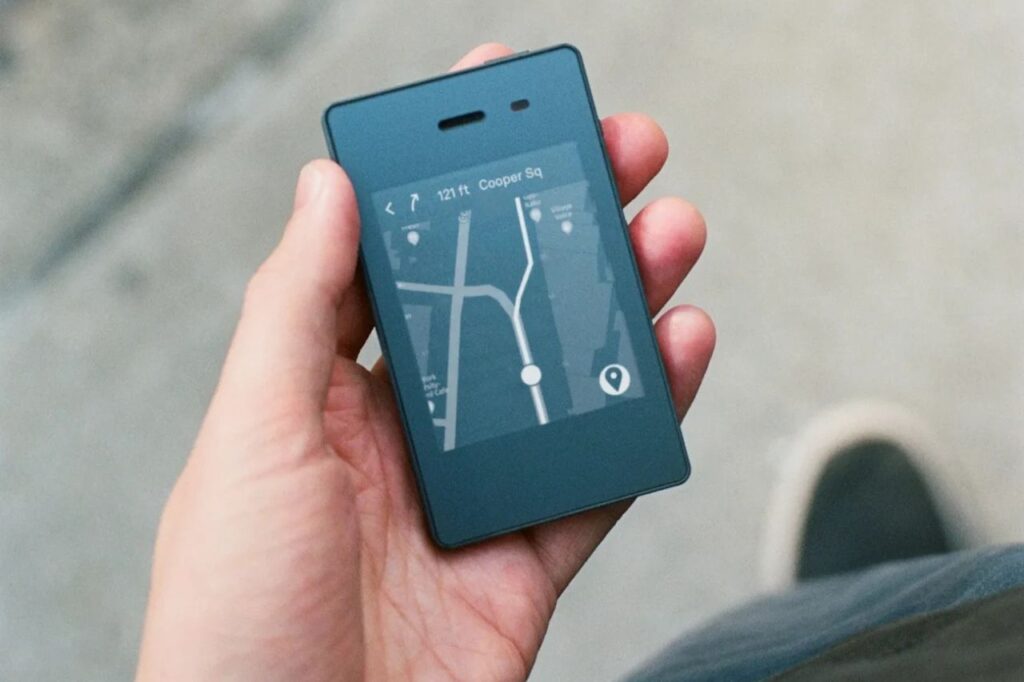
The phone runs on Light OS, a private and simple system. You will only see black-and-white text menus. It has no colorful app icons or red alert badges. Pressing the menu button simply shows a list of your tools.
The Light Phone II uses a web dashboard. You cannot download apps directly on the phone. Instead, you must log into a website on your computer. You manage all your phone settings from there.
The dashboard is your control center. You use this website to add contacts, music, and podcasts. After you set it up on your computer, it syncs to your phone. It uses Wi-Fi or cell data to update.
The company built this separation on purpose. It stops you from playing with settings on the go. You manage it like a simple tool. This keeps the phone from becoming just another distraction.
Are you not ready to buy a new phone yet? You can still reduce distractions with software. Check out our guide on the best app blockers. It will help you lock down your current smartphone.
Battery Life and Efficiency
The 950mAh battery sounds very small compared to modern phones. However, this phone uses very little power. It blocks sneaky background data and push notifications. The screen only uses power when the image changes.
With normal use, the battery lasts one or two days. Normal use means a few texts, a short call, and checking the time. Using the phone even less extends the battery further. However, heavy tasks will drain it much faster.
Using the phone to share internet will drain the battery quickly. Long trips with GPS or podcasts also use more power. Weak cell signals hurt the battery too. You must manage your habits to keep the battery charged.
The phone charges with the included micro USB cable. It takes about 90 minutes to hit 100 percent. It does not offer fast charging or wireless charging. Most users just plug it in overnight as a simple routine.
Practical Use Cases and Setup Options
How will you use a minimalist phone in your daily life? The phone comes unlocked, so you can pick your carrier. There are two models built for different parts of the world. You must check if it works with your cell network first.
The Secondary Device Approach
Many people use the Light Phone II as a weekend device. They leave their smartphone at the office or in a drawer. You can swap your SIM card or share your phone number. This lets you take essential calls while blocking work emails.
This creates a real boundary between work and personal time. You can enjoy family dinners or park visits without a glowing screen. You stay reachable in an emergency. However, you disconnect totally from digital noise.
The Primary Device Transition
Some users make the Light Phone II their only phone. This full commitment means giving up some modern comforts. You cannot use mobile banking or scan QR codes quickly. You also lose rich group chats on WhatsApp or iMessage.
You need to prepare for this change. Tell your friends and family that you might reply slower now. You might start carrying a notebook or a real digital camera. Printing out tickets and papers becomes part of your new routine.
The biggest benefit is getting your free time back. You stop scrolling and gain deep focus for your hobbies. You can finally read or work without limits. To see other options, check out our list of the best dumbphones.
Conclusion
The Light Phone II is a great tool for digital wellness. The simple E Ink screen blocks endless feeds and noisy alerts. It demands patience from you. It turns communication back into an active choice, not a passive habit.
The phone does have a few minor flaws. The micro USB port feels old. The maps tool does not show live traffic. Typing on the small screen takes time to learn, so you will rely heavily on voice-to-text.
Even with these limits, the phone does its job well. It makes your digital life simpler. You can use it just for weekends or full-time. If you want to escape digital clutter, the Light Phone II is a wonderful choice.