Digital Hoarding: How to Declutter 50,000 Photos Without Panicking

We need to talk about your Camera Roll.
Open your phone right now. Look at the number at the bottom of your Photos app. Is it 5,000? 20,000? 50,000?
In the analog era, a family would produce perhaps 500 photos in a lifetime. They were cherished, printed, and placed in physical albums. In 2026, we produce 500 photos in a weekend.
We take 15 shots of the same latte art. We take 40 burst photos of our dog sleeping. We save thousands of screenshots of memes we will never look at again.
And we keep them all.
We tell ourselves: “I’ll organize this later.” But later never comes. Instead, we are left with a digital landfill that creates a low-level background anxiety. Every time you see the “iCloud Storage Full” notification, your cortisol spikes. You feel heavy.
This is called Digital Hoarding.
And just like physical hoarding, the problem isn’t the space—it’s the psychology. We are terrified that if we delete a photo, we are deleting a memory.
Hi, I’m Finn Albar. I used to have 68,000 photos on my iPhone. I felt paralyzed by my own memories. Today, I keep less than 1,000 on my phone.
Here is the definitive, step-by-step guide to unearthing yourself from the digital avalanche, saving your money on cloud storage, and finally enjoying your photos again.
Why We Hoard Pixels
Before we delete a single file, we must understand the enemy. Why is it so hard to press the trash icon?
1. The Fear of Forgetting
We have outsourced our memory to our devices. We believe that if we don’t document it, it didn’t happen. As we discussed in The Time Density Trap, we are so busy trying to capture the moment that we forget to live it. We fear that deleting a blurry photo of a concert means deleting the experience of the concert.
2. Decision Fatigue
Cleaning 20,000 photos requires 20,000 micro-decisions. “Keep or toss? Keep or toss?” This burns through your willpower rapidly. It triggers the same exhaustion we discussed in Tech Shame. Your brain views the messy gallery as a “Threat,” so it shuts down and you do nothing.
3. The “Someday” Fantasy
“I’ll need this screenshot of a recipe someday.” “I’ll need this photo of a Wi-Fi password someday.” Digital hoarding is built on the fantasy of a future self who is organized enough to look for these things. That future self doesn’t exist.
Phase 1: Stop the Bleeding
You cannot clean up a flood if the tap is still running.
Step 1: Turn Off “Auto-Save” Everywhere
Go to WhatsApp, Telegram, and Instagram settings. Turn OFF “Save to Camera Roll.” The majority of junk in your gallery isn’t even yours; it’s memes sent by group chats. Stop them from entering your sanctuary.
Step 2: Change Your Shooting Habits
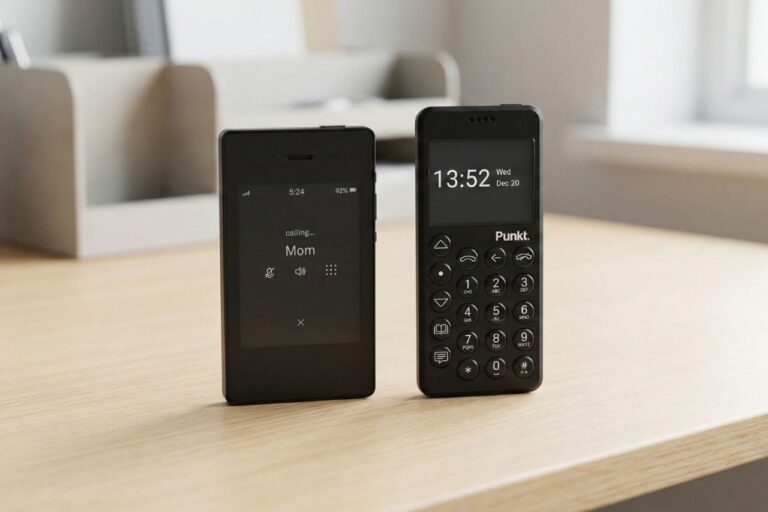
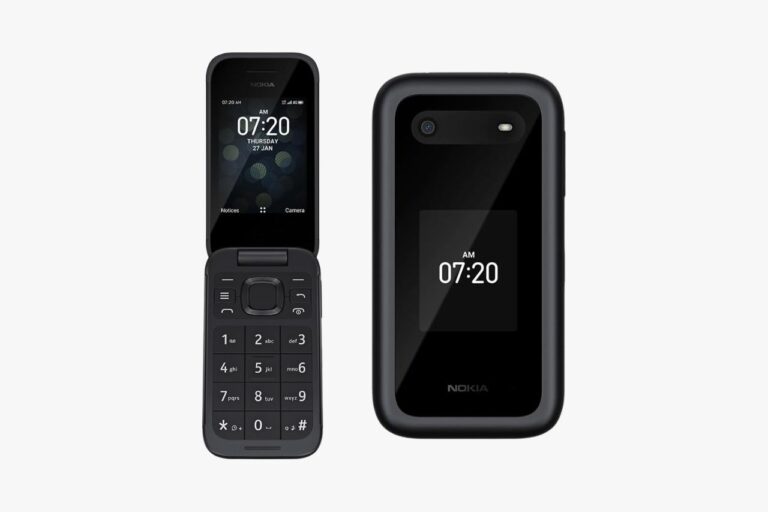
If you recently bought a Compact Camera or a Dumbphone, you are already ahead. You are shooting with intention. But if you are on a smartphone, adopt the “One and Done” Rule. Take one photo. Check it. If it’s bad, delete it immediately. Do not keep 5 versions of the same selfie.
Phase 2: The “Slash and Burn”
Do not start by looking at old vacation photos. You will get emotional and stop. Start with the “Trash” data—files that have zero emotional value.
The “Search” Strategy:
Most modern photo apps (iOS/Google) have powerful search features. Use them to bulk-delete.
Search “Screenshots”: You likely have thousands. 99% of them are expired. Old boarding passes, accidental lock screens, memes from 2023.
- Action: Select All -> Deselect the 5 you actually need -> Delete.
Search “Text” or “Document”: Your phone recognizes photos of paper. Menus, receipts, whiteboards.
- Action: If you need the info, move it to a Notes app (like Obsidian or Apple Notes). Then delete the photo. A photo gallery is for memories, not file storage.
Use a Cleaning App (The AI Helper): Don’t do this manually. Use an app designed to find duplicates and blurry shots.
- Recommendation: GetSorted (Gamified tinder-style), Gemini Photos (Good for duplicates), or Swipewipe.
- Warning: Do not let the app auto-delete everything. Use it to group the junk, then review quickly.
Phase 3: The Curation
Now comes the hard part. The real photos. How do you decide what to keep from your sister’s wedding? You have 400 photos of the cake alone.
Use the ABC Method.
A-Roll (The “Frame-Worthy”):
These are the 5-star photos. The ones where everyone is smiling, the lighting is perfect, and you feel an emotional pang.
- Rule: Mark these as “Favorites” (Heart icon) immediately.
- Goal: These stay on your phone.
B-Roll (The “Context”):
These are good photos, but not great. A photo of the hotel room, the street sign, the funny candid.
- Rule: These go to Cold Storage (External Hard Drive or Cloud Archive). They do not stay on your Camera Roll.
C-Roll (The “Trash”):
Blurry, eyes closed, duplicates, or photos of food you ate 3 years ago.
- Rule: Delete. Ruthlessly.
The “Sunset” Rule: If you have 10 photos of a sunset, keep 1. If you have 10 photos of fireworks, delete all 10. (Be honest, have you ever looked at a photo of fireworks and enjoyed it? No. You haven’t.)
Phase 4: The Infrastructure
The goal is to have an Empty Camera Roll. Your phone is a capture device, not a storage unit.
The “3-2-1” Backup Strategy: If you truly value your memories, relying solely on iCloud is dangerous. Accounts get hacked. Payments fail.
Primary Cloud (Active): iCloud / Google Photos. Keep only your Favorites (A-Roll) here. This is what you show friends at dinner.
Physical Archive (Cold Storage): Buy a 2TB SSD (SanDisk Extreme or Samsung T7).
Once a month, plug your phone into your computer. Move the “B-Roll” photos (the ones you want to keep but don’t need daily) onto this drive.
This saves you money on monthly cloud subscriptions.
Offsite Backup:
A second hard drive kept at a parent’s house, or a secondary cloud service (like Backblaze) strictly for archiving.
Phase 5: The Maintenance Habit
You have cleaned the mountain. How do you stop it from growing back?
You need a ritual. Just like we recommend a Digital Detox Re-Entry plan, you need a Photo Re-Entry plan.
The “Sunday Delete” Ritual:
- Trigger: Sunday morning coffee.
- Action: Open your photos from the last 7 days.
- Task:
- Heart the best ones (Favorites).
- Delete the Screenshots and bad takes immediately.
- Result: You start every Monday with a clean slate. It takes 5 minutes. If you wait a year, it takes 5 days.
Final Verdict: Less is More Meaningful
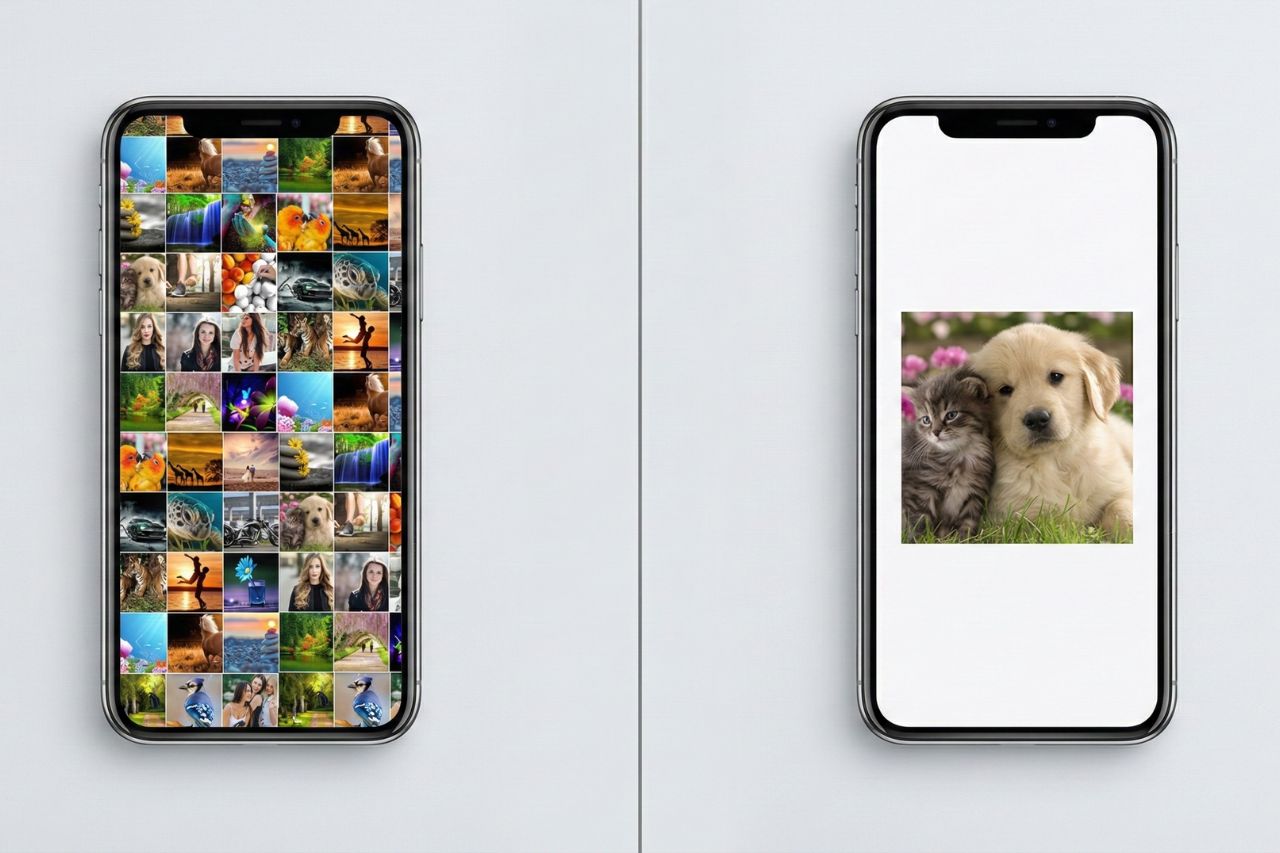
Imagine walking into a gallery. On the wall, there are 50,000 photos plastered randomly, covering every inch from floor to ceiling. You would feel overwhelmed. You wouldn’t really “see” any of them.
Now imagine a gallery with just 10 photos, beautifully framed, with white space around them. You would stop. You would look. You would feel something.
Digital Hoarding devalues your memories. By keeping everything, you cherish nothing.
When you delete the clutter, you aren’t losing your past. You are curating it. You are making it accessible again.
So, take a deep breath. Select that folder of screenshots from 2019. And press delete. You won’t miss them. I promise.