Opal vs. Freedom vs. Forest: Which App Blocker Actually Works in 2026?


We all know the feeling. You unlock your phone just to check one thing, and suddenly an hour has vanished into social media connections and endless scrolling.
You’re not lacking discipline or motivation—you’re up against systems built to keep your eyes glued to the screen.
Your brain wasn’t designed to resist algorithms created by teams of engineers whose job is keeping you engaged. By the time afternoon hits, your willpower is already drained, making it harder to fight phone addiction.
That’s where app blockers come in—they’re the external support system your attention needs. Using the best app blockers can help you limit screen time and increase productivity throughout your day.
Some work like gentle reminders through a chrome extension, while others function as strict digital barriers with time tracking and productivity reports.
Tools like RescueTime offer insights into your online activity. Options like LeechBlock NG and PawBlock take different approaches to help you block distractions.
Whether you’re looking at productivity apps in the Google Play Store or exploring a one-time purchase solution, understanding app usage tracker features matters.
Understanding how these tools handle third-party cookies, personalized advertising, and privacy statements is also important.
You can usually manage cookies and reject optional cookies based on your privacy statement preferences.
Why You Need “Digital Friction”
Your brain craves instant gratification. When you want to check your phone, you want it now. Social media companies know this and design their apps to work in milliseconds. You unlock with your face, tap an icon, and the dopamine flows.
This is called zero friction design. The impulse becomes action before you can think about it.
App blockers work by adding friction back into your life. They create a small barrier between your urge and your action. This might be:
- A time limit that blocks the app after 30 minutes
- A Pomodoro timer that reminds you to take breaks
- A work mode that keeps distracting apps hidden
- A scheduled blocking period that starts automatically
- A prompt that makes you pause before scrolling
That brief moment of resistance gives your rational brain time to catch up. You might realize you don’t actually need to scroll right now.
This friction helps with time management, supports deep work, and protects your digital wellbeing. It turns mindless scrolling into conscious choices. This friction is a key part of any successful digital detox.
1. Opal
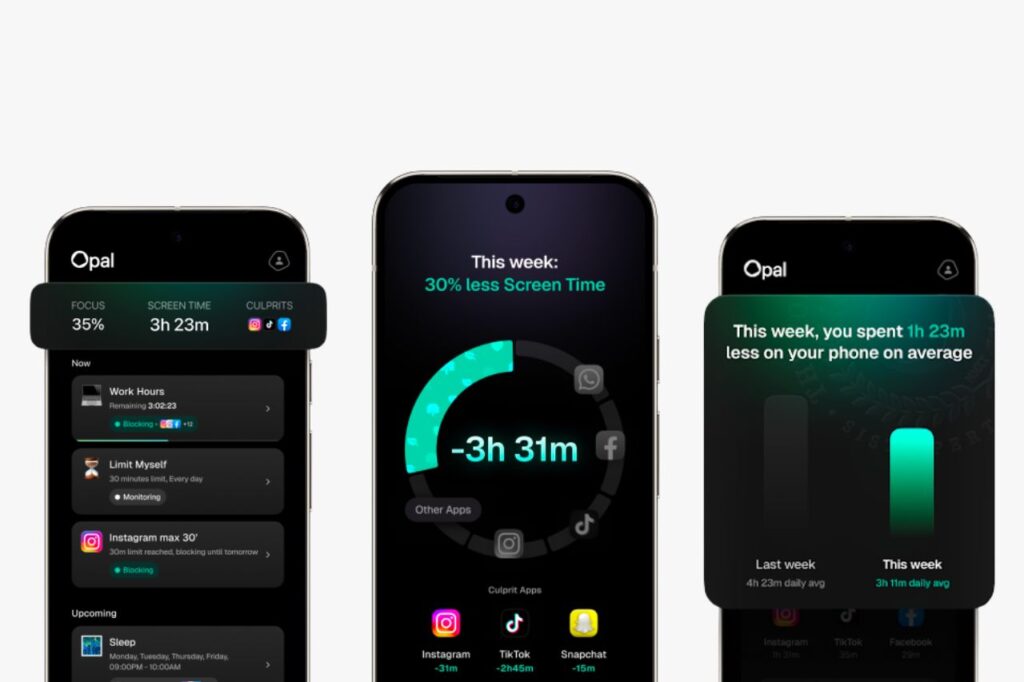
Opal positions itself as more than just another app blocker. It acts as a focus assistant designed for people who struggle with constant phone checking and endless scrolling. The app works best on iPhone and uses a local VPN connection to cut off access to apps you select.
You can set up blocking sessions based on your schedule. For example, you might block social media apps during work hours or study time. The app lets you create custom blocklists for different situations.
The standout feature is what Opal calls an unbreakable blocking mode. This locked mode ensures you cannot stop the session early. You cannot remove the app or find a workaround.
This strict mode works well if you need real accountability and tend to give in to impulses. It transforms your phone into a dedicated focus app during your most important hours.
The app includes whitelisting options too. This means you can block categories like social media while keeping practical apps like maps or messaging available. The interface shows you detailed data about your phone use in a clean, modern design.
The main drawback is cost. A yearly subscription runs around $99, which is higher than competitors like StayFocusd or Blocksite. The Android version exists but lacks many features compared to iPhone.
If you need a powerful android app blocker, you might want to consider alternatives like FocusMe or AppBlock instead. These tools make it easy to block apps on android with very little setup required.
2. Freedom
The Freedom app works across all your devices at once. This is what makes it different from other blocking tools. When you start a session, it blocks distractions on your phone, tablet, and computer at the same time.
You know how your brain tries to trick you? You block a site on your phone, then think you’ll just check it quickly on your laptop. Freedom closes that loophole. It syncs your blocks everywhere, so there’s nowhere left to hide from your own procrastination.
As a comprehensive website blocker, it handles browser-based distractions better than most tools. You can block distracting websites by specific URLs in your browser and set up schedules that repeat.
If you need news sites blocked every morning while you write, Freedom remembers and does it automatically. If you need a robust Windows solution, Cold Turkey Blocker is another excellent choice. It serves as a powerful site blocker that prevents users from bypassing their own restrictions.
What makes Freedom useful:
- Blocks apps and sites across phones, tablets, and computers simultaneously
- Handles browser-based distractions effectively
- Creates recurring schedules for your work routine
- Works on Mac, Windows, iOS, and Android devices
The setup takes some time because you need to give permissions on each device. The interface looks plain compared to newer apps. But if you work on multiple devices, Freedom prevents you from device-hopping when you should be focusing.
3. Forest
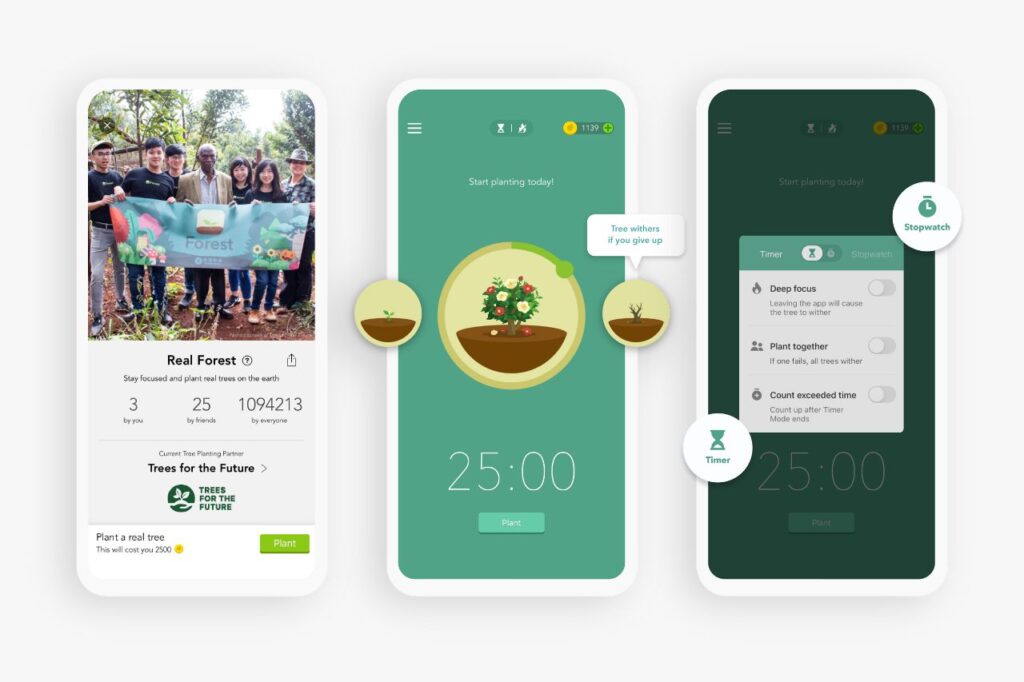
Forest takes a different approach to helping you stay focused. Instead of locking you out of apps with force, it uses a simple game-like system to keep you on track.
When you need to focus, you plant a small virtual seed in the app. You then set a timer for how long you want to work without distractions. As time passes, your seed slowly grows into a tree. The catch is that you need to stay inside the Forest app for your tree to survive. If you leave to check other apps on your phone, your tree dies.
Why this method works for many people:
- You don’t want to kill your tree, so you think twice before opening distracting apps
- Your completed trees build into a forest that shows all your focused work sessions
- You earn coins that can plant actual trees through Forest’s partner organizations
The app costs very little as a one-time purchase. You get positive feelings from growing your forest instead of feeling punished. You can see your progress visually, which helps you stay motivated over time.
However, Forest has some limits. It won’t physically block other apps if you really want to use them. The focus is mainly on your phone, not your computer. Some users find it too easy to cheat the system.
However, the app often includes focus sounds like white noise or rain to keep your environment calm. If you respond well to gentle reminders and visual rewards, Forest might be exactly what you need.
Which One Should You Download?
Your choice depends on where you struggle most with digital distractions.
Pick Opal if you’re an iPhone user who needs strict limits. This app blocker acts like a wall between you and your phone. The Deep Focus mode makes it nearly impossible to access distracting apps. If you constantly break your own rules, Opal’s password protection and blocking features won’t let you cheat.
Pick Freedom if your computer is the problem. Most productivity apps only block apps on your phone. Freedom works across all your devices at once. It can block websites and apps whether you’re on your laptop, tablet, or phone. This makes it perfect for when you need to block distractions during work hours.
Pick Forest if you’re just starting out or working with a tight budget. It’s gentler than other app blockers and uses a timer method to help you focus. Students often prefer this option because it doesn’t feel as harsh. If you are researching how to block apps on android specifically, most of these services offer simple step-by-step guides. Once you grant the necessary permissions, you can block apps on android to stop the cycle of constant checking.
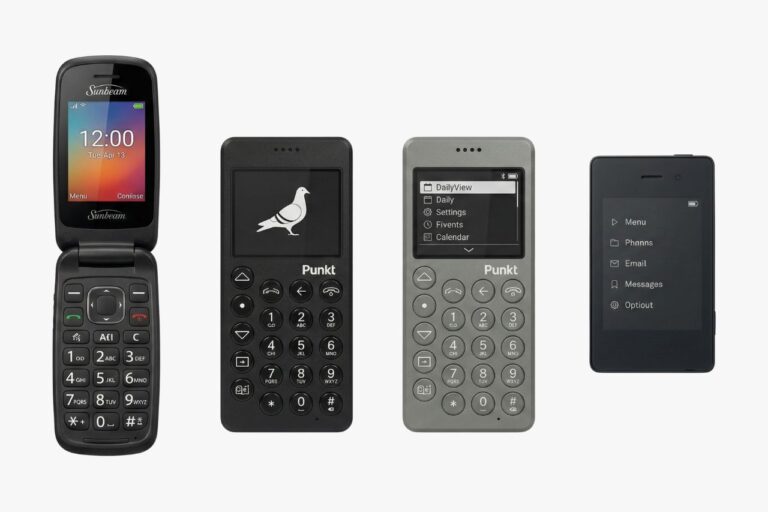
When software fails: Some people delete their distraction blocker apps the moment things get hard. If that sounds like you, no app will solve your problem. You might need to consider a phone with fewer features instead of downloading another focus app.