Jitterbug Flip3 Review: Lively's 5G Flip for Seniors
By Finn Albar
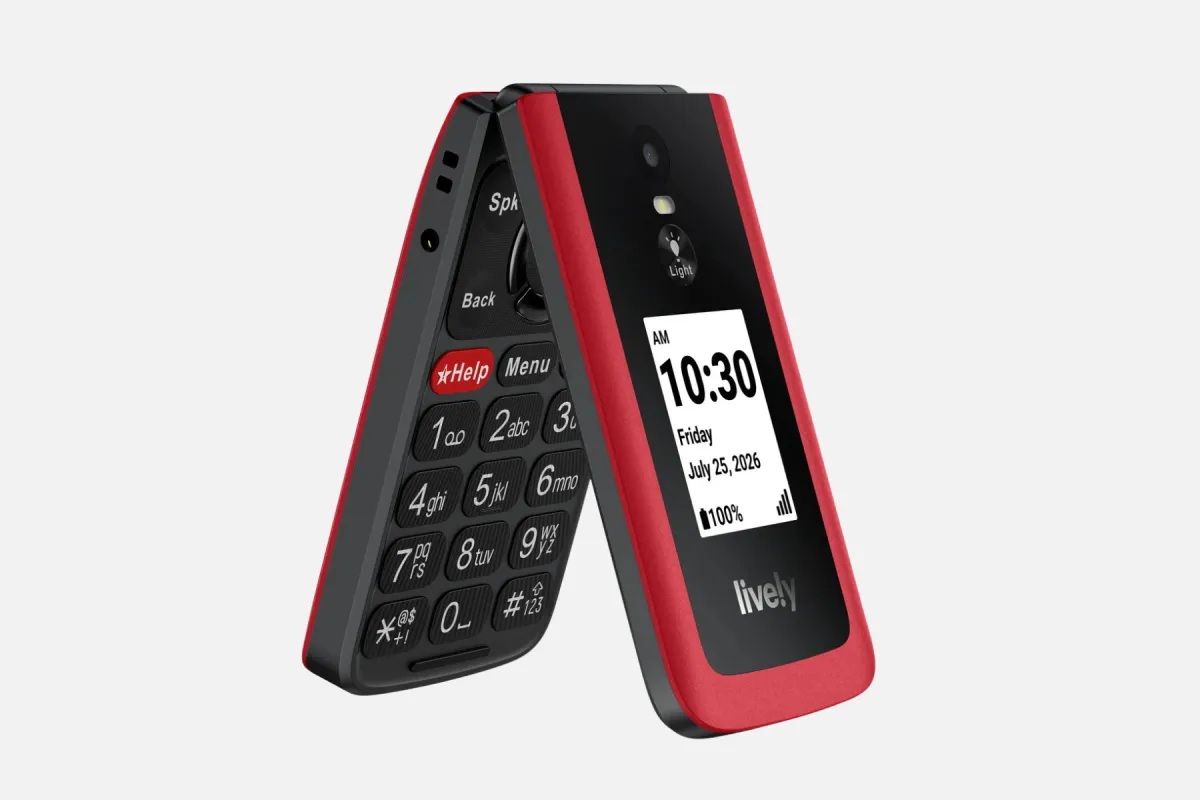
The Jitterbug Flip3 is Lively’s 5G flip phone for older adults, with big keys, voice dialing, and a help button, and the user guide lists no browser or app store. Lively calls it its easiest cell phone yet, and it works only on a Lively plan.
It is a stronger step than a launcher, and a gentler one than a feature phone with a browser. If you want a phone you can use on any carrier, best cheap flip phones compares the field.
Who the Jitterbug Flip3 is for
The Jitterbug Flip3 suits someone who wants a phone that is easy to see, hear, and hold. Lively lists backlit, tactile keys, a high-contrast screen with large text, a loud speaker, and a non-slip grip.
It also suits a family that wants Urgent Response behind the help button. Lively lists Urgent Response, Lively Link, Nurse On-Call, Care Advocate, and Ask Lively as available services.
Skip it if you want to keep your current carrier, because Lively says the phone cannot be used with other carriers. Skip it, too, if you want WhatsApp, maps, or a browser, because the user guide lists none of them.
Price and availability
Lively
Jitterbug Flip3
Available$80
- Network
- 5G
- Wi-Fi
- Yes
- Battery
- 3,000 mAh
- Screen
- 3.2 in
5G · Wi-Fi · Camera · Headphone jack · Keypad · SOS button · Hearing aid
Lively sells the Flip3 from its own store and in retail stores, and the phone requires a Lively service plan at activation.
Lively’s plans start at $14.99 a month with a paperless billing discount, and the lowest plan lists 300 minutes and 300 texts. A higher plan lists unlimited talk and text. Lively adds a $3.23 monthly admin fee and a $35 one-time activation fee.
Lively gives you 30 days to request a return. If you activated the phone, Lively refunds the activation fee, the first month’s service, and the phone plus taxes, less a restocking fee.
The refund applies only if you stayed within Lively’s usage limit and return the phone like new, in its box with all parts, as Lively determines. Shipping charges are not refunded.
What matters
Lively plans and carrier lock
The phone ships with a Lively nano-SIM already in it, and you choose a plan when you activate it by phone, online, or in a store. Lively says the phone cannot be used with other carriers.
You can keep your number if your current carrier approves the transfer and the number is eligible. Lively says the plans have no long-term contract and no cancellation fee.
Lively names no network on its page, but it offers a coverage check by ZIP code. Check coverage at home before you order.
The help button and Urgent Response
The phone has a dedicated help button. It only works if you upgrade to Urgent Response, because Lively’s Help Center says the button is disabled without that service. Check which plan includes it before you order.
With Urgent Response, a press connects you to trained agents around the clock. Lively’s Lively Link app can alert friends or family if you contact Urgent Response, and in an emergency you can still dial 9-1-1. Lively says it does not guarantee an exact location.
Big keys and a simple menu
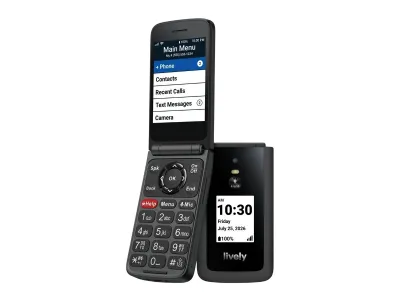
Lively describes backlit, tactile keys, an easy menu, and speed dial. The main menu holds Phone, Contacts, Recent Calls, Text Messages, Camera, Gallery, and More Apps.
You can move apps between the main menu and More Apps, and reorder the main menu. That lets a family trim the phone down to the few jobs that matter.
Voice dialing and voice typing
Press the Mic key and say “Dial” and a contact’s name to place a call. Lively Voice also writes and sends texts by voice, and an option lets the phone start listening as soon as you open it.
The phone has a keypad for typing too, and the user guide covers voice typing for text messages. Voice dialing works with contacts saved on the phone.
Calls, Wi-Fi calling, and 5G
Lively lists 5G and LTE, and it lists Wi-Fi calling for homes with a weak signal. You turn Wi-Fi calling on under More Apps, then Settings, then Wireless & Networks.
Lively adds spam call blocking. Calls need cellular service or Wi-Fi calling, and Lively says Urgent Response and 9-1-1 calls need cellular service.
Hearing and accessibility
Lively lists hearing aid compatibility, which the user guide treats as a setting, plus Real-Time Text, adjustable text size, and a Read Out feature that speaks the screen. The keypad also has haptic feedback.
You can switch Read Out off under Accessibility.
Camera and photos
Lively lists a 5 MP camera with an LED flash. Photos land in the Gallery, and you can copy them to a computer with a USB cable.
Treat it as a snapshot camera. It is there to send a photo by text, not to replace a smartphone.
What it leaves out
The user guide lists no browser, no app store, and no messaging app beyond texts. More Apps holds Settings, Weather, and Tools such as Flashlight, Alarm Clock, Timer, Stopwatch, Calculator, and Reminders.
That keeps the menu short. It also means no WhatsApp, no maps app, and no authenticator app, though Lively’s Ask Lively operators can help look up a number or get directions.
Battery and charging
Lively lists up to 12 hours of talk time and says actual life varies and fades with age. The phone charges over USB-C, and a 3.5 mm audio jack and Bluetooth cover headphones.
Lively’s page also lists a wall charger and a USB-C cable in the box.
Support and warranty
Lively lists phone support, and dialing 0 on the phone reaches a Lively operator, who Lively says can update contacts. Its store also links a standard limited warranty.
Lively also offers Lively Rides, where its Rides team schedules a Lyft ride. Rides are pay per ride.
Limitations
The Lively lock comes first. The phone needs a Lively plan, so you cannot bring your current carrier or plan.
The help button needs the Urgent Response upgrade, and the plan adds fees on top of the price. The phone also gives up a browser, apps, and maps.
Lively’s return window is 30 days, with conditions. If your bank, family chat, or doctor’s portal needs an app, a minimalist launcher or the Wisephone II is the better step.
Pros
- Big, backlit keys and a high-contrast screen with large text
- Voice dialing, voice texting, speed dial, and spam blocking
- 5G, Wi-Fi calling, hearing aid support, and Real-Time Text
- No browser or app store, and a customizable main menu
Cons
- Works only on Lively's service
- The help button is disabled without the Urgent Response upgrade
- Plan, admin fee, and activation fee add up
- No WhatsApp, maps, or authenticator app
- 30-day return window, with conditions
Alternatives
Pick a flip from best cheap flip phones if you want to keep your carrier and your plan. It compares phones that run on major carriers.
Choose the Sunbeam F1 Pro if you want a rugged flip with models that add maps or email. Sunbeam leaves out the browser and the app store.
Best phones that only call and text lists the simplest phones, and best dumbphones compares the wider field. A minimalist launcher is the lighter step if you only want fewer apps on the phone you own.
Common questions
Does the Jitterbug Flip3 work on other carriers?
No. Lively says the phone cannot be used with other carriers and that it requires a Lively plan at activation. You can port your current number if your carrier approves it.
Does the Jitterbug Flip3 have a help button?
Yes. It has a dedicated help button, but Lively says the button is disabled unless you upgrade to Urgent Response service. Without it, you dial 9-1-1 in an emergency.
Does the Jitterbug Flip3 have WhatsApp or a browser?
No. The user guide lists no browser, app store, or messaging app beyond texts. You get calls, texts, a camera, and a few tools.
Does the Jitterbug Flip3 have Wi-Fi calling?
Yes. Lively lists Wi-Fi calling for areas with a weak signal. You turn it on under More Apps, then Settings, then Wireless & Networks.
How much does Lively service cost for the Jitterbug Flip3?
Lively’s plans start at $14.99 a month with a paperless billing discount, and the lowest plan lists 300 minutes and 300 texts. Lively adds a $3.23 monthly admin fee, taxes, and a $35 one-time activation fee.
Can you return the Jitterbug Flip3?
Yes, within 30 days of receiving it, with conditions. Lively refunds the activation fee, the first month’s service, and the phone, less a restocking fee, if you stayed within its usage limit and return it like new. Shipping is not refunded.
Final thoughts
The Jitterbug Flip3 is a flip for someone who wants a phone that does less, with Urgent Response behind the help button. It asks you to move to Lively and to upgrade to Urgent Response if you want the help button to work.
If you would rather keep your carrier, the Dumbphone Finder can narrow the field to phones for older adults.