Sunbeam F1 Horizon vs Pro Review: The Best Voice-to-Text Dumbphone in 2026?

Flip phones look great in photos, but most people don’t talk about how hard it is to text on them.
When you get a long message from a friend, typing back with a T9 keypad can feel like punishment. Each word takes forever, and a simple reply can eat up minutes of your day.
This sunbeam f1 review highlights how the Sunbeam F1 changed this for a lot of people who want to step away from smartphones. It provides an easy way to stay connected without giving up easy communication.
As a tool for the digital minimalist, this dumbphone includes a touchscreen and voice-to-text, so you can disconnect from apps and social media without struggling to send basic messages.
But now there are multiple versions available, and picking the right one for your needs takes some careful thought.
The Secret Weapon Voice-to-Text
Texting on a flip phone usually means wrestling with tiny buttons or tapping the same key three times to get one letter. It’s frustrating and slow.
The F1 solves this problem with voice-to-text that actually works. You press and hold a button on the side of the phone, say what you want to type, and release. The phone turns your words into text almost instantly.
This feature uses Microsoft’s technology but keeps your privacy protected. The system handles punctuation automatically and keeps up with how fast you talk.
You can send a long reply to your coworker while you’re walking without needing to stop and type.
Voice-to-text lets you:
- Reply quickly to detailed messages
- Avoid the frustration of button mashing
- Keep moving while you communicate
- Type faster than you could on most smartphones
This feature bridges the gap between the peace of a simple phone and the speed you need to stay connected. It removes the biggest barrier that stops people from switching to a less distracting device.
Hardware Battle: Horizon vs. Pro
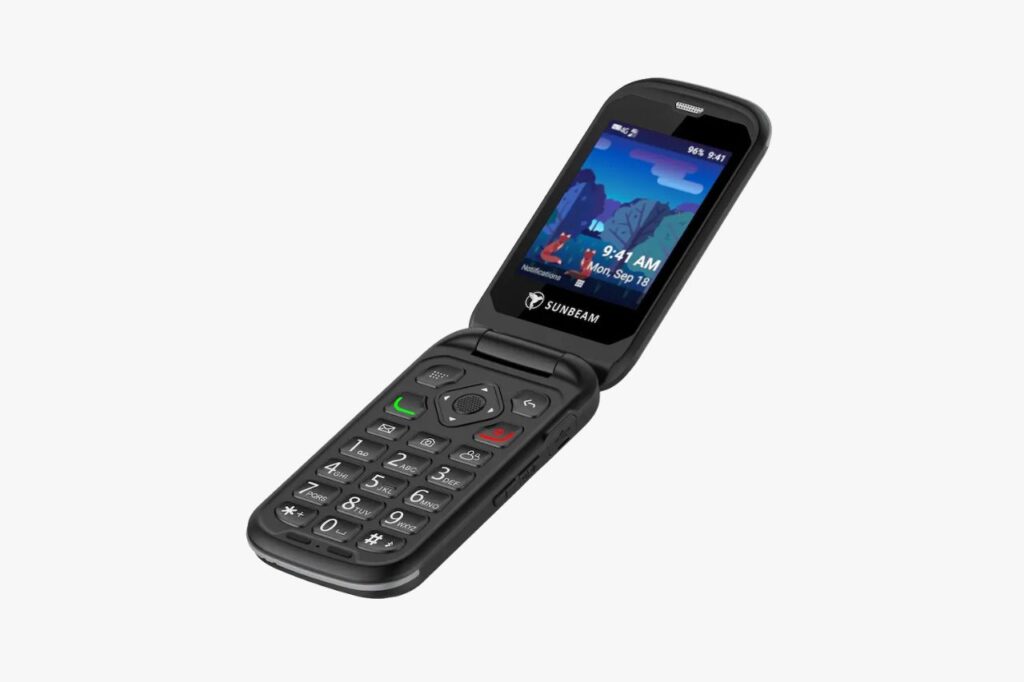
Sunbeam makes two phones that run identical software but serve completely different lifestyles. Your choice comes down to where you’ll use it and how much abuse it needs to take.
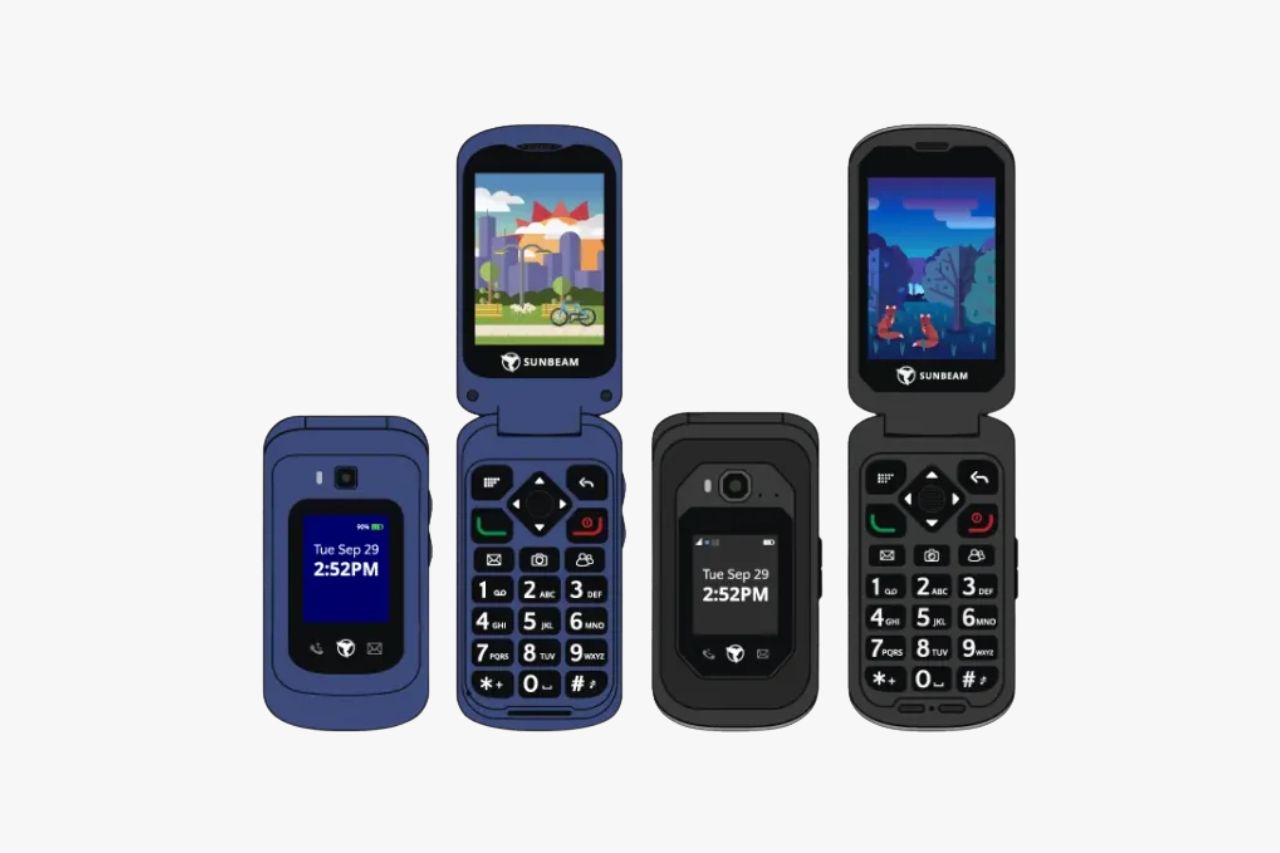
The F1 Horizon (Your Everyday Companion)
Perfect for: People working in offices, parents juggling family life, and anyone who wants simplicity without bulk.
The Horizon is what happens when you refine the original F1 into something sleeker. It’s designed to slip into your pocket without weighing you down.
The MediaTek MT6739 processor ensures the system remains responsive, while Volte support provides crystal-clear call quality. This MediaTek MT6739 chip handles daily tasks with ease.
Build quality: The phone feels sturdy and well-made. It slides into tight jeans pockets or small bags without issue. The metal hinge adds strength without adding bulk.
Durability: You get a reinforced hinge and a battery you can swap out yourself. But don’t throw it in a lake. It’s built for normal life, not extreme conditions.
Battery life: The 1400mAh battery powers you through a full day of regular use. If you’re just making calls and texting, you’ll get two days easily.
The look: It resembles a classic flip phone that wouldn’t look out of place at dinner or in a meeting. There’s nothing aggressive or industrial about it.
The F1 Pro (Your Tough Tool)
Perfect for: Construction crews, outdoor adventurers, and anyone who’s hard on their devices.
The Sunbeam F1 Pro is built like a tank. If the Horizon is your daily sedan, this is your off-road vehicle. While the Nuu F4L offers similar durability, the Sunbeam F1 Pro provides a more refined software experience. The Sunbeam F1 Pro is designed to withstand harsh environments while maintaining functionality.
Rugged protection: IP68 rating means it survives water and dust. The internal MediaTek MT6739 chip stays protected inside the rugged shell. Drop it in mud, rinse it under the tap, or let it sit in sawdust. It meets military drop standards (MIL-STD-810H). You also get a microSD slot if you need extra room for photos or music.
Battery capacity: The 1800mAh battery is a major upgrade. Without apps running in the background, this thing runs for days between charges.
Charging options: You get USB-C plus magnetic pogo pin contacts. The optional charging dock means you just drop it in place.
Audio power: The front speaker hits 90dB+. You’ll hear it ringing on loud job sites.
The compromise: It’s thicker, heavier, and looks industrial. This isn’t a fashion statement.
The Software Tiers: Choose Your Level of Disconnect
Sunbeam lets you pick how much you want to step back from the digital world. Instead of offering one phone, they give you different software versions that match your goals.
Level 0 – Lemming/Dandelion
This is the most basic option. You can make calls only. There is no texting. This works well for kids or people who want a full break from communication habits.
Level 1 – Daisy
You get calls and texting with this level. It uses T9 typing on the number pad. There is no touchscreen and no voice-to-text feature. This is for people who prefer the old way of doing things.
Level 3 – Bluebird
This is the most popular choice. You get calls, texting, voice-to-text, a camera, weather updates from the Weather Company, and Waze navigation. It even includes an SOS button for emergencies.
The navigation feature uses HERE and Waze data to give you turn-by-turn directions with live traffic. This level works for people who need basic tools without all the distractions. includes a navigation app powered by HERE/Waze data.
It is excellent. It gives you turn-by-turn directions on the small screen. It has live traffic updates. It saves you from needing to keep a smartphone in the glovebox for maps.
Using It Every Day
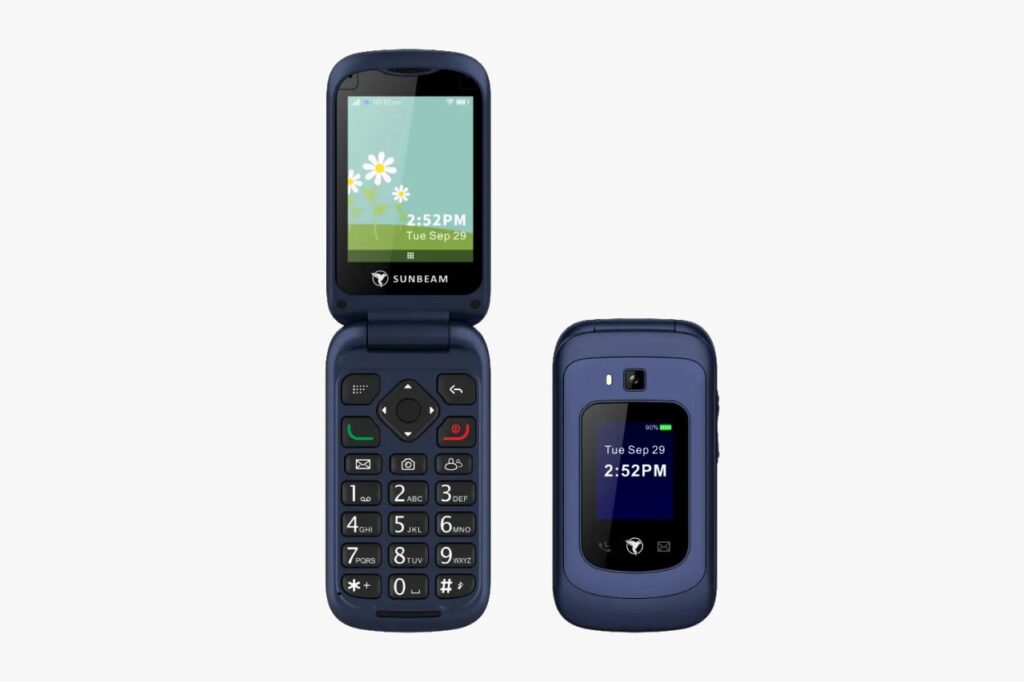
Opening the Sunbeam F1 reveals a straightforward menu system. You select what you need, complete your task, and move on with your day. It covers the basicos of communication without any extra fluff.
These basicos are essential for anyone wanting to simplify their digital life.
Need directions? Select the navigation option, enter where you’re going, and receive turn-by-turn directions. Want to send a message? Pick the messaging app, speak your reply, and flip the phone shut.
This easy-to-use communication device keeps interactions brief and purposeful.
The touchscreen might seem out of place on a flip phone, but it works well. You can scroll through menus or move around maps with your finger while keeping the physical buttons for making calls and navigating.
It’s a practical mix of old and new technology. This design approach is a key highlight in this sunbeam f1 review.
The 1400mAh battery delivers solid battery life that lasts through regular daily use. You won’t need to charge this voice phone constantly like a smartphone.
Sunbeam doesn’t sell your personal information or show you ads. Your location stays private. You pay upfront for the device and keep control of your data.
Who Should Buy Which?
The F1 Horizon works best for people who spend their days indoors or in office settings. This basic flip phone fits easily in your pocket and won’t weigh you down.
If you care about how your phone looks, the Horizon has a sleeker design. It gives you that classic flip phone feel while still letting you use helpful features when you need them.
The F1 Pro is built for tougher situations. If you work in construction, plumbing, or landscaping, this phone can handle drops and rough conditions. Outdoor lovers who hike or camp will appreciate the longer battery life.
The Pro also has louder speakers, which helps in noisy places. If you drop your phone a lot, the rugged build of the Pro will save you money on replacements.
Both Sunbeam phones help you step away from smartphone habits while keeping the tools you actually need. By focusing on the basicos, these devices return your attention to the real world.
Final Thoughts: A Phone That Meets You Halfway
The Sunbeam F1 costs between $200 and $300 depending on which model you choose. If you need a rugged device, the Sunbeam F1 Pro is worth the investment. That’s a real price for a phone without apps or a browser.
But here’s what you get for that price: a phone that doesn’t make you choose between modern convenience and mental peace.
You keep the tools you actually need, like maps and quick texting. You lose the things that pull you into endless scrolling.
Think of it this way. Most basic phones make simple tasks feel like punishment. Texting becomes a chore. Finding directions turns into a frustrating game of button mashing. The Sunbeam F1 removes those barriers while keeping the addictive stuff out of reach.
Have you tried other basic phones and given up because they felt too limiting? This phone solves that problem. It gives you what works without the parts that don’t.