Best Mechanical Keyboards for Writers & Focus

You probably spend more time touching your keyboard than you do touching your partner, your pet, or your pillow.
If you work in a knowledge job, the keyboard is your primary tool. It is the bridge between your brain and the digital world. It is how you translate thoughts into value.
Yet, most people settle for the default option. They type on the flat, mushy, lifeless membrane keyboard built into their laptop. They type on cheap plastic rectangles provided by their IT department.
This is like a professional chef using a dull knife from a dollar store. It works, but it makes the process miserable.
In the quest for Deep Work, friction is usually the enemy. But when it comes to typing, Physical Friction is actually the hero.
Switching to a mechanical keyboard isn’t just about aesthetics or looking cool on Instagram. It is a hack for entering the flow state. It turns the mundane act of typing into a rhythmic, tactile, and satisfying ritual.
Here is why your brain craves a better keyboard and which ones are worth buying in 2026.
The Science of Tactile Feedback
Most modern laptops use “scissor” or “butterfly” switches. When you press a key, it travels a tiny fraction of a millimeter, hits the bottom with a dull thud, and sends a signal to the computer. There is almost no physical confirmation that the action is complete.
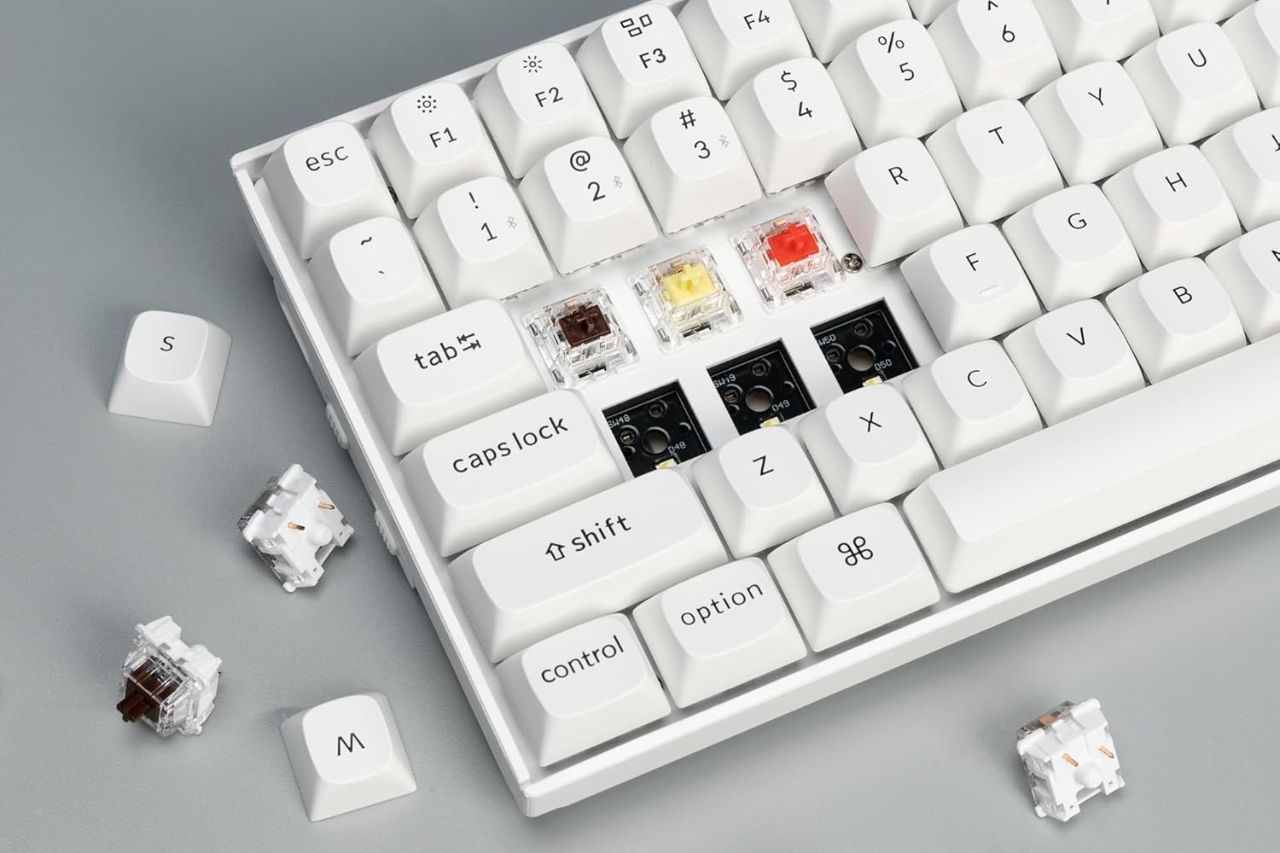
Mechanical keyboards are different. Underneath every single keycap is an individual physical switch with a spring.
When you press a mechanical key, you feel a distinct “bump” or “click” at the actuation point. This is Tactile Feedback.
This feedback loop is crucial for your brain. It confirms that the letter has been typed without you needing to bottom out the key or look at the screen. This creates a rhythm.
The Flow State Connection Music induces flow because of rhythm. Typing on a mechanical keyboard creates a similar percussive cadence. Click-clack-click-clack. The sound and the feeling synchronize your hand movements with your thought process.
Many writers report that this sensory input keeps them engaged in the writing process longer. It anchors you in the physical reality of doing work, preventing your mind from drifting to open a new tab.
Understanding Switches Without the Jargon
The world of mechanical keyboards can get confusing fast. There are hundreds of switch types with obscure names like “Holy Pandas” or “Cherry MX Speed Silver.”
For the purpose of digital wellbeing and productivity, you only need to understand three main categories. The color of the switch (under the keycap) usually indicates how it feels.
Blue Switches (The Clicky Ones)
These are loud. They make a high-pitched click sound like a typewriter.
- Pros: Extremely satisfying and nostalgic. You know exactly when you’ve pressed a key.
- Cons: Not office-friendly. If you use these on a Zoom call or in an open office, your coworkers will hate you.
- Best For: Solo writers working from a home office who want to feel like Hemingway.
Red Switches (The Linear Ones)
These are smooth. There is no bump. The key just goes straight down.
- Pros: Quiet and fast.
- Cons: Because there is no bump, it is easy to make typos by accidentally brushing a key. They lack the “satisfaction” factor.
- Best For: Gamers (speed) or people who want silence.
Brown Switches (The Tactile Ones)
This is the “Goldilocks” zone for most professionals. You feel a physical “bump” when the key activates, but it doesn’t make the loud click noise.
- Pros: Satisfying feel without the noise pollution.
- Cons: None really. It is the perfect middle ground.
- Best For: Office workers, coders, and writers.
Ergonomics and Posture
There is another hidden benefit to buying an external keyboard. It saves your neck.
If you type on a laptop, your hands and your screen are connected. If your hands are comfortable (low), your neck is bent looking down. If your screen is comfortable (eye level), your hands are reaching up like a zombie. You cannot win.
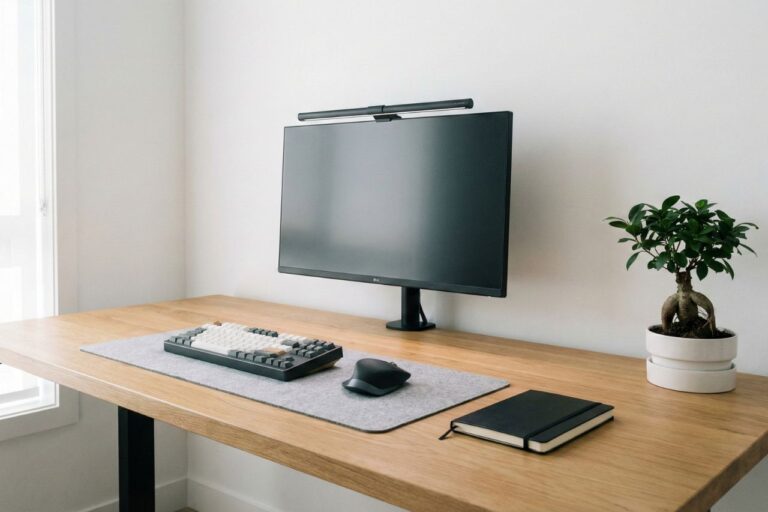
By separating the keyboard from the screen, you can place your laptop on a stand at eye level and keep your keyboard on the desk surface. This open posture improves breathing and reduces fatigue, allowing you to focus for longer stretches.
It is a critical component of any Minimalist Desk Setup.
Top Recommendation 1 Keychron K Pro Series
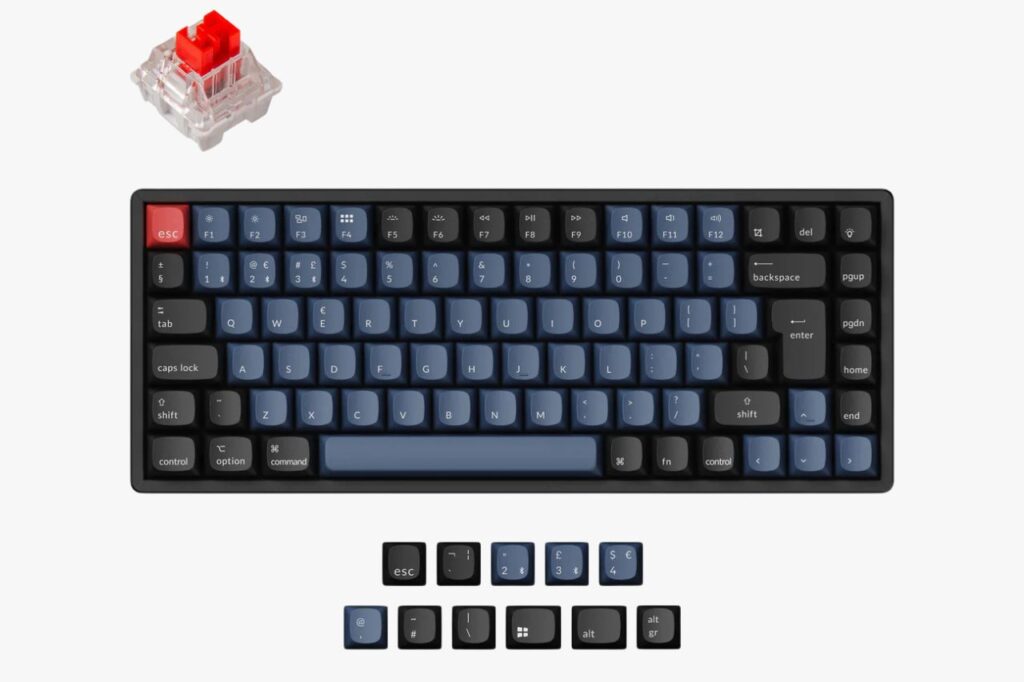
If you are looking for your first mechanical keyboard, stop searching and look at Keychron. They have dominated the market for a reason.
The Vibe
Keychron balances industrial design with affordability. Their keyboards look professional—grey and black keycaps with subtle accents—so they don’t look like a glowing spaceship on your desk.
Why It Works
- Mac/Windows Switch: There is a physical toggle on the side to switch between Mac and Windows layouts instantly.
- Wireless: Connects via Bluetooth to up to 3 devices (Laptop, iPad, Phone).
- Price: For the build quality, it is a steal (usually under $100).
Which Model?
- Get the Keychron K2 Pro (75% layout). It keeps the arrow keys and function row but cuts off the bulky number pad, saving desk space for your mouse and notebook.
Top Recommendation 2 Logitech MX Mechanical
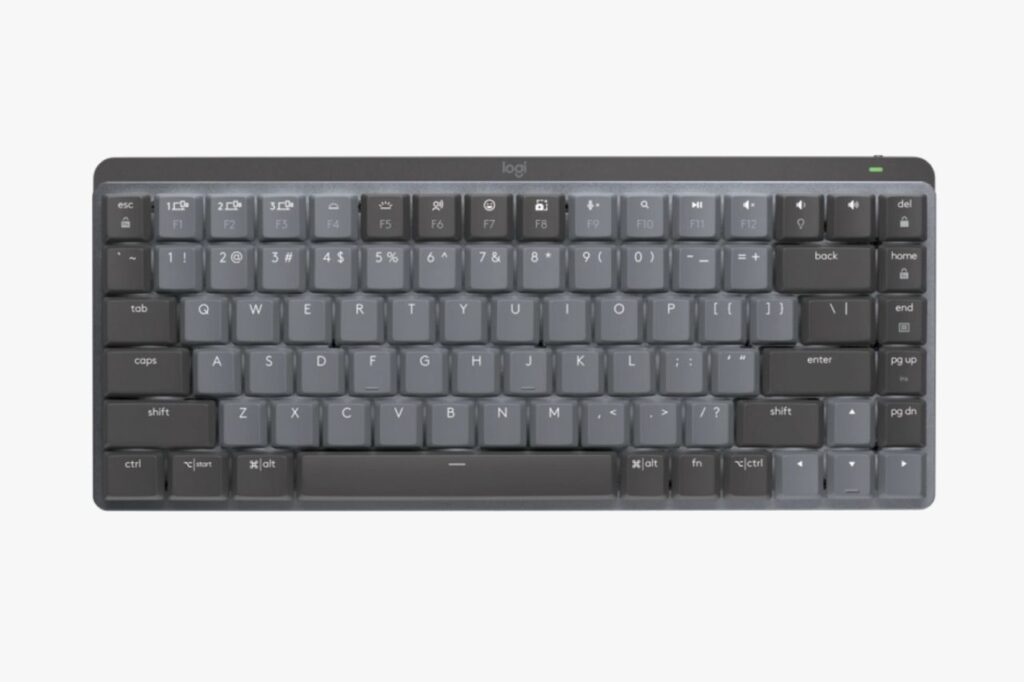
If you don’t care about customization and just want something that works seamlessly with your corporate life, Logitech is the answer.
The Vibe
Sleek, low-profile, and serious. It looks like a premium piece of office equipment.
Why It Works
The keys are “Low Profile,” meaning they are shorter than traditional mechanical keys. If you are coming from a laptop, this will feel much more familiar and less jarring than the tall keys of a Keychron. The battery life is insane (months on a single charge), and the software allows you to customize every key shortcut.
Which Model?
- Get the MX Mechanical Mini. It is compact, quiet (Tactile Quiet switches), and fits perfectly in a backpack for hybrid work.
Top Recommendation 3 NuPhy Air75 V2
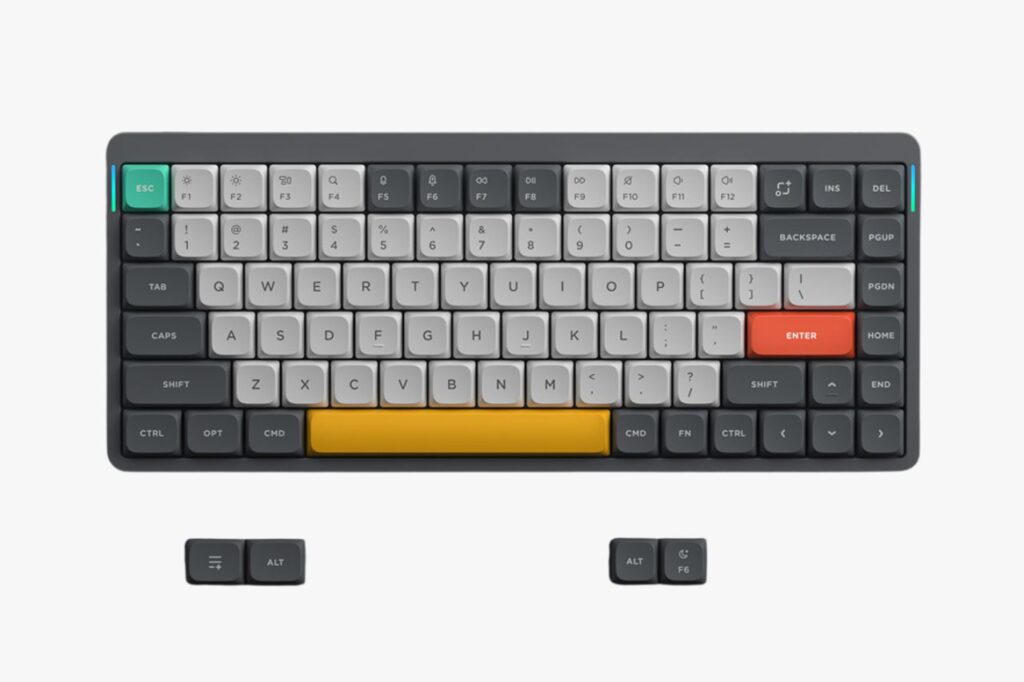
For the aesthetic-obsessed and the digital nomads, NuPhy has created something special.
The Vibe
Playful, futuristic, and incredibly thin. The keycaps look like little flat pebbles.
Why It Works
It is designed to sit on top of your MacBook keyboard. The rubber feet lock into the gaps between your laptop keys, allowing you to use a mechanical keyboard without needing extra desk space. It is the ultimate portable setup. The typing sound is “thocky” (a deep, solid sound) rather than clicky, which is very pleasing to the ear.
The Analog Connection
Using a mechanical keyboard bridges the gap between the digital and the analog.
It reminds us of the era of typewriters, where writing was a deliberate mechanical act. In our article about Analog Hobbies, we talked about how tactile activities ground us in the present moment.
A good keyboard brings that grounding into your digital workday. It adds weight to your words. It makes hitting “Send” on a difficult email feel like a definitive action.
Verdict regarding Your Daily Driver
You spend 40 hours a week typing. Upgrading the surface you touch thousands of times a day is not a vanity purchase; it is a quality-of-life investment.
Don’t settle for the mushy plastic that came with your computer.
If you want to write better, code cleaner, or just hate your job a little less, get a keyboard that clicks back.
Start with a Keychron with Brown Switches. It is the safest bet. Once you feel that first tactile bump, you will wonder how you ever typed on glass.